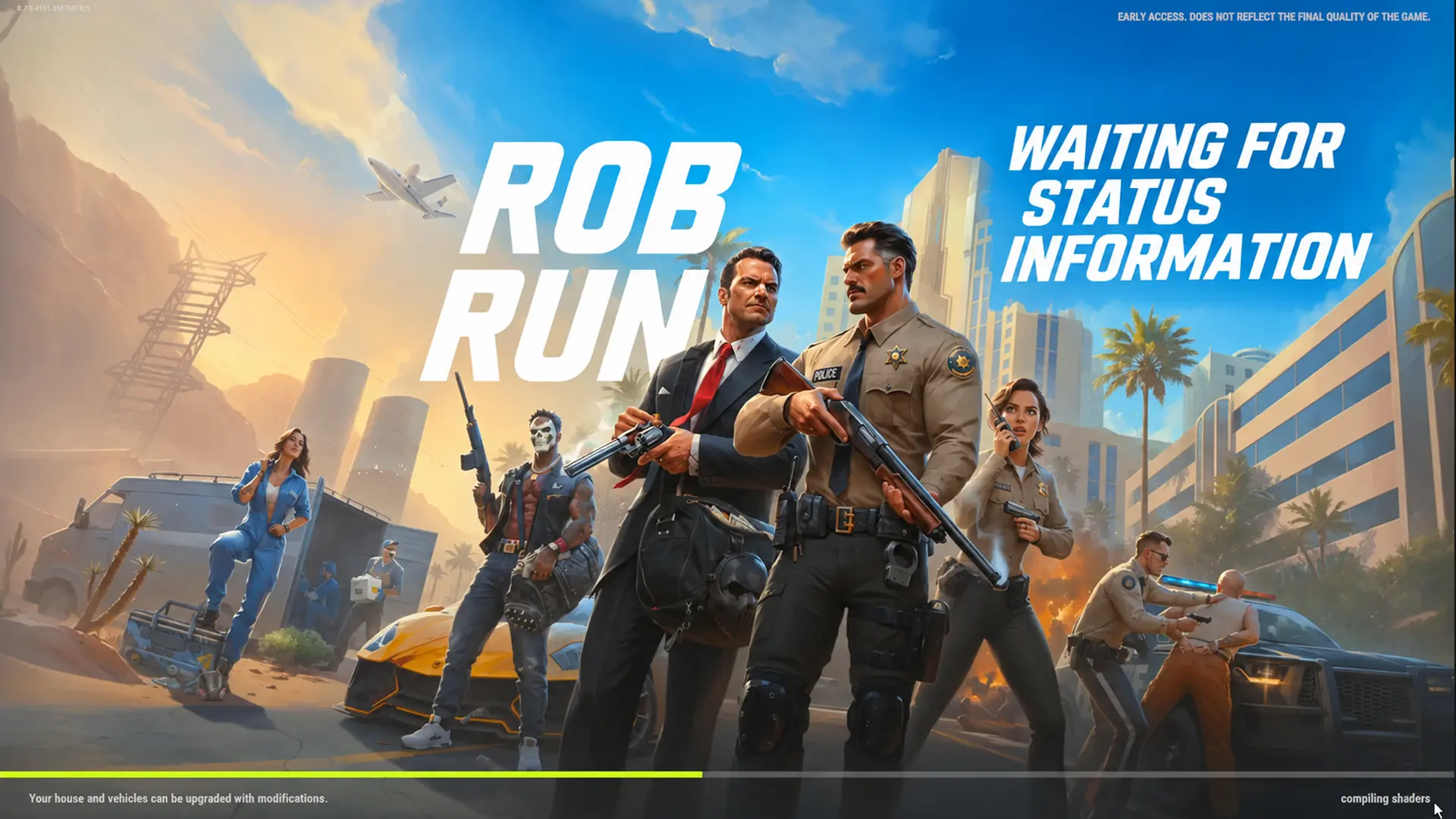


Stuck on the ROB RUN waiting for status information screen? You’re far from the only one. Plenty of players hit it during launch week, and some sat there for hours while their friends played just fine. Developer Kefir confirmed DDoS attacks on November 7, but it never gave an official fix. So I went through the Steam threads and Kefir’s support pages to separate what’s real from what’s guesswork. Keep reading to see what’s actually worth trying.
What You’ll Read:
What Does ROB RUN Waiting for Status Information Mean
Honestly, nobody outside Kefir knows. The developer hasn’t explained this message, and it isn’t tied to any of the official error codes. I know that’s not a satisfying answer.
All we have are player reports. The screen hangs during loading, sometimes for hours. Others can’t get in while friends on the same world play fine, so a simple “the servers are down” answer doesn’t cover it.
It also overlaps with the “compiling shaders” freeze at 50%. One player reached this message near the end of loading, but that doesn’t prove the two share a cause. Kefir blames DDoS attacks for connection errors in general, not for this screen specifically.
ROB RUN Server Maintenance Explained
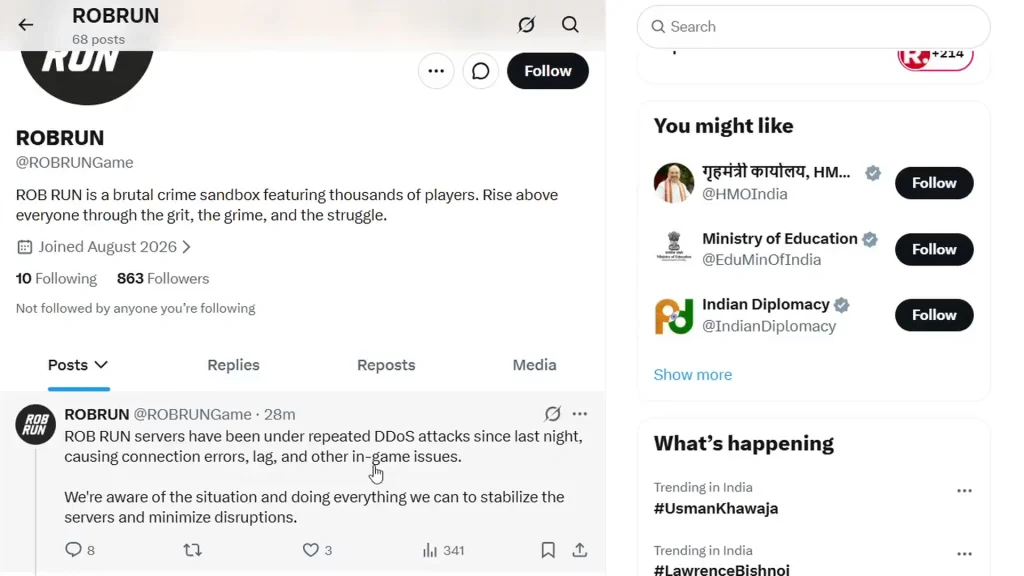
Is ROB RUN Down? Sort of, but it’s messy. Kefir’s pinned Steam post from November 7 says repeated DDoS attacks started the night before and caused connection errors and lag. The team says it’s working on server stability and admits the launch has been rough.
That post doesn’t say the waiting screen comes from the attacks, and it gives no maintenance schedule or return time.
Some players have posted a red “SERVER RESTART” countdown from inside the game. That timer only counts down to the restart. It says nothing about how long the servers stay offline.
Also, don’t assume every world is dead. Plenty of players were stuck while friends on the same world played normally, so a blocked login doesn’t always mean ROB RUN server maintenance is happening.
How Long Does a ROB RUN Maintenance Time Last
There’s no official ROB RUN maintenance time. Kefir hasn’t published a duration or reopening time, so every number you’ll see is one player’s memory of one incident, and they range from about 15 minutes to almost a day!
Don’t confuse the daily schedule with downtime. EU gets a new world at 5 PM UTC and East US at 8 PM ET, but those are fresh worlds, not a “we’re back” signal. The seven-day Federal Raid wipes plots, bases, weapons, and cash. That’s a progression reset, not maintenance.
If you’re trying to figure out what happens after a server reset, our ROB RUN guide covers the game’s progression and weekly wipe.
How to Fix ROB RUN Waiting for Status Information
There’s no proven fix for ROB RUN waiting for status information, so I’m sticking to what Kefir itself recommends for loading problems. Go in this order:
- Check that your internet works.
- Fully close and restart ROB RUN and Steam.
- Update your graphics driver.
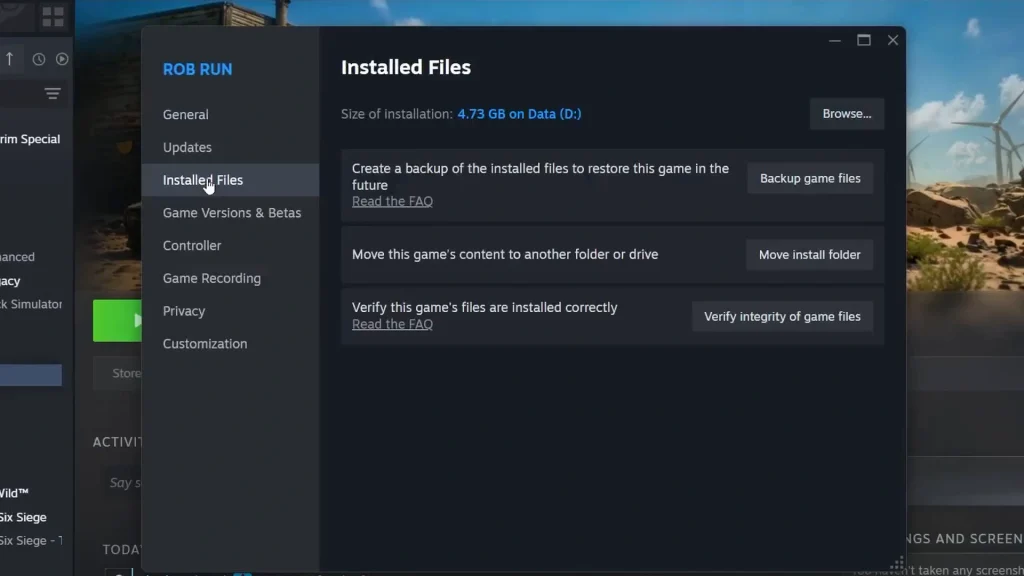
- In Steam, open the game’s Properties > Installed Files and click Verify integrity of game files. Let it finish.
Verifying repairs local files, but it can’t bring a downed server back. If nothing changes, the problem is likely on Kefir’s end. You’ll also see people suggest resetting the shader cache through Windows Disk Cleanup, which works for some players. It’s low-risk, but your next launch will take longer while Windows rebuilds it.
I’d skip VPN tricks, network resets, and making a new account. Nobody has shown they work for this screen.
Where to Check ROB RUN Server Status
Kefir doesn’t have an official live status page. Its own channels are the best source, since that’s where dated notices show up:
- Steam Community: the pinned posts on the ROB RUN hub
- Discord: discord.gg/robrun
- X: @ROBRUNGame
Check the date on any notice and make sure it covers your region. A post from two days ago tells you nothing about right now.
ROB RUN Error Codes That Aren’t This Screen
The waiting screen shows no code, and Kefir hasn’t tied it to any numbered error. If you do see a code, these are the most common ones and what the official FAQ says to do:
| Code | Meaning | What to do |
|---|---|---|
| E-0101 / E-0110 | Startup data won’t download | Check your internet and that websites load |
| E-0201 | Server connection lost and couldn’t be restored | Check your connection, restart the game |
| E-0301 / E-0302 | Outdated client | Close the game, restart Steam, install the update |
| E-0303 / E-0304 | Corrupted data or version mismatch | Wait 10-15 minutes, disable proxy, verify files, update |
That 10-15 minute wait is only for E-0303 and E-0304. Don’t apply it to the waiting screen or to general maintenance.
How to Report the Issue to Kefir
If nothing works, email [email protected]. A vague “it’s broken” message won’t get far, so include:
- A screenshot or video showing the exact screen text
- Your server or region, if you know it
- The UTC date and time it happened
- Whether it froze at launch or while joining, and what you already tried
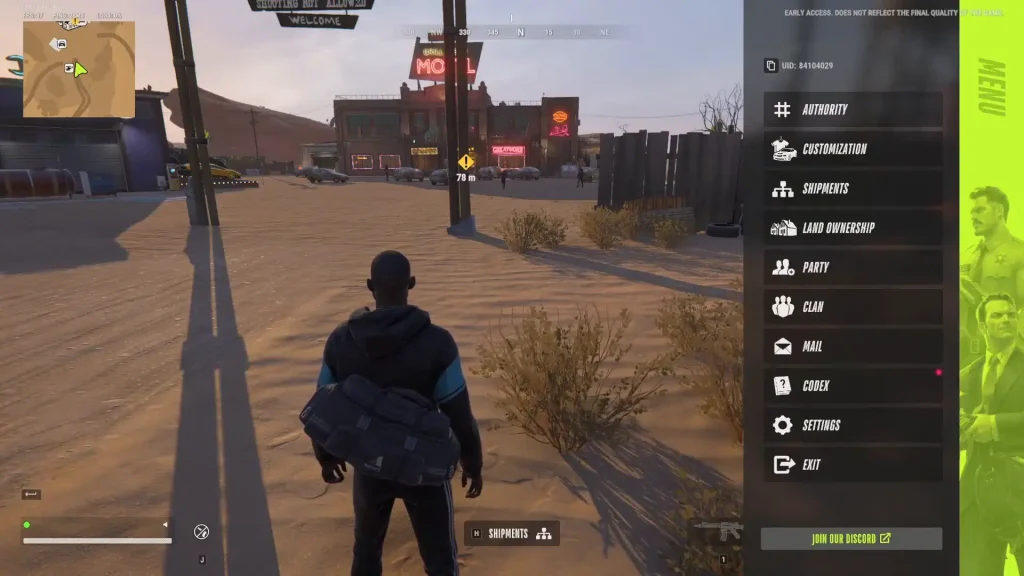
Add your UID if you can. Press Esc in-game, find it under your character name on the right, and hit Copy UID. If you’re stuck before the menu, skip it and send everything else.
Do you know any fixes I forgot to mention? Let us know in the comments below.