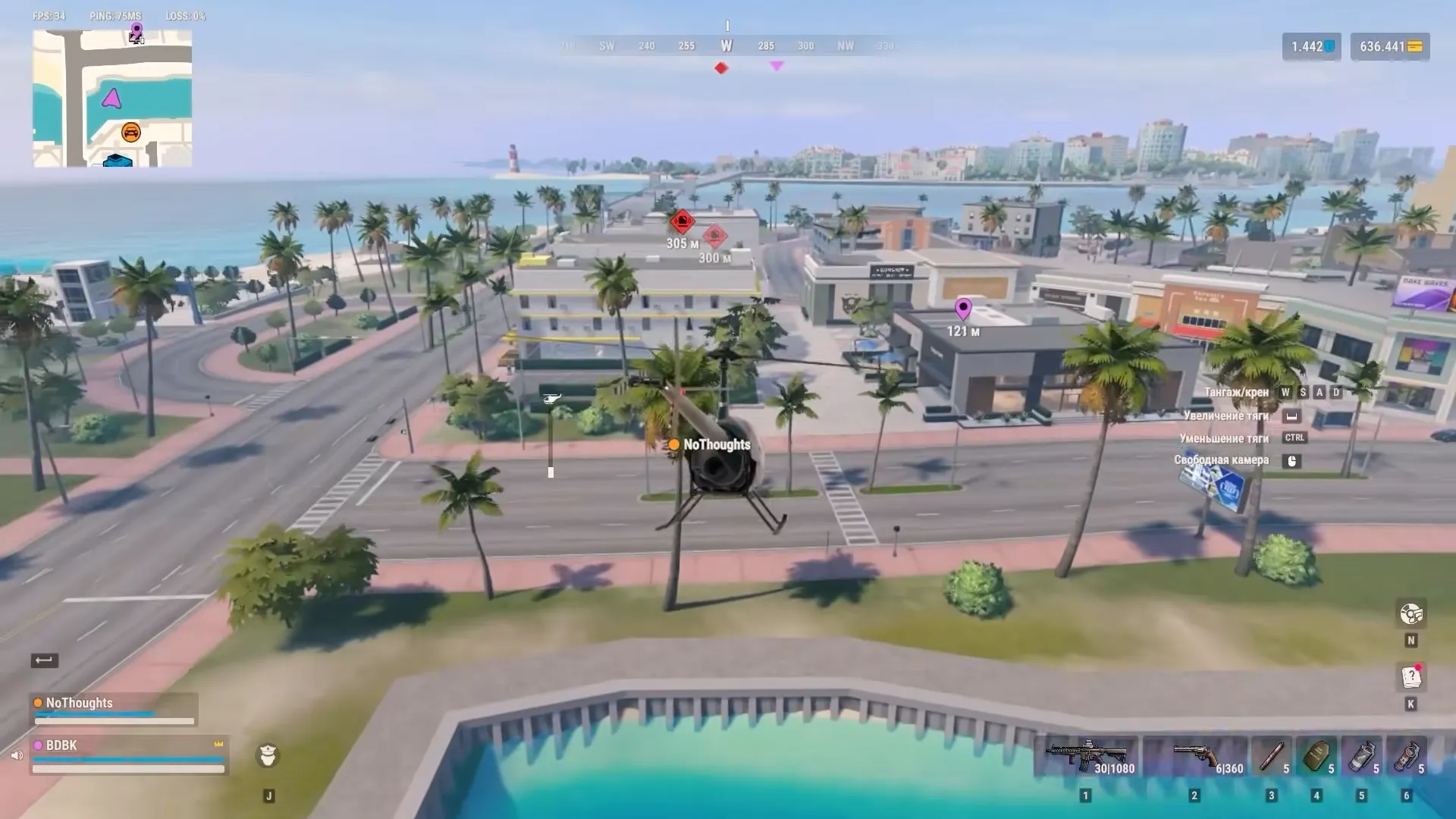


ROB RUN FPS drops every time you move your mouse? Before lowering your graphics settings, check your mouse polling rate. Developer Kefir has confirmed that excessively high polling rates can cause FPS to fall into single digits, even when the game runs smoothly while you’re standing still.
If your FPS stays low or the game keeps stuttering, there are other things worth checking. Here’s how to narrow down the problem without changing a bunch of settings that might have nothing to do with it.
Table of Contents
Fix ROB RUN FPS Drops When Moving Your Mouse
If ROB RUN runs smoothly until you move your mouse, lower your mouse’s polling rate first. An excessively high polling rate can cause the game’s FPS to fall into single digits.
Open your mouse software, such as Logitech G HUB or Razer Synapse, and find the Polling Rate or Report Rate option. Note your current value, select a lower one, and return to ROB RUN to test it.
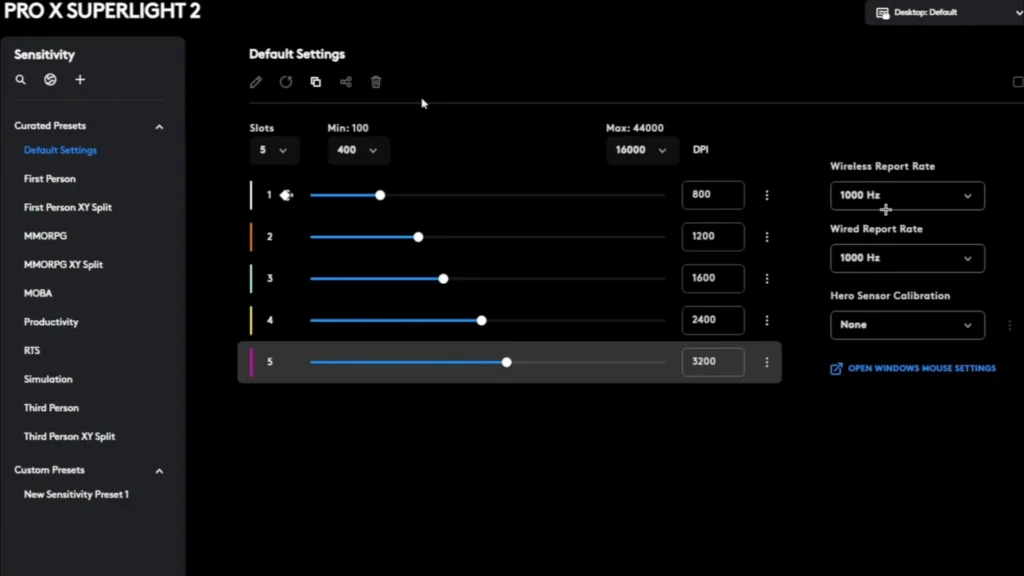
Polling rate controls how often your mouse sends updates to your PC. It isn’t the same as DPI, so don’t mess with your sensitivity if you don’t have to.
There’s no confirmed polling rate that works for every mouse. I’d start with a lower available option and see whether the frame rate improves before I touch anything else.
How to Check FPS in ROB RUN
A game can feel terrible even when the average FPS looks decent. A few sudden drops are enough to make a gunfight feel like you’re a second behind everyone else.
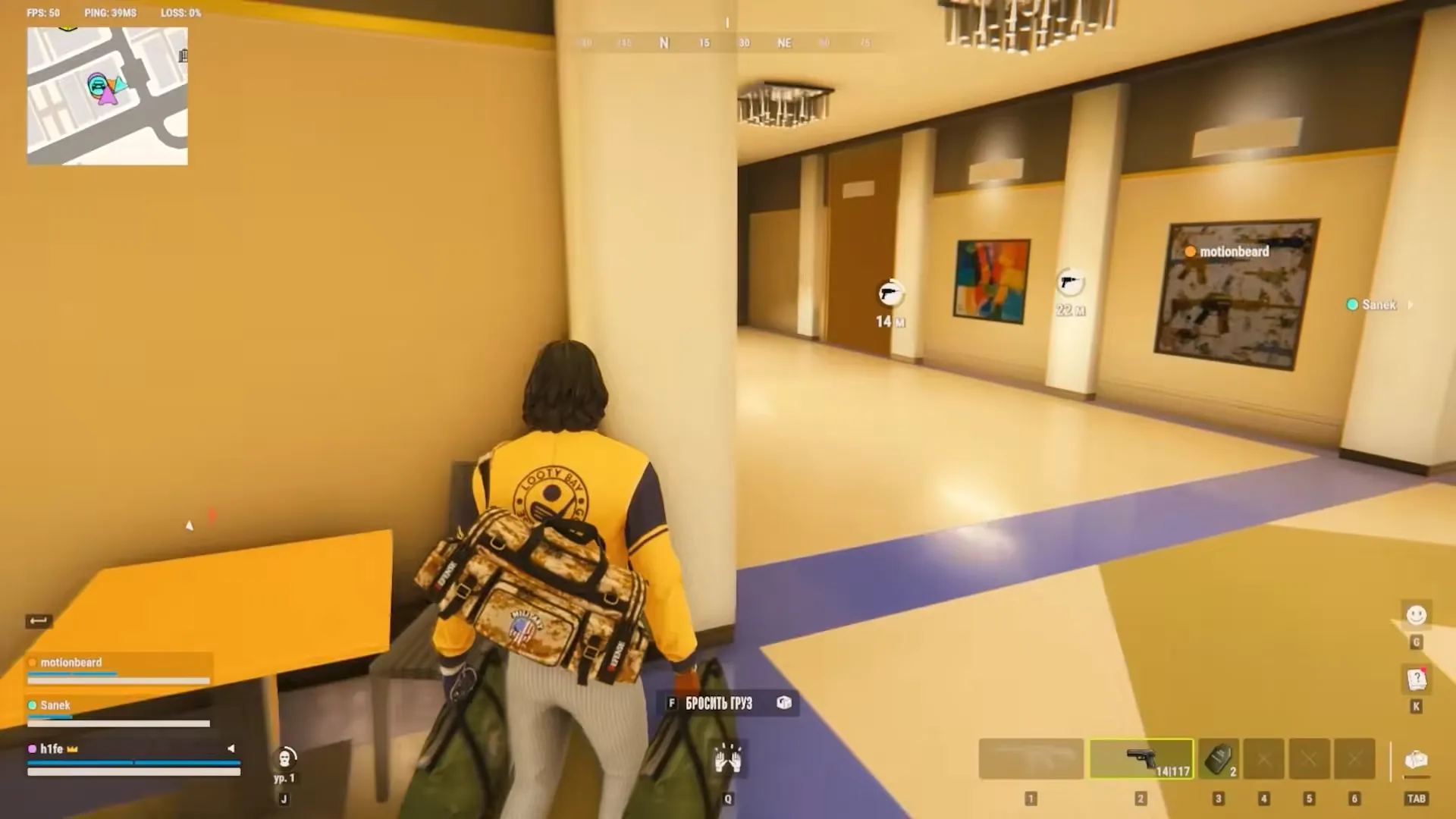
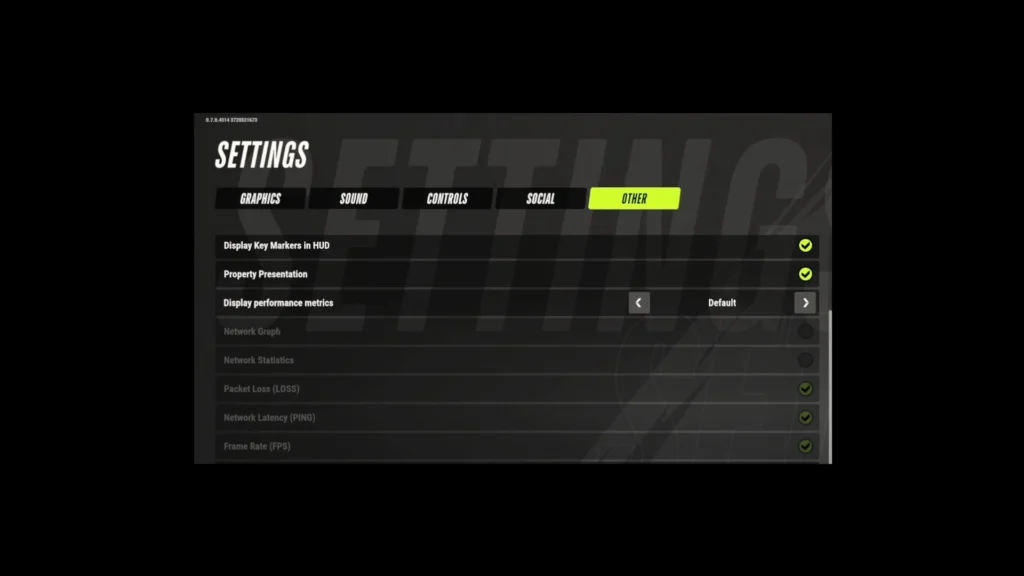
You can also check your performance directly in ROB RUN. Open Settings, select the Other tab, and find Display performance metrics. Enable Frame Rate (FPS) to see your current frame rate during gameplay. You can also display your ping and packet loss to help identify network problems.
If you prefer Steam’s overlay, you can also use its Performance Monitor:
Open Steam > Settings > In Game > Performance Monitor. Enable the monitor and choose where you want it to appear.
Watch the FPS counter while you stand still, then move your mouse and turn the camera. Pay attention to the minimum FPS value, not just the average.
If the frame rate falls sharply during camera movement, the mouse-related fix above is worth another look. If your FPS stays low throughout the game, it’s time to check your PC’s performance.
How to Fix Low FPS in ROB RUN
If ROB RUN still struggles even when your mouse isn’t moving, the problem may lie elsewhere. These checks can help you narrow down what’s affecting your frame rate.
Update Your Graphics Drivers
If ROB RUN struggles even when you’re standing still, start with your graphics driver. Install the latest compatible version from NVIDIA, AMD or Intel, depending on your GPU.
Disable Overlays and Close Background Apps
Next, close unnecessary background applications. An app that consumes a large amount of CPU power or system memory can leave fewer resources available for the game.
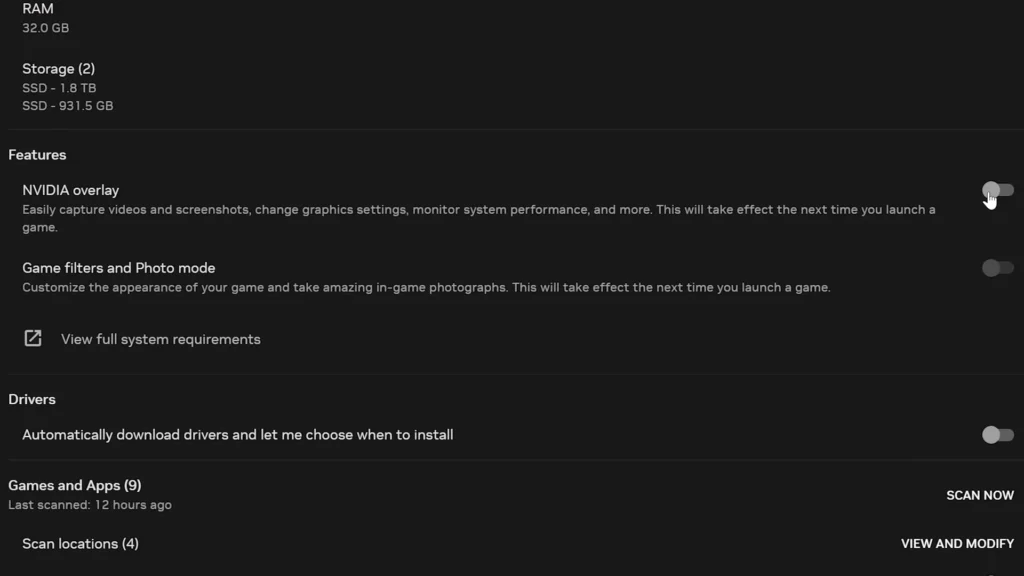
If your FPS still drops, temporarily disable overlays such as Discord’s in-game overlay or NVIDIA’s overlay to see whether they affect performance.
Lower Graphics Settings
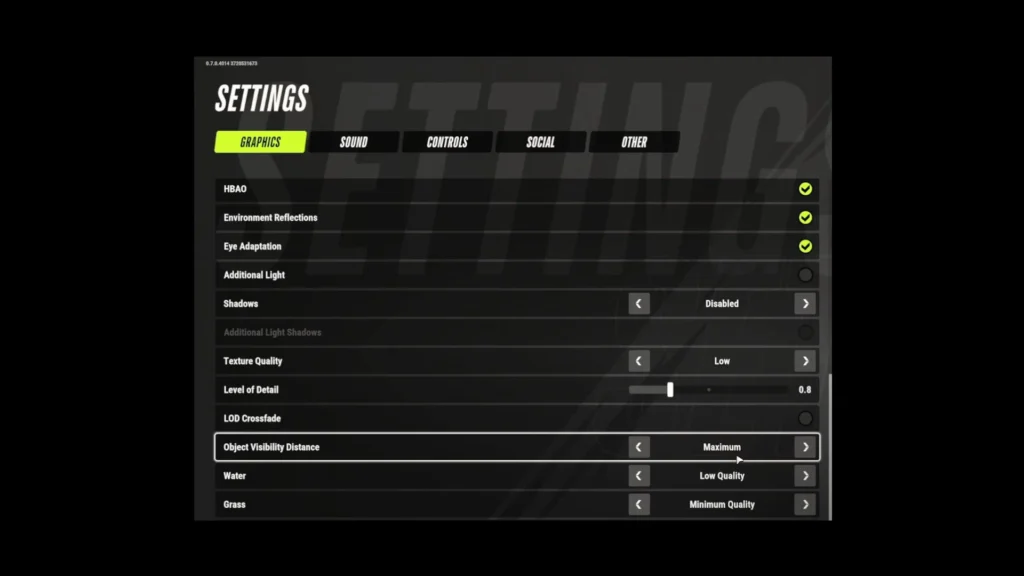
You can also try a lower graphics quality preset or resolution if those options are available in your current build. Make one change at a time and compare your FPS in the same area. I wouldn’t copy a random configuration that promises a huge FPS boost without any actual test results.
Make Sure ROB RUN Uses the Correct GPU
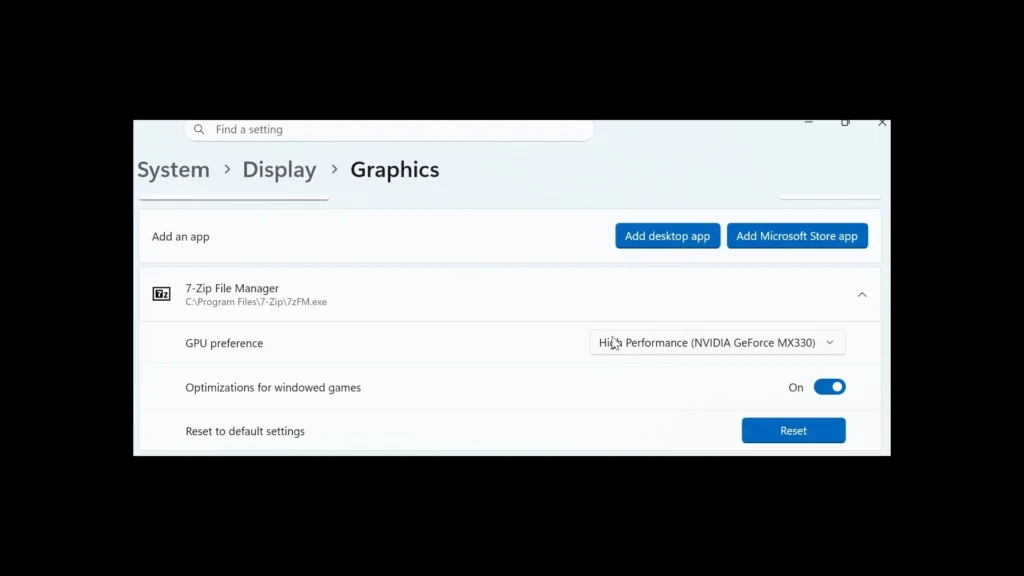
If you have a laptop with both integrated and dedicated graphics, make sure Windows uses the correct GPU. On Windows 11, open Settings > System > Display > Graphics, select ROB RUN, and choose High performance under its graphics preferences.
Check for a BIOS Update
For PCs with 13th- or 14th-generation Intel desktop processors, a BIOS update may also be worth investigating if the simpler checks fail. Use the instructions for your exact motherboard or PC model. BIOS updates aren’t something I’d jump into just to chase a few extra frames.
Check for an External FPS Limit
If your FPS refuses to go above a specific number, check whether your graphics software has a frame-rate limit enabled.
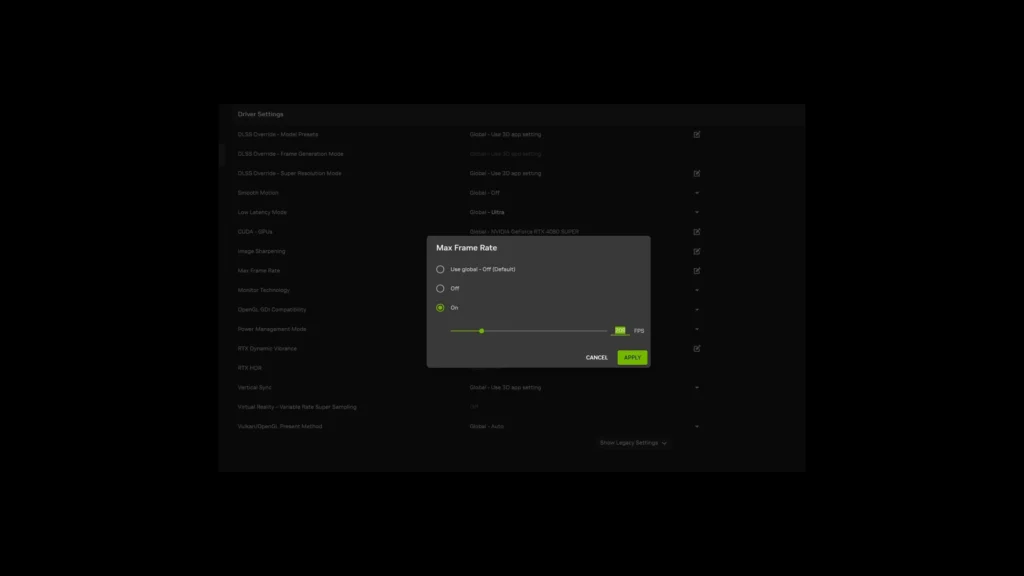
NVIDIA provides a Max Frame Rate option, while AMD Radeon Chill can adjust or limit FPS based on movement. These aren’t confirmed ROB RUN-specific issues, but they’re worth checking before you assume the game itself has an FPS cap.
ROB RUN Server Lag vs. FPS Drops
Not every bit of lag in ROB RUN comes from your computer. The game’s servers have also faced DDoS attacks that caused connection errors and disrupted gameplay. The important difference is that server lag doesn’t necessarily mean low FPS.
If your frame rate stays stable but the game loses its connection, you may have a network-related problem instead. Error E-0201, for example, means that a previously established server connection was lost and couldn’t be restored.
Check your internet connection and restart the game if you encounter that error. No amount of graphics tweaking will repair a lost server connection.
ROB RUN System Requirements
Before you blame the game for poor performance, make sure your computer meets its hardware requirements.
| Component | Minimum | Recommended |
|---|---|---|
| CPU | Intel i5-6600K / Ryzen 5 1600 | Intel i5-9600K / Ryzen 5 3600 |
| RAM | 12 GB | 16 GB |
| GPU | GTX 1050 Ti / RX 580 / Arc A380 | RTX 2070 / RX 5700 XT / Arc B570 |
| OS | Windows 10 64-bit or newer | Windows 10 64-bit or newer |
| DirectX | 11 | 11 |
| Storage | 20 GB | 20 GB |
ROB RUN also requires an internet connection. Keep in mind that the recommended specifications don’t guarantee 60 FPS or any particular frame rate. Your graphics configuration and the demands of a particular scene can still affect performance.
What to Do If ROB RUN Still Freezes
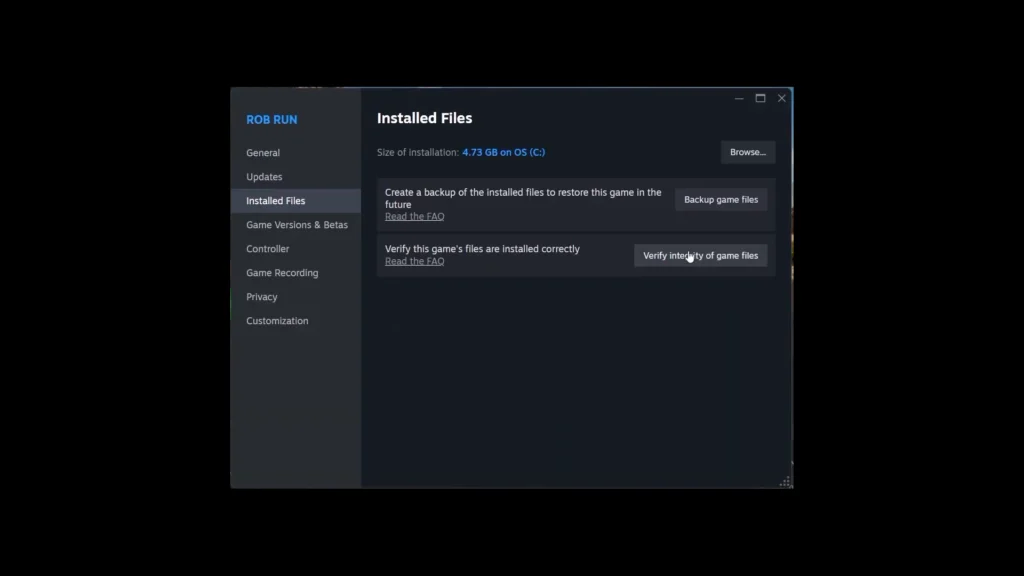
If the game freezes or refuses to load properly, restart Steam and verify your game files before you consider a full reinstall. If you’re stuck on the Compiling Shaders screen, see our guide to fixing ROB RUN’s Compiling Shaders issue.
In your Steam Library, right-click ROB RUN, open Properties > Installed Files, and select Verify integrity of game files.
This can address missing or corrupted installation files, although it won’t magically boost FPS on a healthy installation.
If ROB RUN still struggles, record a short clip that shows the problem and include your CPU, GPU, and RAM when reporting the issue to Kefir Support. If the game displays an error code before crashing, include that too. It can help narrow down what’s going wrong.
For severe FPS drops during mouse movement, polling rate is still the first thing I’d check. There’s no reason to turn all your graphics settings down before you know what’s actually causing the problem.
If you’re still exploring Looty Bay, our ROB RUN guide covers the game’s main mechanics and activities.