

The Planet Zoo 2 Franchise Mode not working bug is a frustrating way to start building your dream zoo. Instead of managing animals, you’re stuck dealing with server connection errors or getting kicked back to the main menu. And with other Franchise Mode bugs popping up since launch, even loading a zoo can be a challenge. Here’s what’s causing these issues and what you can do to get back into the game.
Table of Contents
Why Is Planet Zoo 2 Franchise Mode Not Working?
Since the game’s October 13 launch, the massive influx of players has put too much pressure on the online servers. This has caused the “Error communicating with the franchise server” message, along with players appearing offline despite having a working internet connection.
Some players can’t enter Franchise Mode at all, while others get kicked back to the main menu when loading a zoo. The server problems have also caused shortages of animals in the Franchise Market. Additional server capacity is being added to handle the demand, but some players are still experiencing issues as of October 14. However, some species are locked behind Planet Zoo 2 Accreditation, so not every missing animal is due to a server issue.
How to Fix Planet Zoo 2 Franchise Mode Not Working
Unfortunately, there’s no guaranteed fix for overloaded servers on your end. I’d start by restarting the game once and trying to connect again after a while.
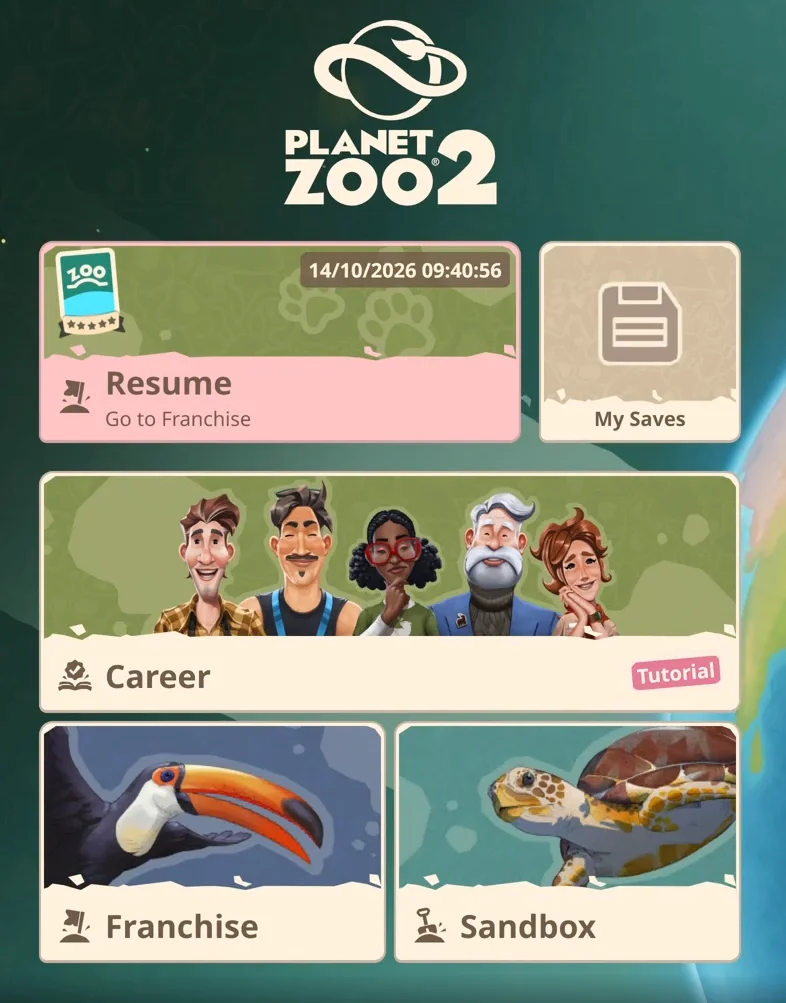
One workaround worth trying is clicking the small icon in the top-right corner of the main menu and selecting View Workshop. This has helped some players get back online and access Franchise Mode, although it doesn’t work for everyone.
If you’re still getting the server connection error, your best bet is to wait for the servers to stabilize. You can play Career or Sandbox Mode in the meantime. Not exactly the zoo management experience you had planned, but at least you can actually manage a zoo.
Planet Zoo 2 Franchise Mode Keeps Kicking You to the Main Menu
If you can enter Franchise Mode but get sent straight back to the main menu when loading a zoo, you might be dealing with a different issue. Some players have found that flat maps won’t load properly, while sculpted maps work without problems. If you’re experiencing this, try creating a new Franchise zoo using a sculpted map instead.
It’s not a guaranteed fix, and the exact cause of the map-loading problem hasn’t been confirmed. I wouldn’t delete an existing zoo or reinstall the entire game just to test it. For now, if restarting doesn’t help, there’s little reason to start messing with your network settings. The main server issue needs to be resolved on the game’s side.
How to Report Franchise Mode Bugs to Frontier
If Franchise Mode still isn’t working, you can report the problem through the Frontier Issue Tracker. Before submitting a new report, check whether someone has already reported the same issue. If not, describe what’s happening and explain how to reproduce it.
Mention whether you’re getting a server connection error or being kicked back to the main menu. You can also attach screenshots or a video to help Frontier investigate. Just make sure you’re using the Issue Tracker rather than submitting a regular support ticket, since bug reports are handled separately.
Planet Zoo 2