

There is a lot of confusion around the Echoes of Aincrad save system. You can manually save the game in the menu. You should also know that dying in the Death Game mode will wipe your saves. Keep reading to see exactly how to save in Echoes of Aincrad and everything else about the game’s saving system.
What You’ll Read:
How to Save in Echoes of Aincrad
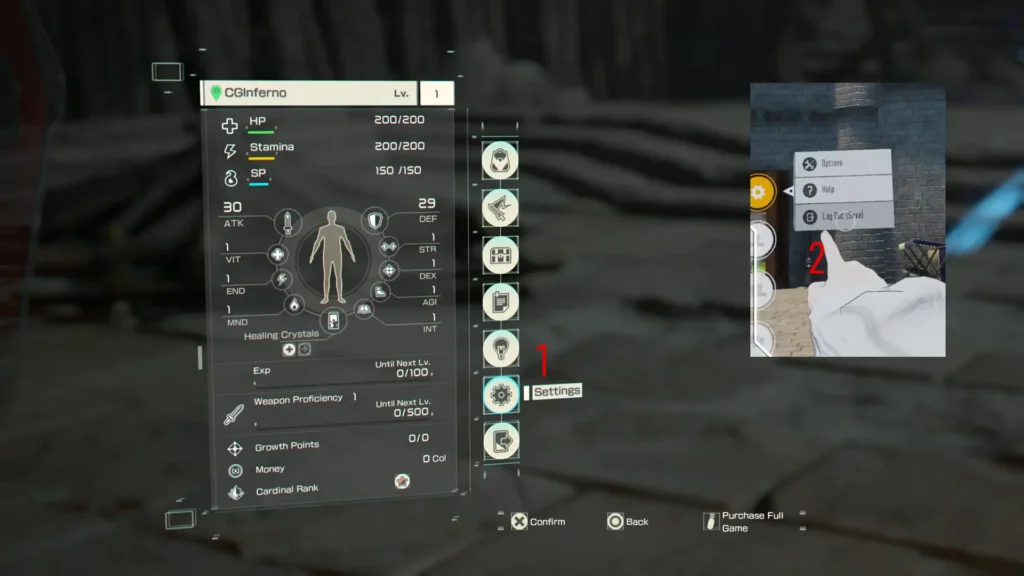
Let me start by saying this game has an auto-save feature, but there is no quick-save button. You have to manually save your progress. To do so, activate your menu first. Next, open up your Settings menu. Then, simply click on “Log out (Save)”. Make sure you hit this tab before you shut down your system to avoid losing your progress. The game gives you exactly three save slots to work with.
How Autosaves and Checkpoints Work
Echoes of Aincrad saves your progress automatically, so you do not lose everything by accident. When you are running through the tutorial and early stages, the system saves your data the moment you enter a designated safe area. You also have to go back to the city hub between quests, which naturally makes an autosave during the transition.
Exploration relies on a system that feels exactly like Dark Souls’ bonfires. These checkpoints are scattered throughout your expeditions. When you interact with them, they replenish your resources and lock in your checkpoint progress.
The Brutal Death Game Mode Saving
Death Game Mode is the ultimate challenge in this game, and it has permanent consequences for failure. If you die in this mode, the game instantly deletes your save file. This loss is total. Your character, your gear, and all your hard work vanish in a second. To protect your main file, I suggest you only play this brutal mode on your second or third save slot.
Normally, you have to beat the main story once to unlock this mode. But you can skip the wait entirely. If you purchase the Deluxe Edition or the Ultimate Edition, the game grants you an early unlock for Death Game Mode right from the start.
Does Demo Save Data Carry Over?
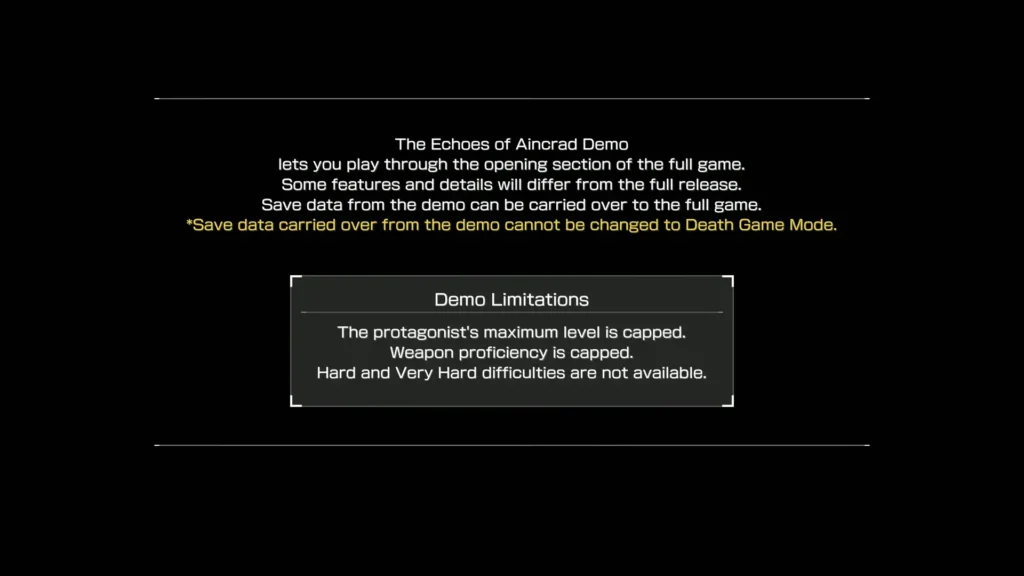
Your progress from the demo mission and weapons carries over completely. Save data from the beta phase demo transfers directly to the full release on July 10th.
That’s how to save in Echoes of Aincrad. Any more questions? Leave them in the comments.
FAQ
Where exactly is the manual save option?
Open up your Settings menu and click on the very last tab on the right side of the screen. You can safely record your progress there.
Can you save your progress at an Inn?
No. Players suggested an Inn-based save system during development, but it is not in the game. Fast travel and frequent town hub returns already manage your progress.
What happens to your save file if you die in Death Game Mode?
The game deletes your file instantly. If your health bar drops to zero, you lose your character, your gear, and your entire progress permanently.