

I know how annoying it can be sometimes just to hear ANNA talk in the game. That’s what got me thinking during my first few hours of playing the game. So, I’m here to teach you how to turn ANNA off in Forza Horizon 6. With that out of the way, let’s do this.
What you will read
How to Turn Off ANNA in Forza Horizon 6
ANNA in Forza Horizon 6 is an in-game digital assistant and automated GPS navigation system. It stands for Automated Navigation Network Assistant. That’s cool and all, but how do we turn it off?
- Open the pause menu while in the game.
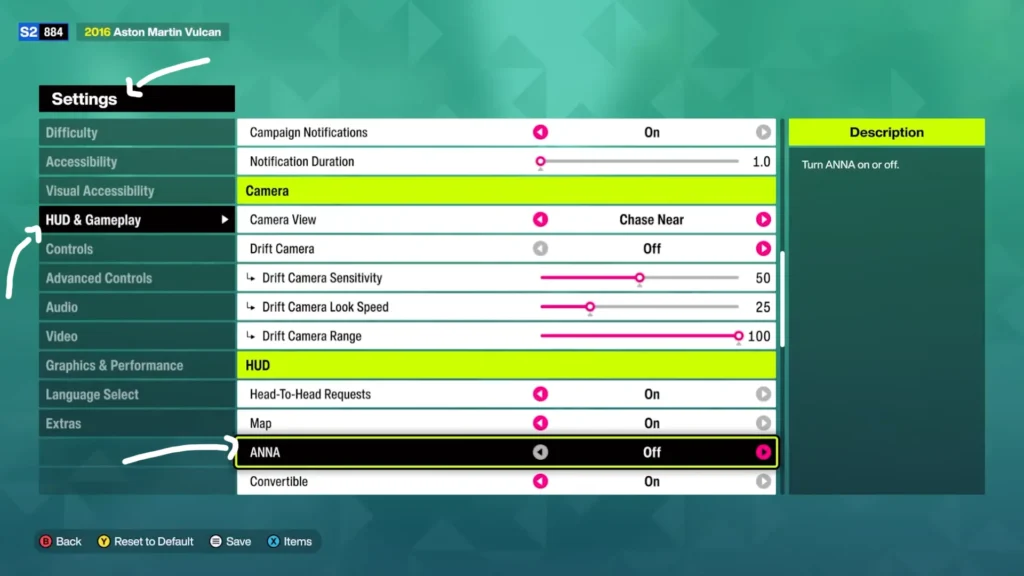
- Go to the Campaign tab and select Settings.
- On the left side of the screen, choose HUD and Gameplay.
- Scroll down to the HUD section until you find the ANNA option.
- Toggle it to OFF.
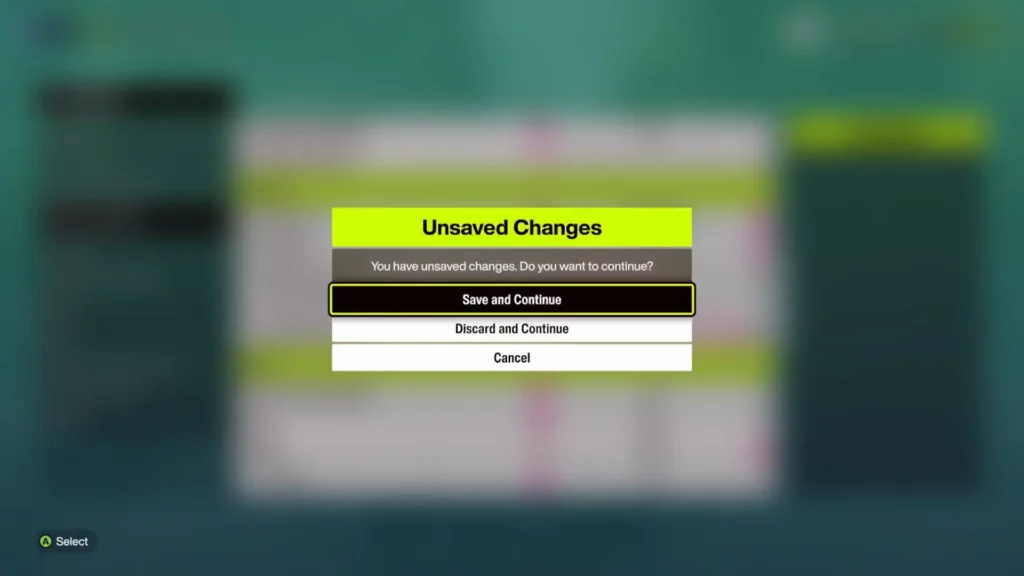
- Then press Save and Continue.
That’s how it’s done.
Don’t Turn ANNA Off Too Soon
Before you do that, hold your horses. Make sure not to unbind ANNA before you finish the tutorial. The reason is that if you unbind her too early, your game will softlock. This means your button inputs will stop working. That leaves you waiting for God knows how long, or forces you to restart your game from your Xbox or PC home menu.
Sometimes, even after you’ve turned ANNA off in the settings, you might still hear her voice when you set a route. To fix this issue, you must turn off the dialogue. Find the dialogue slider in your settings and turn it completely off. That way you silence her, never to be heard from ever again.