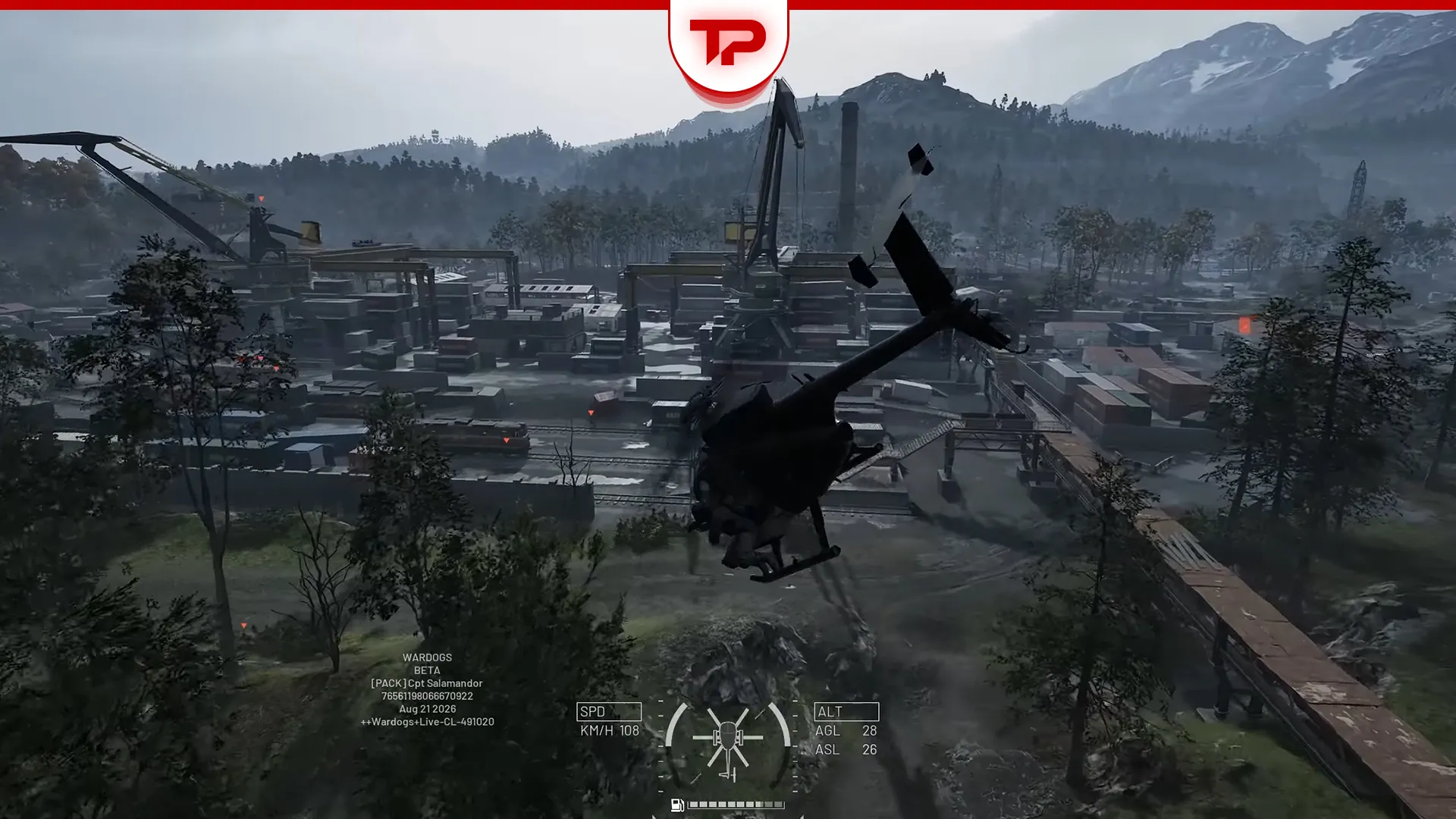


Helicopters killed me more times than any enemy did on my first day in WARDOGS. The flight model sits somewhere between arcade and simulator, and the default mouse and keyboard layout does not help. Once the settings are sorted, though, it clicks faster than you would expect.
Note: everything below comes from the closed beta 02 playtest. WARDOGS enters Steam early access on 10 September, and Bulkhead was pushing helicopter fixes during the playtest itself. Treat the keybinds and assist behaviour as a snapshot, not a final answer.
What we cover:
TL;DR (Short Answer)
- Practise in the Firing Range. The Vehicle Vendor spawns any helicopter for free, so a crash costs you nothing.
- Turn on Rotary Vehicle Mouse Control under Settings > Controls > Settings. It is not in Keybindings, which is why most people never find it.
- Leave Flight Assists on while you learn. Stability Assist does most of the heavy lifting.
- Start in the MH-6. It is unarmed, so flying is your only job.
Where to Practise Flying in WARDOGS
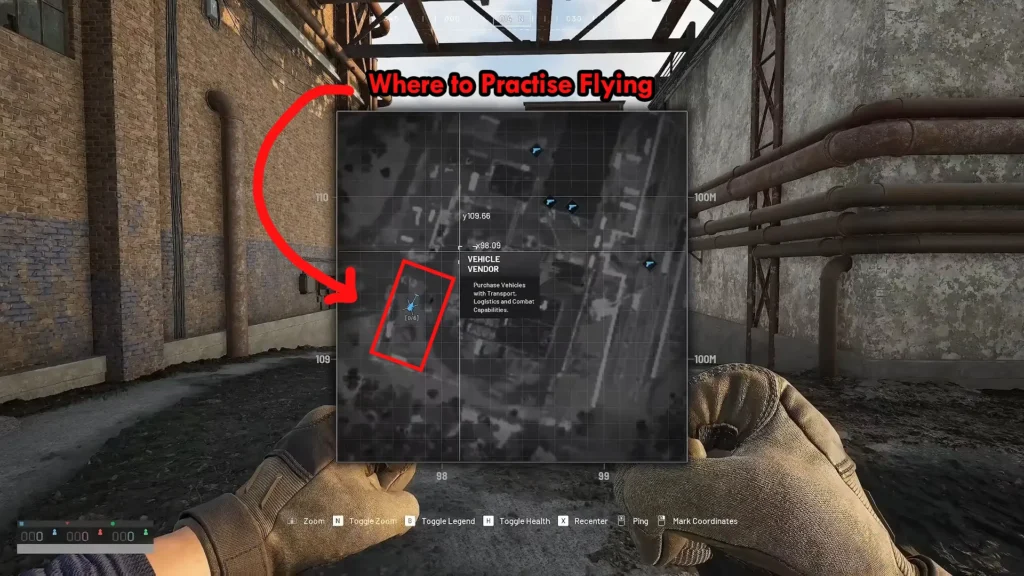
The Firing Range sits at the bottom left of the main menu. From the spawn point, walk forward and take two sharp lefts, and the Vehicle Vendor is right there. Every vehicle in the game costs nothing here, including the aircraft you have not unlocked yet.
Helicopters have a pilot side and a passenger side. If the prompt only offers you a passenger seat, walk around to the other door. That is the reason some players think they cannot fly at all.
WARDOGS Heli Controls Explained
Four inputs run the aircraft. The game splits pitch and roll into Cyclic X and Cyclic Y in the keybind menu, which is oddly at first.
| Control | In-game name | What it does |
|---|---|---|
| Collective | Collective Raise / Collective Lower | Climb and descend |
| Pitch | Increase / Decrease Cyclic X | Nose down to accelerate, nose up to brake |
| Roll | Increase / Decrease Cyclic Y | Bank left or right for turns |
| Yaw | Yaw Left / Yaw Right | Rotate the nose without banking |
Collective is the one to respect. This is not a game where you jab it at the last second and float. If you are already sinking towards the ground, more collective often will not save you.
Two Keybind Layouts You Can Copy
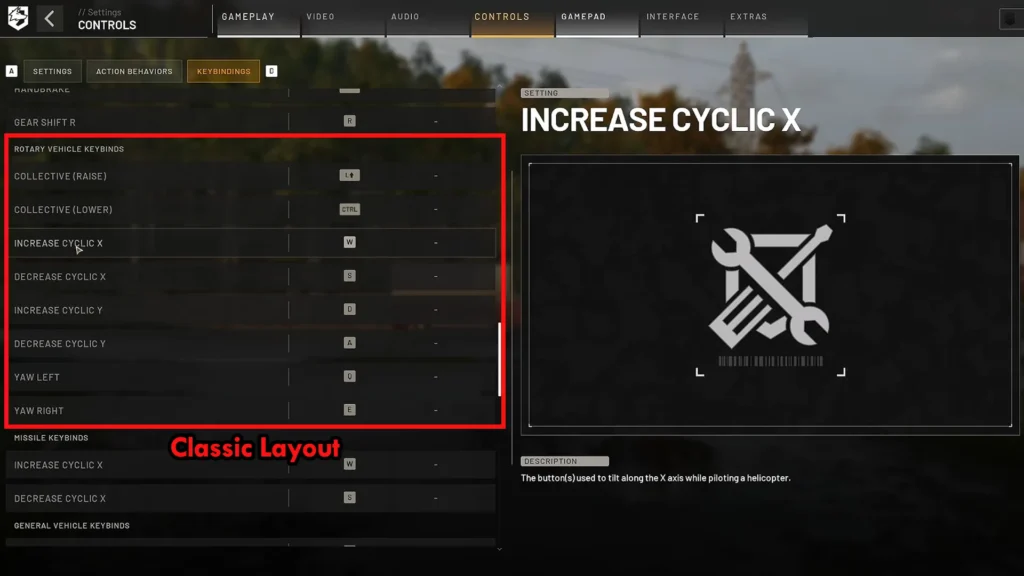
Classic one is the layout I use and the other come from pilots putting real hours into the playtest. Neither is better, so pick the one that matches how your brain works. The bindings live under Settings > Controls > Keybindings, in the Rotary Vehicle section.
| Action | Classic layout | Battlefield-style layout |
|---|---|---|
| Collective Raise | Left Shift | W |
| Collective Lower | Left Ctrl | S |
| Increase Cyclic X (nose down) | W | Mouse forward |
| Decrease Cyclic X (nose up) | S | Mouse back |
| Increase Cyclic Y (roll right) | D | Mouse right |
| Decrease Cyclic Y (roll left) | A | Mouse left |
| Yaw Left | Q | A |
| Yaw Right | E | D |
The classic layout keeps everything on the keyboard and uses the mouse for fine corrections. The Battlefield-style one puts pitch and roll on the mouse and frees your left hand for lift and rotation. If you go with the second option, clear the four cyclic bindings with the Delete key so nothing fights your mouse. You can park backups on the arrow keys if you want them.
To clear any binding, select it and press Delete. On some keyboards that key reads Supr or Suppr.
Do Not Bind Spacebar in a Helicopter
Spacebar has a hidden helicopter weapon function that you cannot remove from the visible keybind list, so in an armed helicopter it can fire while you are trying to climb. It also has a habit of overwriting Deploy Parachute.
Deploy Parachute does show up in the controls menu in this build, so you can rebind it. Test it before you take an expensive loadout into a match.
Rebinding a Heli Key Can Break Your Infantry Controls
WARDOGS treats some custom bindings as globally exclusive right now. Change something for the helicopter and it can vanish from your on-foot controls, even though the two situations have nothing to do with each other.
After any rebind, go back through Keybindings and check:
- Move Forward and Move Back
- Sprint
- Focus / Hold Breath
- Jump
- Deploy Parachute
- Weapon Primary / Fire
This is a beta limitation, not something you have configured wrong.
Best WARDOGS Heli Settings for Mouse and Keyboard
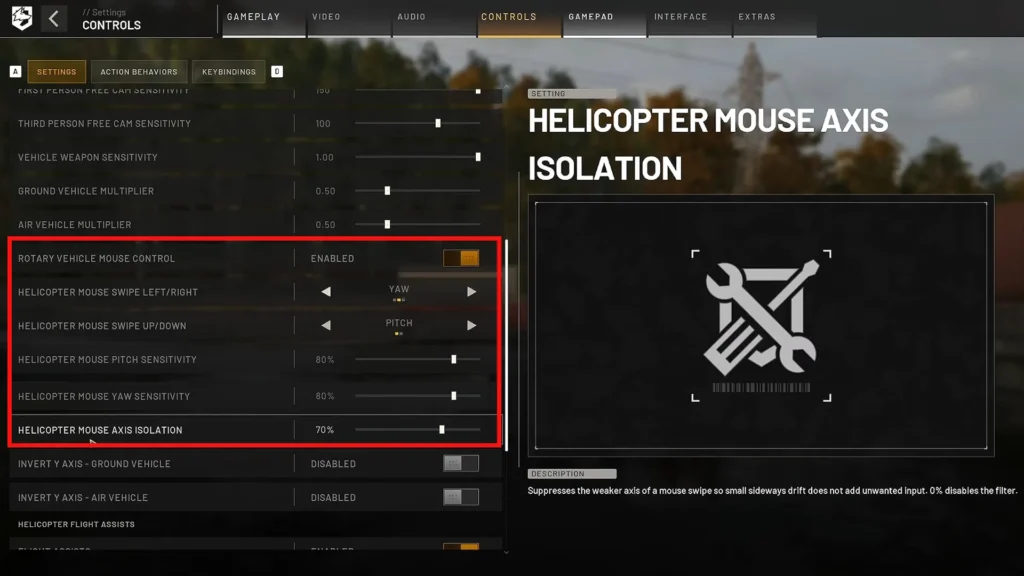
These sit under Settings > Controls > Settings, near the bottom of the list with the rest of the air vehicle options.
| Setting | Recommended value |
|---|---|
| Rotary Vehicle Mouse Control | Enabled |
| Helicopter Mouse Swipe Left/Right | Roll or Yaw (see below) |
| Helicopter Mouse Swipe Up/Down | Pitch |
| Helicopter Mouse Pitch Sensitivity | 60–80% |
| Helicopter Mouse Yaw Sensitivity | 60–80% |
| Helicopter Mouse Axis Isolation | Start at 70, lower it if inputs feel like they fight |
| Invert Y Axis – Air Vehicle | Enabled if you want to pull back for nose up |
| Invert Y Axis – Infantry | Disabled |
| Freelook on by Default | Disabled |
Should Mouse Left and Right Be Roll or Yaw?
Yaw on the mouse turns flying into aiming. Move the mouse left, the nose goes left, exactly like a rifle. Gunship pilots love it because lining up a minigun run stops feeling like a maths problem. The catch is that mouse yaw still has a rough acceleration curve in this build.
Roll on the mouse matches how a flight stick works, where left and right is always bank. If there is any chance you will pick up a HOTAS later, learn it this way and save yourself the rewiring.
I run yaw on the mouse for armed birds and roll for transport work. That is preference, not a rule.
Sensitivity and Axis Isolation
Axis Isolation is the setting nobody explains. At 100 it lets tiny mouse corrections overwrite keyboard input, so a nudge of the mouse cancels the roll you are holding on A or D. Pilots who mix both have dropped it as far as 15 to stop that. If you fly on the mouse alone, leave it high.
Sensitivity has no correct number, whatever anyone tells you. Sit in the Firing Range, hover, and move it in steps of ten until small corrections stop overshooting.
How to Pull Back to Pitch the Nose Up
Set Helicopter Mouse Swipe Up/Down to Pitch, then enable Invert Y Axis – Air Vehicle and leave Invert Y Axis – Infantry off. Pull the mouse back and the nose rises, push it forward and the nose drops, and your on-foot aim stays untouched.
If the helicopter rolls the wrong way when you move the mouse sideways, that is a separate inversion bug tied to the infantry setting. Switch Invert Y Axis – Infantry off and set the swipe axis back to Roll.
WARDOGS Flight Assists: Which Ones to Turn On
Flight Assists is a master switch with four options under it. Kill the master and all four go with it.
| Assist | What it does | Beginner setting |
|---|---|---|
| Stability Assist | Dampens the aircraft and stops you over-controlling it | On |
| Auto-Hover Assist | Holds a hover when your collective sits at neutral | On |
| Turn Coordination | Feeds a little yaw into your rolls so turns come out cleaner | On |
| Envelope Limits | Caps extreme pitch, yaw and collective inputs | Off |
Auto-Hover is the divisive one. It helps when you are hovering next to a tower lining up shots, and it gets in the way during aggressive manoeuvres, because a neutral collective with slightly off pitch makes the aircraft wander. If the helicopter feels like it is arguing with your turns, that is the first thing to switch off.
Envelope Limits I would leave off from the start. Over-G is very hard to trigger in this game, so the cap mostly just takes away performance you might need.
How to Take Off and Hover
- Bump the collective up and then bring it all the way back down. This spins the rotor up to max RPM while you wait for passengers, so your takeoff is instant instead of sluggish.
- Raise the collective gradually until the skids leave the ground.
- Stop climbing once you have room underneath you.
- Keep pitch and roll close to neutral and correct any drift with tiny inputs.
- Add a little forward pitch once it feels settled.
That fifth step is where new pilots die. You pitch forward hard, notice the altitude dropping, then yank another control to fix it and put a rotor into the dirt.
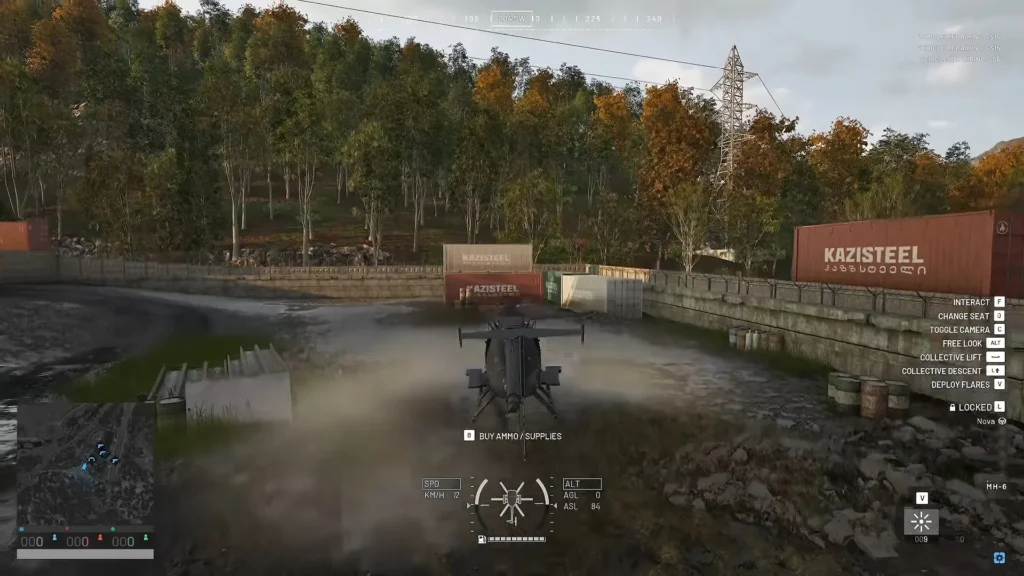
Slopes deserve care. The MH-6 rolls very easily, and a weak takeoff on a bank sends you sideways into whatever is beside you. Wait for max RPM, then punch the collective, and you get both the climb rate and the roll authority to clear it.
For hover practice, hold a few metres off the ground and correct with small taps rather than full inputs. When the aircraft starts settling itself, stop correcting and let it. Half of learning to hover is learning to leave the controls alone.
How to Land a Helicopter in WARDOGS
Your landing starts long before the landing zone does.
- Pick a clear spot and commit to an approach direction.
- Bleed speed early with backward pitch, well before you arrive.
- Level the aircraft out as the speed comes off.
- Lower the collective to start the descent.
- Feather the collective near the ground instead of holding it down.
- Dump the collective the moment the first skid touches.
That last step matters more than it sounds. These helicopters want to tip over on uneven ground, and a skid that catches while you still have lift in the disc turns into a barrel roll. Drop the collective and the aircraft sits down instead.
Do not hold Collective Lower all the way into the ground either. You will hit hard enough to damage the airframe.
If the approach looks wrong, abort it. Pull collective, go around, and set up again. A few extra seconds is cheaper than a helicopter, and far cheaper than the squad riding on the side.
How to Slow Down Without Ballooning (J-Hook)
Pull back hard at speed and you will scrub the speed off, then climb hundreds of feet while you do it. That leaves you hovering high over the objective while every rifle on the map takes a turn.
The fix is to send that momentum sideways instead of upward. Pick one direction, hold A or D, and hold the collective down while you rock the aircraft back and forth. Speed drops and altitude stays roughly where you left it.
The polished version is the J-hook: come in fast, spin the aircraft around in one motion, dump all forward momentum and drop straight into the zone. Practise it in the Firing Range, not with four teammates strapped to the outside.
Best Helicopter for Beginners in WARDOGS
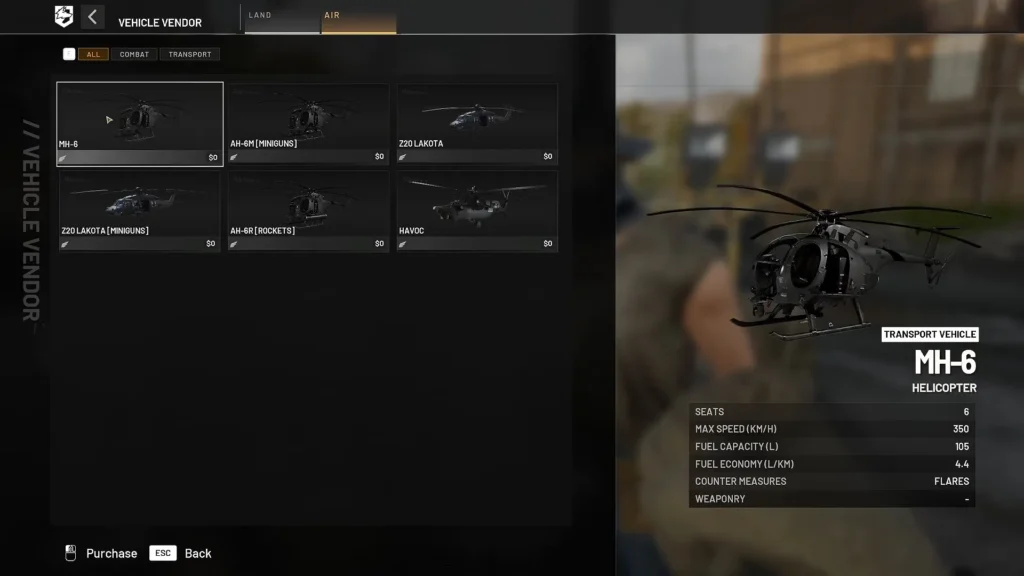
Six airframes were in the vendor during the playtest.
| Helicopter | Role | Worth learning on? |
|---|---|---|
| MH-6 | Unarmed light transport | Yes. Cheapest, most responsive, no weapons to distract you |
| AH-6M Miniguns / AH-6R Rockets | Armed Little Bird variants | Later. Same airframe, but now you are aiming as well as flying |
| Z20 Lakota | Nine-seat transport | Not yet. Handling problems here are a confirmed bug |
| Havoc | Attack helicopter | Last. Expensive, and a rough place to learn |
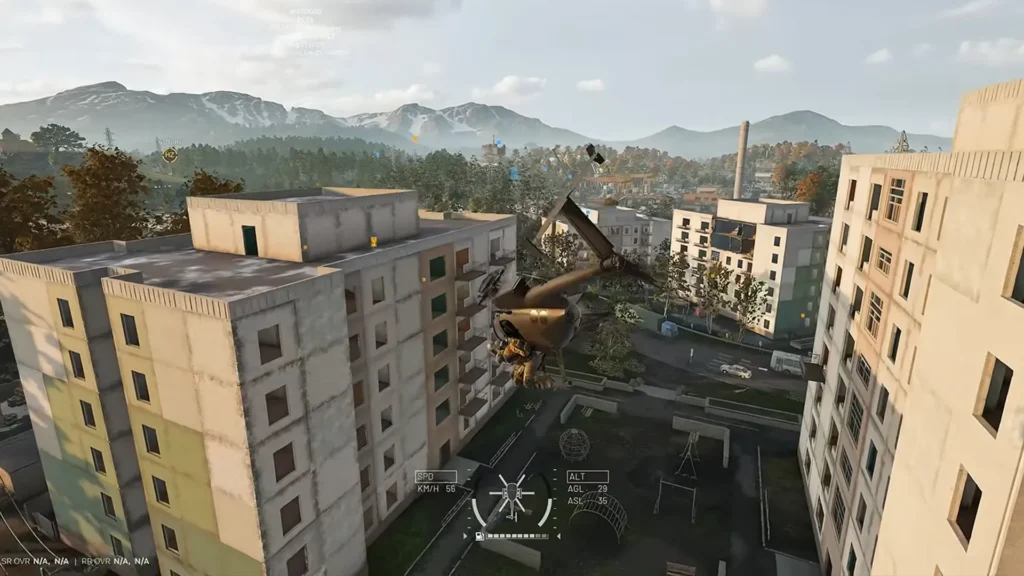
The MH-6 is twitchy enough that sloppy inputs still put you in a tree. Nothing on it shoots, though, so your attention goes to takeoffs, hovering and landings instead of a gunsight.
Pilot Survival Basics
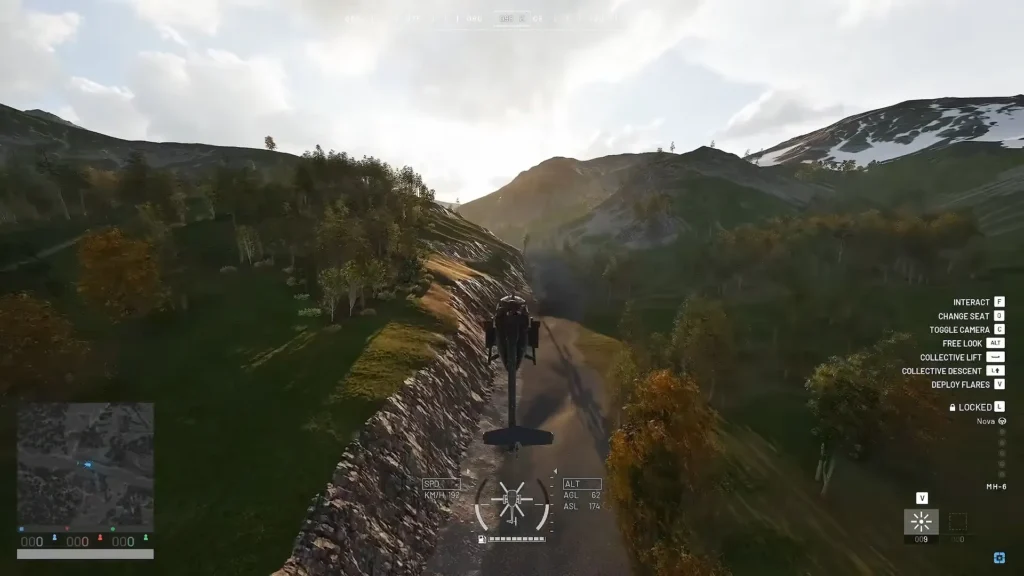
- Fly low. Missiles cannot lock you close to the ground, and terrain will eat a missile that is already tracking you.
- V drops flares. Hold Left Alt to free look, find the smoke, and release flares once the missile is in the air but not so early that it simply flies past them. You cannot pop two in quick succession, so the first one has to count.
- L unlocks the helicopter. It is locked to your squad by default, which is fine for a planned insert and useless when you are running a taxi service.
- C toggles the camera. First person is better for low flying and reading terrain, third person is better for landings and general awareness.
- Buy parachutes for your passengers from the items menu under gear. A passenger can press F while seated to open their inventory and drag one into a slot. If you are not confident about the landing, get them close and let them jump.
Known Helicopter Bugs in the Playtest
- Mouse pitch and yaw stop responding while roll keeps working. This one is widespread. Reset keybinds to default and restart the game, or verify your files if it persists.
- Spacebar fires helicopter weapons even when bound to a flight control.
- A helicopter rebind removes the same key from an infantry action.
- Free look sticks on when you enter an aircraft. Double-tap Left Alt to get control back.
- HOTAS axes stop recentring after the 2 September patch, so an input holds until you restart.
- Collective drifts without input. Some pilots sink at full collective, others hover with no input at all.
- Auto-Hover stays active even with every assist disabled.
- Frame rate and mouse polling rate affect helicopter mouse movement.
If your bindings refuse to save, close the game and back up GameUserSettings.ini in %LOCALAPPDATA%\Wardogs\Saved\Config\WindowsClient before you touch anything. Deleting the file resets every setting you have, so treat that as a last resort.