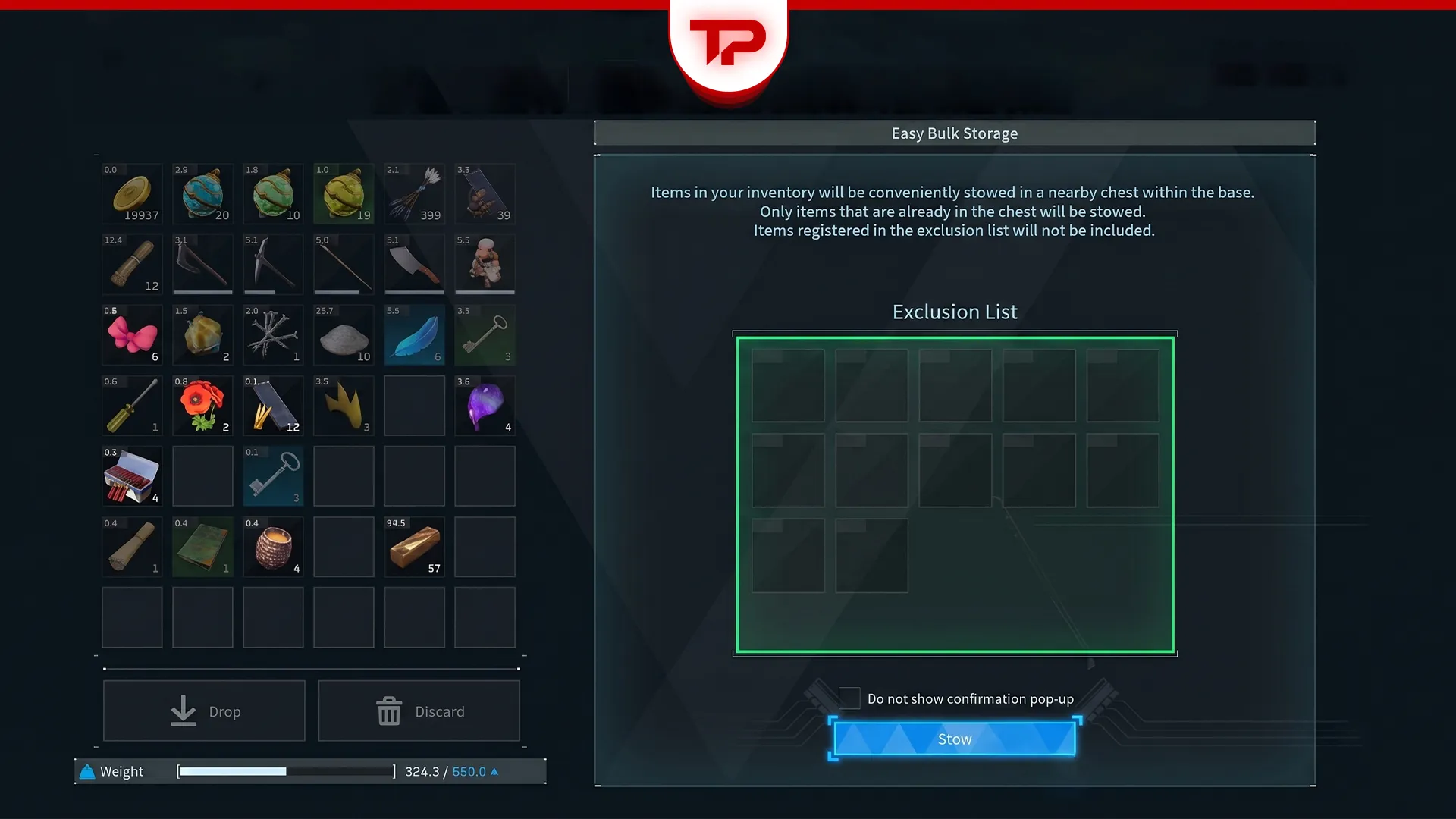


I used to walk around my base from chest to chest, and drop ore and wood in by hand. It took forever. Then a friend pointed out a button I had ignored for hours of playtime in Palworld, Easy Bulk Storage. It moves every matching item from your inventory into your base chests at once. You do not have to stand near a single box and you do not have to open one either. Open your inventory anywhere inside your base border and press one button.
What we cover:
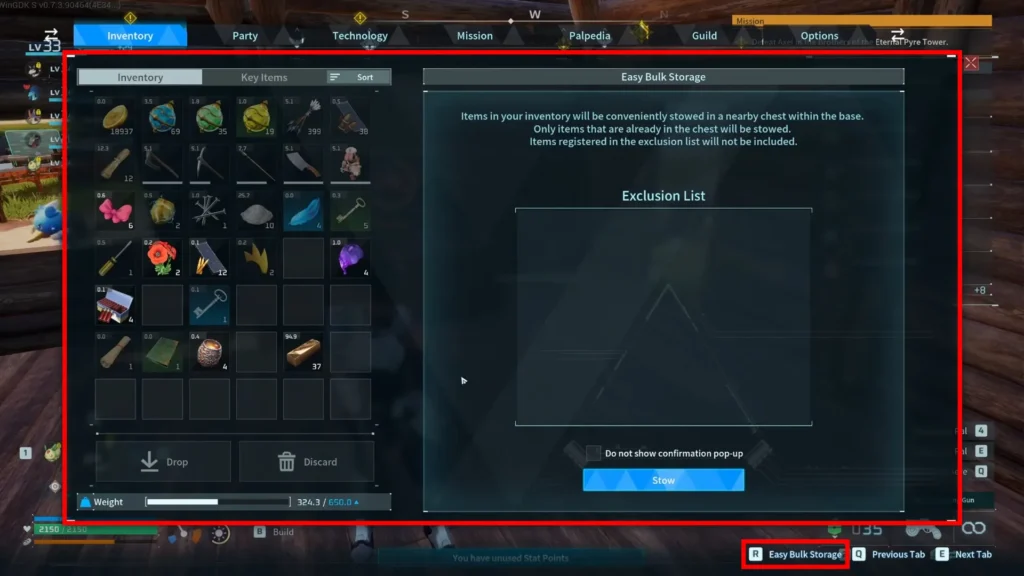
How to Trigger Easy Bulk Storage
| Platform | Button | Where to Press It |
| PC | R | Inventory screen, anywhere in base |
| Xbox | RB / RT | Inventory screen, anywhere in base |
| PlayStation | R2 | Inventory screen, anywhere in base |
The prompt sits in the bottom right corner of the inventory screen. Press it and a pop-up shows exactly what is about to move and where. Confirm with Stow, and everything matching heads into the right chests.
What It Actually Requires
Two things have to line up before an item moves anywhere.
- A chest in your base already holds at least one of that item.
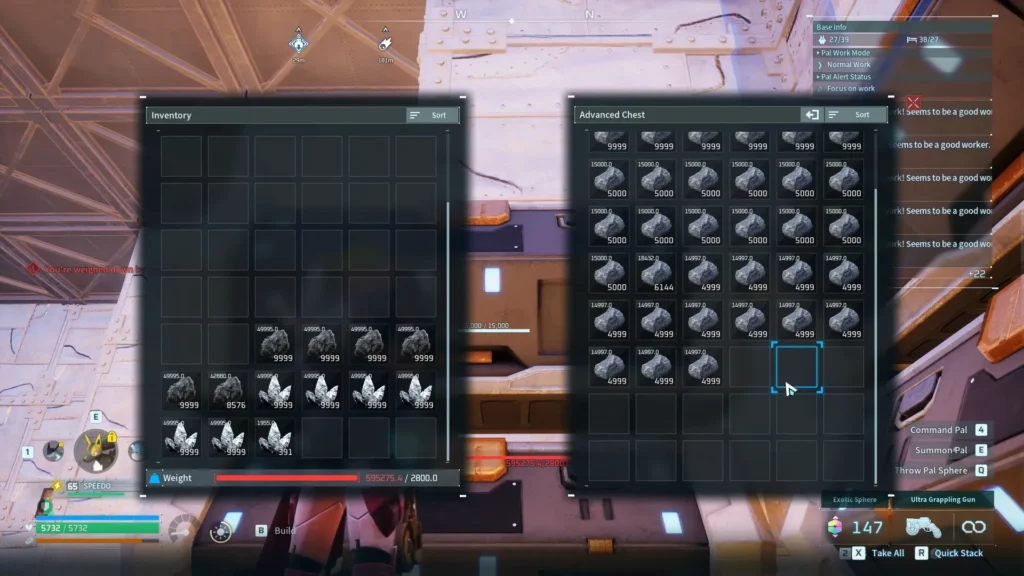
- That chest’s stack has room left before it hits 9999.
Miss either one and Easy Bulk Storage skips the item completely. It will not create a new stack in an empty chest, no matter how much free space that chest has.
Easy Bulk Storage vs. Quick Stack
These are two separate tools that use similar buttons and it is easy to mix them up. Quick Stack works on a single chest. Walk up to one chest, press C, and only that box gets filled. Easy Bulk Storage works from inside your inventory and checks your whole base in one pass, no matter which chest you are standing near or if you are standing near one at all.
Protect Your Gear with the Exclusion List
The automatic deposit is great until it takes something you still need. I have watched my own gold and ammo vanish into a random chest mid-run. The Exclusion List stops that.
- Add your Pal Sphere stacks so combat never runs you dry mid-fight.
- Keep gold coins in your pocket instead of a random chest.
- Lock your active weapon and its ammo type.
- Press right-click on PC, or Y / Triangle on console, to add an item to the list.
Once an item sits on the Exclusion List, Easy Bulk Storage skips over it every time, at every base, until you remove it.
The Split-Stack Trick for Full Chests
I have never once regretted splitting a full stack. If a chest already has 9999 coal in one slot, Easy Bulk Storage has nowhere to put your extra coal. Split that stack in half inside the chest and you now have two open slots instead of one full one. I do this with stone and quartz every time I get back from a mining run, and it takes maybe ten seconds.
Where Easy Bulk Storage Won’t Reach
Easy Bulk Storage will not touch the Guild Chest or the cold Feed Box. Nobody at Pocketpair has explained why, and I would not trust a guess dressed up as fact. The community theory is that Guild Chest contents sync across every base in the guild, which would make an automated dump risky, but that is a theory, not a patch note.
Pair It with the Item Retrieval Machine
Pair this with the Item Retrieval Machine and base management stops feeling like a chore. The machine unlocks at level 49, arrived with the Feybreak update, and lets you type an item name to pull it from any chest in the base. Use Easy Bulk Storage to put loot away, then use the retrieval machine to pull it back out when you need it. Storage is only half of the clutter problem, though. If your base is running out of floor space rather than chest space, you can stack your plantations on top of each other and win most of that ground back.
What Patch 1.0 Actually Changed
Easy Bulk Storage is not a 1.0 feature. It went live in the Tides of Terraria update, version 0.6.0, on June 25, 2025, over a year before Palworld left Early Access on July 10, 2026. A lot of returning players assumed it was brand new. It had just been sitting in the corner of their screen the entire time.
Patch 1.0 did add something related, though. Chests now have their own auto-deposit option that works even if you never open your inventory, and it respects the same Exclusion List you set up for Easy Bulk Storage. Walk up to a chest, open it and matching loot nearby files itself in without a menu in sight.
FAQs
Does Easy Bulk Storage work with the Guild Chest?
No, not yet. Manage that one by hand.
Why isn’t Easy Bulk Storage storing everything?
Check your chests for stacks already sitting at 9999 first, then split them.
Do I need to unlock Easy Bulk Storage?
No. Easy Bulk Storage works from the start, as soon as you have a base and a matching chest.