

Mistfall Hunter’s character creation is solid, that’s for sure. But you don’t have to go through the entire playthrough with your first character choice. You can change your character’s appearance and even switch their gender later by using the Appearance Reset option at the Gyldenblod Pool next to Dew in your camp.
Before you have to worry about that, you first need to choose one of the six available classes, then customize your body type, face, skin, hair, eyes, makeup, tattoos, scars, and voice. Here’s how every character-creation option works and how to reset your appearance in the middle of your playthrough.
Table of Contents
Can You Change Your Appearance in Mistfall Hunter?
Yes, you can change your character’s appearance and even gender anytime via the Gyldenblod Pool. You have to have a couple of things in mind, though: it only works in solo mode and it costs 1K Gyldenblod. So, back at your camp, interact with the Gyldenblod Pool next to Dew.
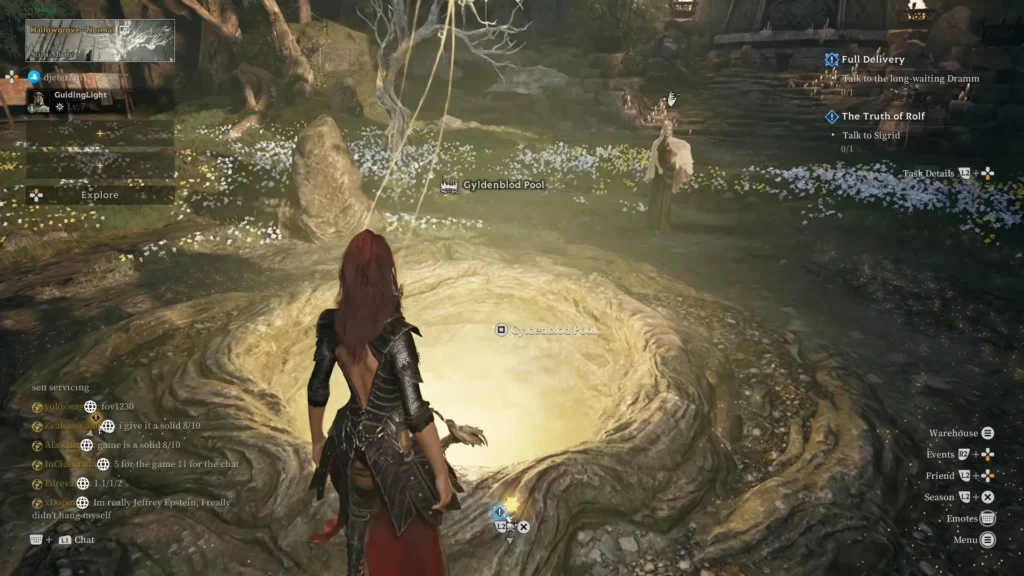
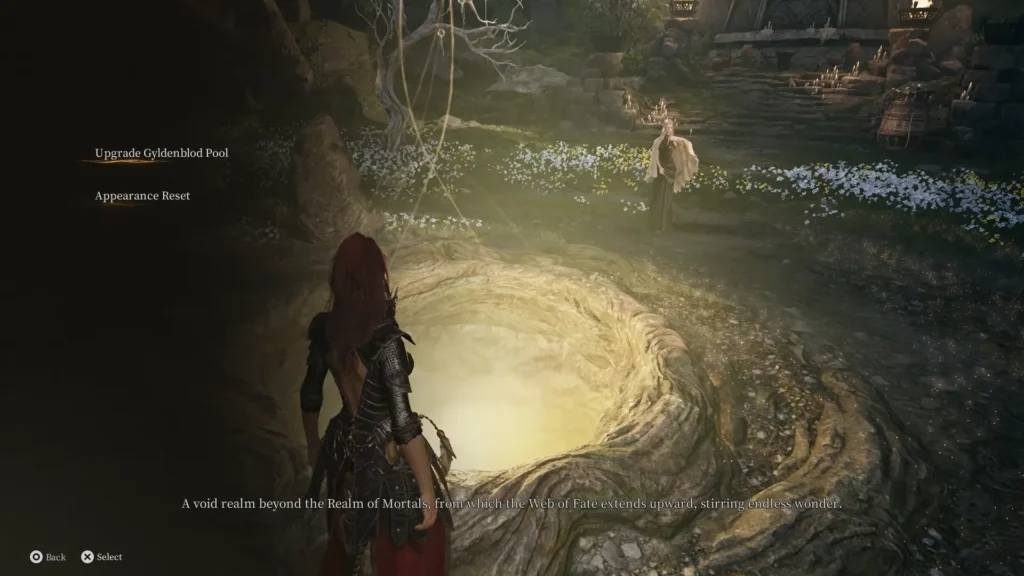
When you interact with it, you will see two options: Upgrade Gyldenblod Pool and Appearance Reset. Choose Appearance Reset, which brings you back to the beginning of character creation.
Mistfall Hunter: Male and Female Character Creation Options
Mistfall Hunter gives you plenty of freedom to create your own character. You can customize nearly every part of your appearance, including your face, skin, hair, eyes, makeup, tattoos, scars, and voice.
All Classes and Body Type Presets
Right off the bat, when you start the game and watch the intro cutscene, you’re presented with six classes to choose from: Mercenary, Sorcerer, Blackarrow, Shadowstrix, Seer, and Withered Knight. Choose your desired class, which takes you to what we’re here for: character creation.
There are two basic presets, male and female, which the game calls Body Type 1 and Body Type 2. There are 24 face choices for both the male and female options. Each of them has its own facial features, like hairstyle and beard. They are Asian, Black, blond, or white.
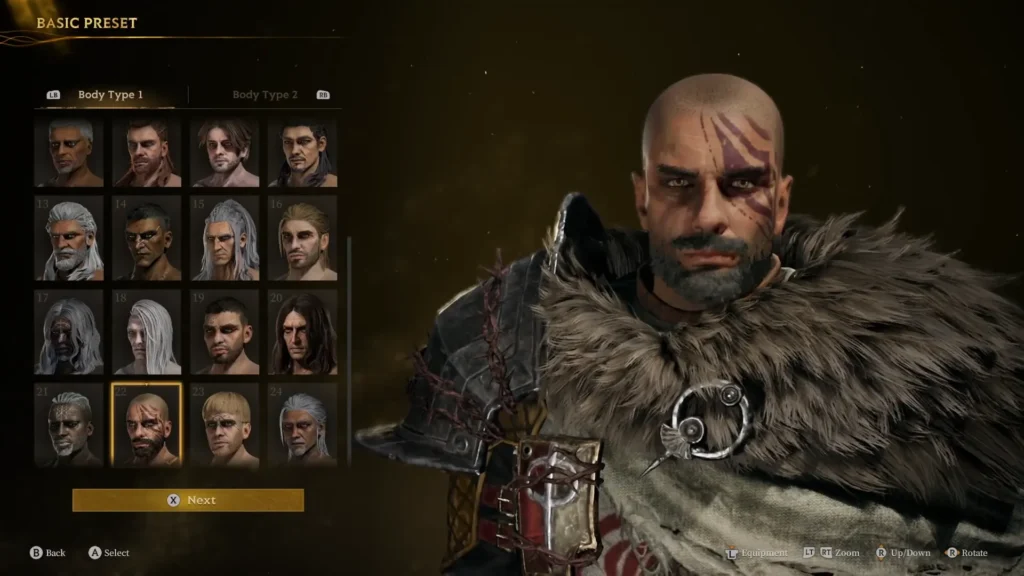
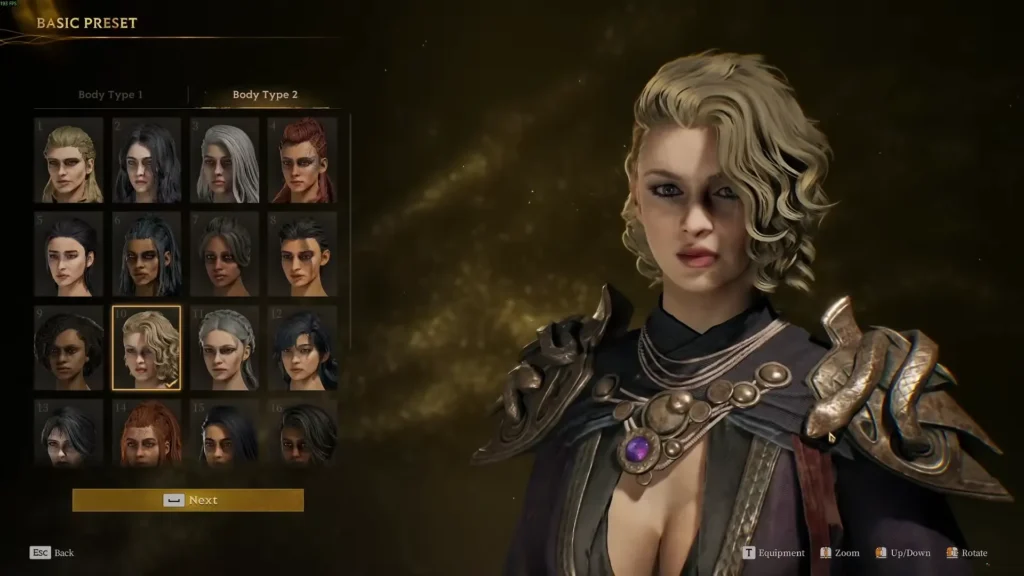
Long story short, you get to decide on the basic face model of your character and whether you want a male or female character. Select the preset you want then proceed to the next section.
Customize Your Character’s Skin
The next section is skin. This has three parts: skin type, skin tone, and skin glossiness. So, if you want to age up your character into oblivion, select a higher number and if you want to give them perfect skin, select a lower number, like 1 or 2.
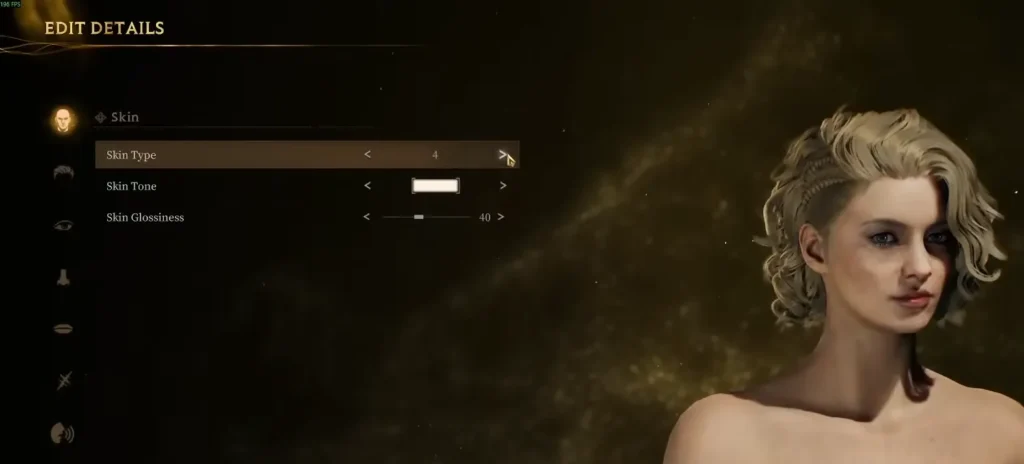
Skin tone doesn’t need any description, of course. There’s a rectangle-shaped box that represents your skin tone. So, choose whichever skin tone that suits your character. For the skin glossiness, if you want to shine like the sun in the middle of August, raise it to a higher level, something like 90 percent or even 100.
Choose Hair and Eyebrows
The next section is hair and eyebrows, as well as facial hair if you choose a male character preset. For hair, there are three options: hairstyle, hair color, and hair glossiness. It functions just like the previous skin section. For the hairstyle, there are 28 options to choose from.
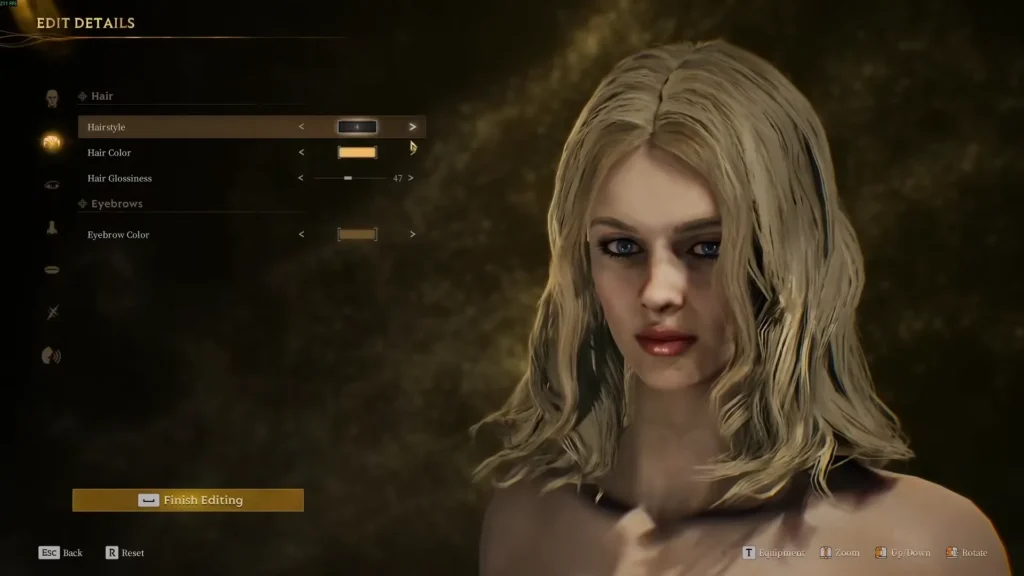
There’s a wide variety to choose from. I was actually happy with the vast selection. Like I mentioned, if you’re customizing a male character, you can enable facial hair here and select the color of your choosing.
You Can Customize Each Eye Separately
Next comes one of the more interesting sections: eye customization. The options are the same for both body types.
There are three main sections here: left eye, right eye (tick the box if you want to edit your character’s right eye separately, if not, leave it unchecked so that whatever change you apply to the left eye will be applied to the right eye too) and eyeshadow.
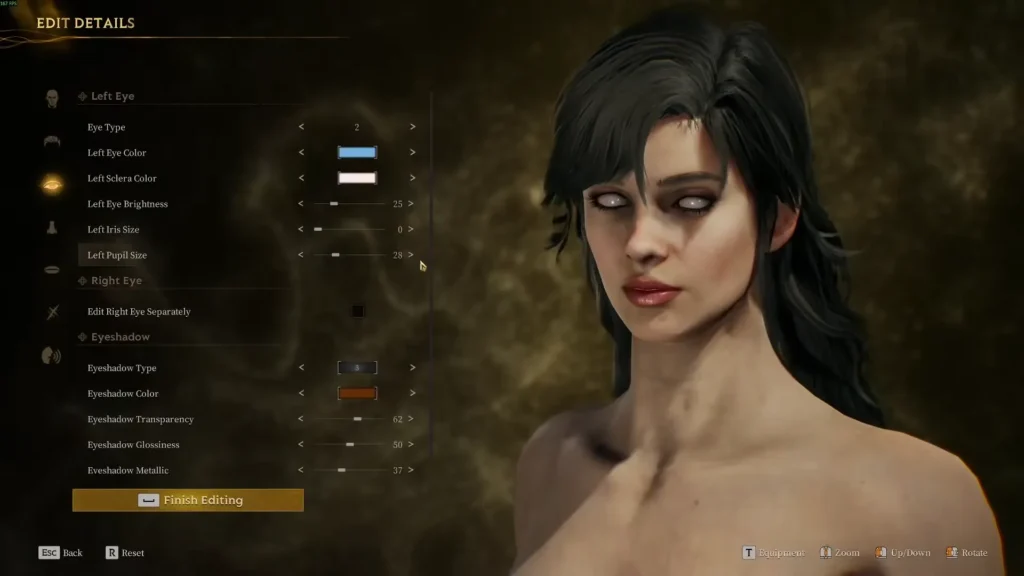
You can make tons of changes to your character’s eyes, that’s for sure. You can modify iris and pupil size, change the brightness or how shiny they look, modify the sclera and eye color, on top of eye type.
That’s not all. You can make your character look like possessed with the changes you’re able to make to the eyeshadow. Apart from the eyeshadow type, you can change the color, transparency, glossiness, as well as how metallic it can look. It’s awesome.
Add Makeup and Freckles
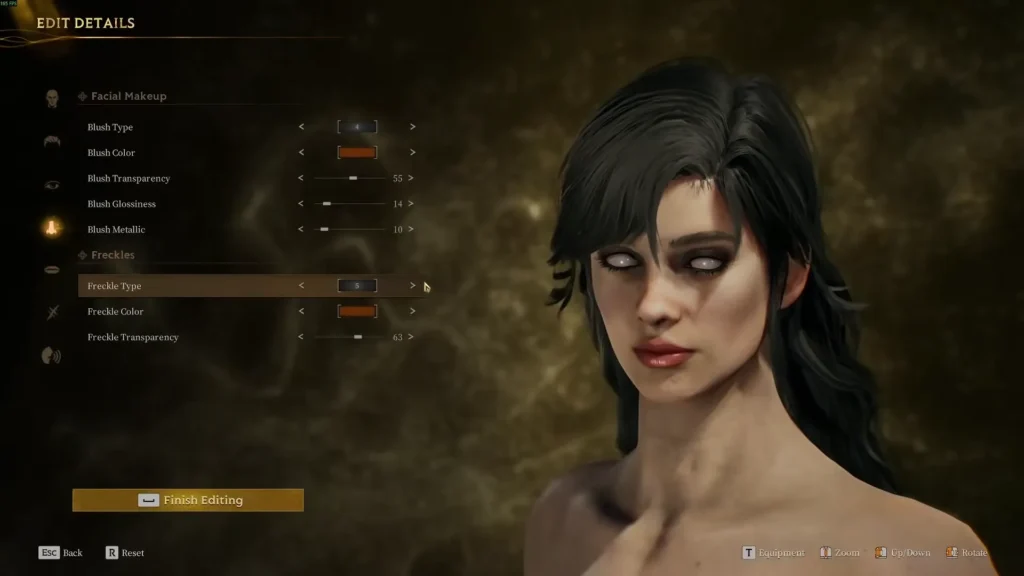
You can apply facial makeup and freckles to your character here. I’d say there are enough options here that can make your character stand out.
For the facial makeup section, you have more than enough to modify: blush type, color, transparency, glossiness, and metallic. And if you want your character to have freckles, here you can decide the freckle type and intensity.
Customize Your Character’s Lips
Much like the other facial parts, lip customization works much the same way. You can select your lip makeup here, like type, color, transparency, and so on and so forth.
Add Tattoos and Scars
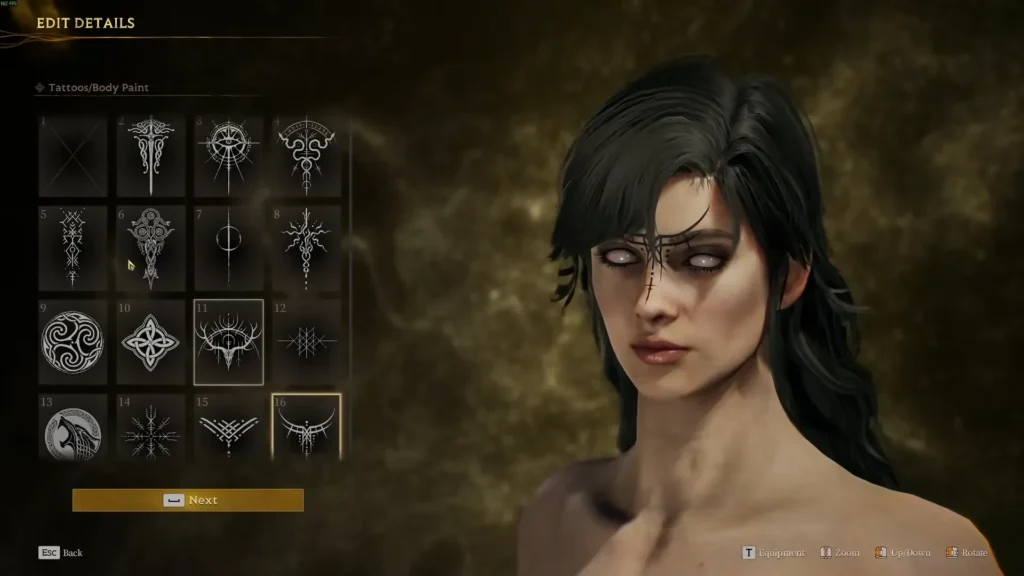
If you like tats and scars, yup, this one is for you. That’s how it was back in the day. For the tattoos and body paint, you get to select a variety of options here. You can choose your tattoo type, location on your body, size of the tattoo, decide its vertical and horizontal position, and more.
A scar gives your character that level of badassery that I think every veteran fighter should have. It gives your character some credibility. Choose the type, location, transparency, size, and whatnot of your scar here.
If you want more than standard customization, there’s a unique full-body cosmetic Stardust Genesis. Make sure to check that out. You’ll be surprised.
Choose Your Character’s Name and Voice
Last but not least, you choose your voice here. You can choose a female voice for a male character and vice versa. Ah, video games at it again.
After all that is done and dusted, select Finish Editing. Choose a name for your character. Lastly, select Create Character. This starts your playthrough.