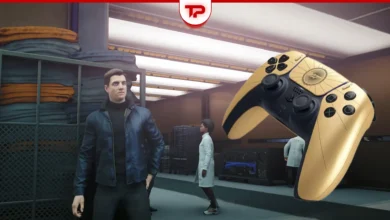
Saving in 007 First Light is completely automatic (Yeah, this is 21st century) but there’s a specific rhythm to how it works. Here’s exactly what you need to know.
The Text:
The Game Saves for You
The game uses a strict autosave system based on checkpoints. You can’t manually save whenever you want.
The autosave kicks in after you complete a mission, finish an important story beat, discover a key piece of intel, or exit to the main menu.
If you’re in the middle of a stealth section or a firefight, you’re committed until the next checkpoint. Leaving the game early will send you back to the start of that section.
How to Manual Save
You can’t. There is no manual save button in 007 First Light.
However, there is one small trick that acts like a manual save. If you exit to the main menu, the game triggers an autosave at your last checkpoint. This is the closest you’ll get to forcing a save. Just don’t do this in the middle of a firefight with no checkpoint nearby, or you’ll have to replay that entire combat section.
007 First Light Save Location (PC Version)
If you want to back up your saves manually, here’s the exact path on your PC. The folder might be hidden, so make sure you have “Show hidden files” turned on.
This is the path:
C:\Program Files (x86)\Steam\userdata\1659040\3768760\remote\KntSlotSaveFile
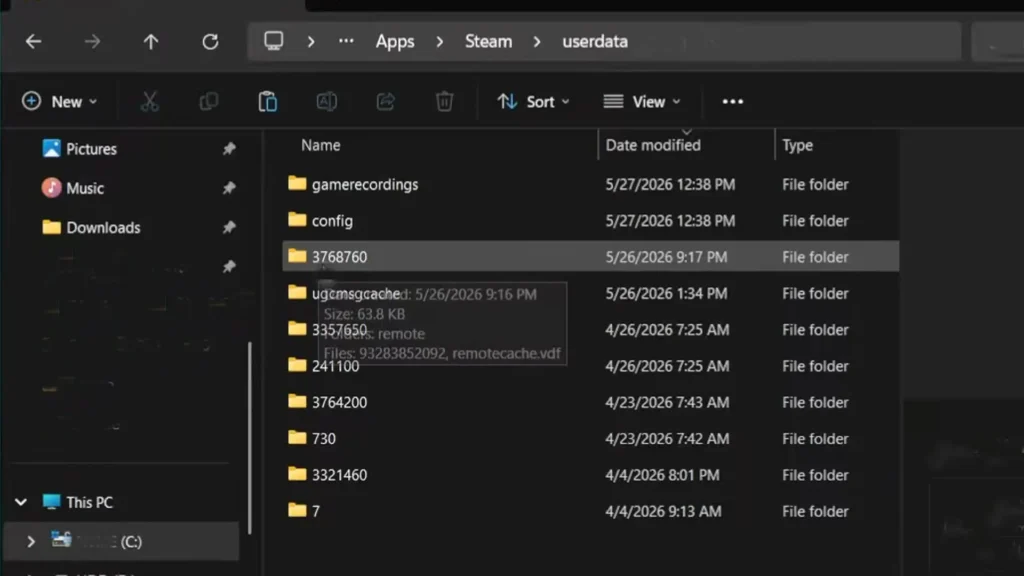
Inside that folder, you’ll find save files. You can copy the entire folder to a safe place as a backup.
007 First Light Save Mechanism
007 First Light wants you to live with your choices and not save-scum through every encounter. The autosave is reliable if you know its rhythm: finish a mission, hit a checkpoint, or exit to the main menu. Back up the save folder on PC if you’re paranoid. Otherwise, trust the spinning golden logo.
FAQs
Can I save during a mission?
No. You can only save at checkpoints. Exiting to the main menu saves at the last checkpoint, but you can’t save whenever you want.
What happens if my game crashes?
You’ll lose progress from the last checkpoint.
Does the game support cloud saves?
Yes. On console, it syncs automatically. On PC (Steam), it uses Steam Cloud.
Will there be a manual save update?
The developers haven’t mentioned any plans to add manual saves. The autosave system is the intended experience.

007 First Light