

Does Shift at Midnight Save progress? Short answer: yes, Shift at Midnight saves your progress, but there’s no manual save button anywhere in the game. Everything runs on autosave, and it only checkpoints once a shift or objective fully ends. If you’re used to quicksaving before every risky choice, that habit doesn’t work here. But I found a solution for you. Read this Shift At Midnight guide to learn how.
What You’ll Read:
How to Save Game in Shift at Midnight
The game autosaves once a shift or major objective is completed. Finishing one small in-store task doesn’t save progress by itself. You need to reach the actual end of the shift or transition.
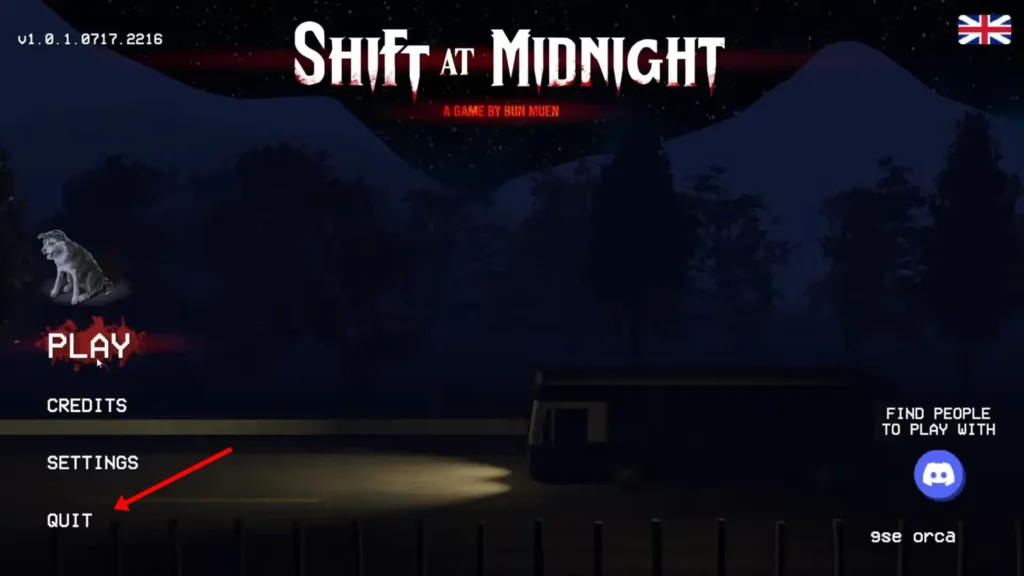
There’s no “Save Game” option in the pause menu. So exit through the normal menu instead of force-closing; that gives the autosave time to finish.
What Happens If You Fail a Shift or Quit Early
Dying doesn’t wipe your whole campaign. A full party wipe just ends the current shift. You retry from the start of that same shift, and everything you’d already got (funds, rating, unlocks) stays intact.
Shift 13 is the one exception here. If you fail it, you’re sent back at the start of Shift 13 with full resources, but it gifts you a permanent rating penalty on that save slot. Annoying, I know, but at least you’re not restarting the whole 13-shift run.
Shift at Midnight Save File Location (PC)
You can find the Shift at Midnight save file location at this address:
C:\Users\[Your User Name]\AppData\LocalLow\Kwalee\ShiftAtMidnight
To easily find it, press the Windows button + R to open the Run Dialog Box. Then type in %appdata% and press OK, like in the image below:
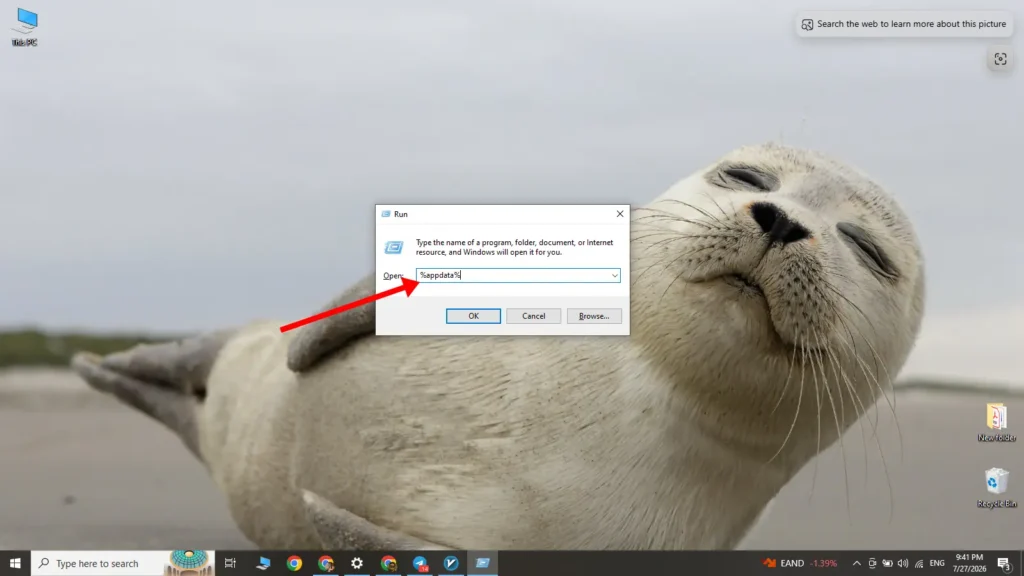
Then, go back one folder and follow the path I wrote earlier. You should arrive at something like this:
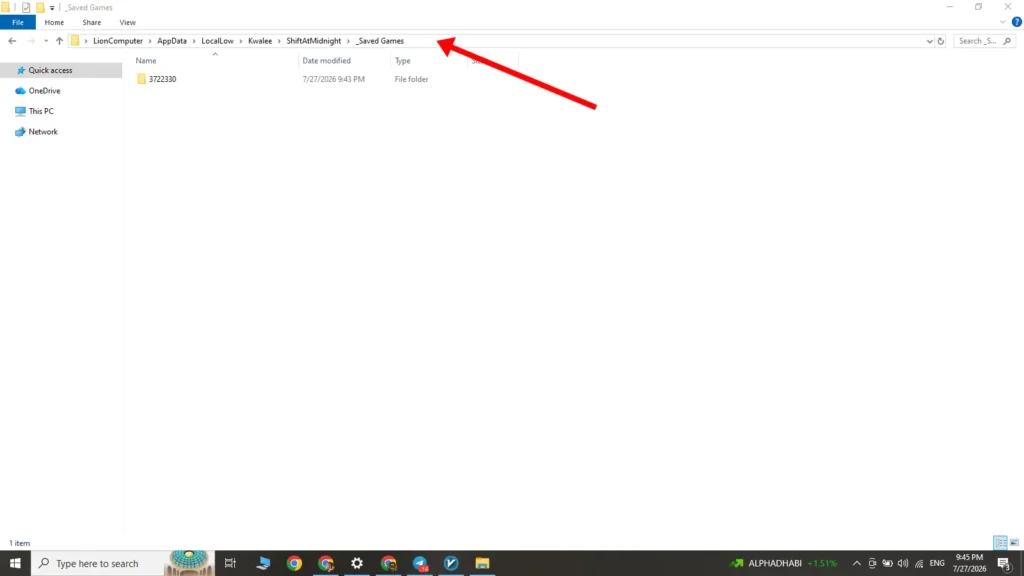
This is your save folder. You can copy or delete it from here.
How to Back Up Your Save (and Avoid Corruption)
The Night Transition loading screen is the danger zone. If you crash there, it can corrupt your entire Story Mode save. Copy your SaveGames folder before starting a co-op session, not after something goes wrong.
If you back up your save, you can also get all three endings without replaying the whole campaign. Copy the save after Shift 11 or 12, then replay it to see another ending.
If a save does get corrupted, verify your game files before doing anything else. On Steam: right-click the game → Properties → Installed Files → “Verify integrity of game files.” On the Xbox app: right-click → Manage → Files → “Verify and Repair.”
Cross-Platform and Cloud Saves
Xbox Play Anywhere keeps your saves and achievements synced between the Xbox Series X|S version and the Windows Microsoft Store version. So cross-playing between those two carries your progress over fine.
Steam is a different story. If you’re on the Steam version, nothing syncs with Xbox or Game Pass. Your progress stays wherever you started it. Steam Cloud support is listed for the game, though whether it’s on by default isn’t confirmed anywhere.
So can you save Shift at Midnight? Yes, it does. And so can you. If you back up the save file. Have fun with your shifts!
FAQ
Does each co-op player keep their own save progress, or only the host’s?
This isn’t confirmed anywhere yet. So treat the host’s save as the one that definitely counts until this gets clarified.
Can I unlock all three endings without replaying the whole campaign?
Yes. Back up your save after Shift 10, 11, or 12, make your choice, then restore that backup and pick differently for a different ending.
Why did my save revert to an earlier shift after I quit?
Likely a force-quit (Alt+F4) or a crash during Night Transition. Always exit through the in-game menu, and back up your SaveGames folder before co-op sessions.