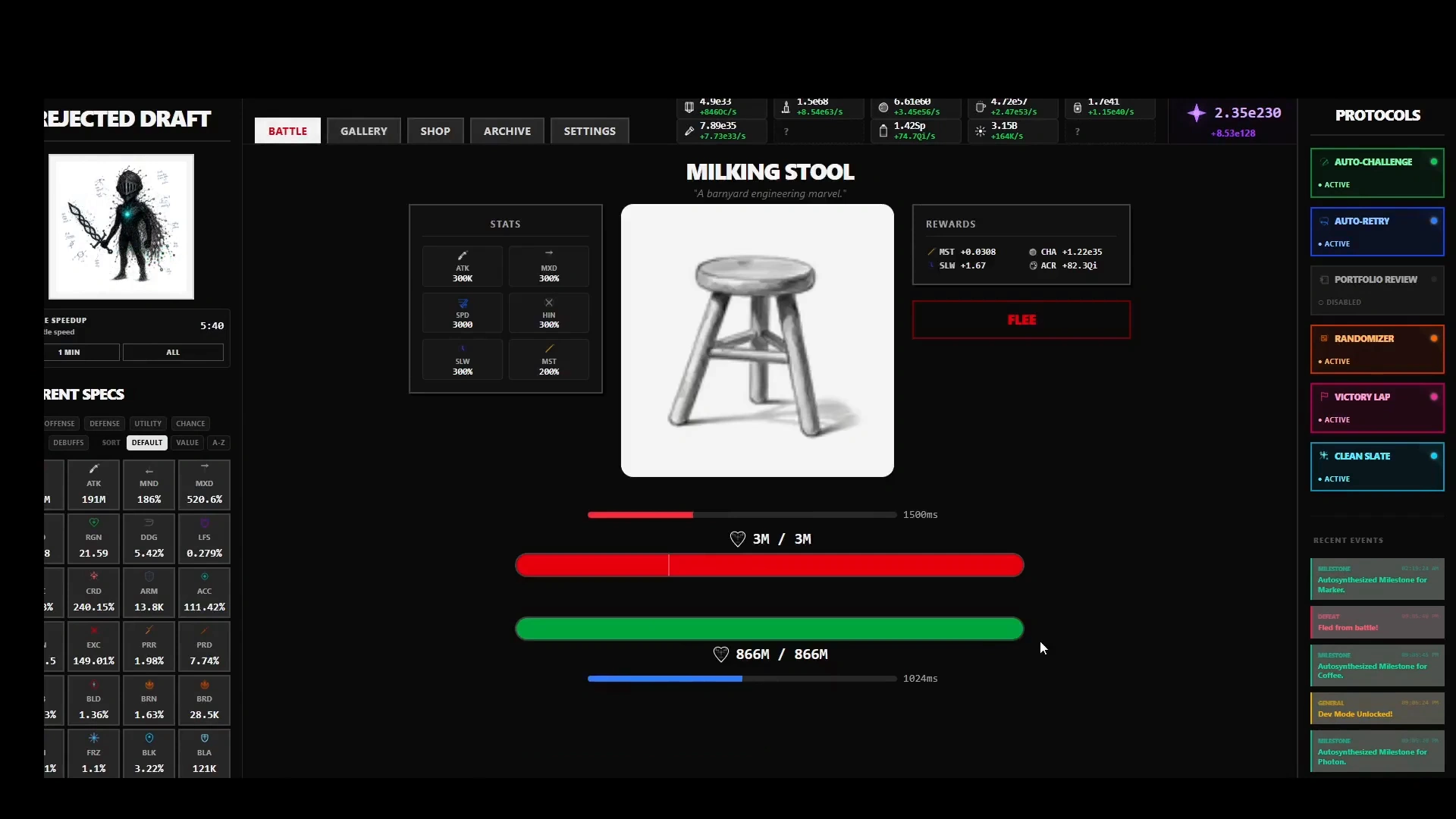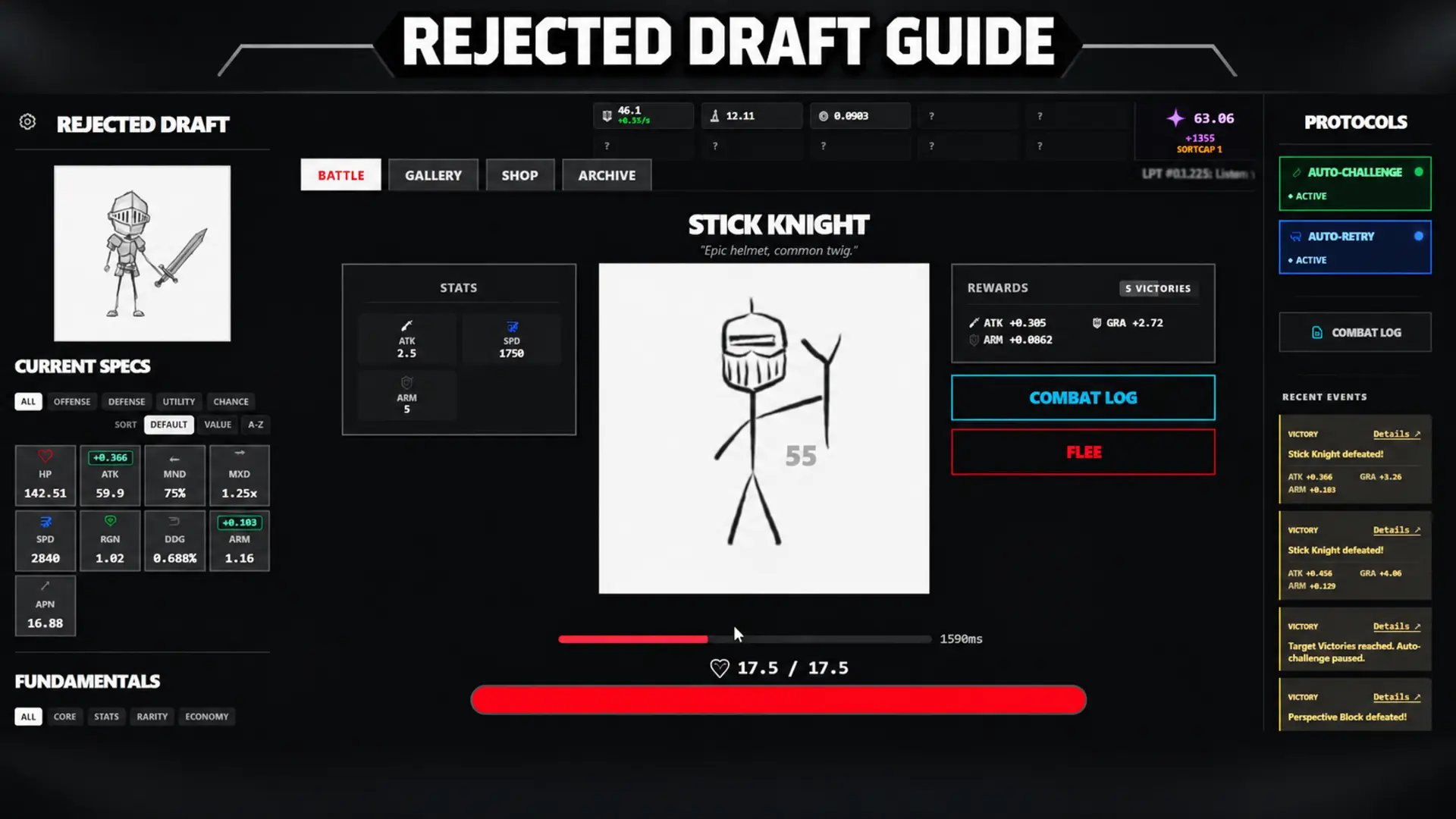


Rejected Draft is an incremental autobattler where every sketch you beat makes your doodle stronger, and the early game throws a lot of numbers at you. This Rejected Draft guide covers your first hour, automation, when to Redraw, and the Steam-only systems. Be careful, though: the browser and demo versions play differently from the paid game, so check your version below first.
What You’ll Read:
Which Rejected Draft Version Are You Playing
These are three different games that share a name. Kuzzi says Steam and browser differ a lot, and the gap grows around the new prestige layer near 1e90 Quintessence. Essence Refinement caps at level 100 for Steam players but goes to 1,500 in the browser. So browser tips and old demo videos can steer you wrong.
Browser saves can’t be imported. Steam demo saves can. Start a New Game and check the bottom-right of the Standard Mode panel. Lifetime Quintessence carries over up to 1e51, along with your Glossary, first Graphite milestone and settings. Your run, currencies, stats, Archive and medals reset.
That stings if you have 150 demo hours, but the cap is the same for everyone, so leaderboards start level. If Linux doesn’t detect the save, use file import.
How to Start Your First Hour
Your first hour matters a lot. So learn this part thoroughly, if you learn nothing else from this guide.
How Combat and Rewards Work
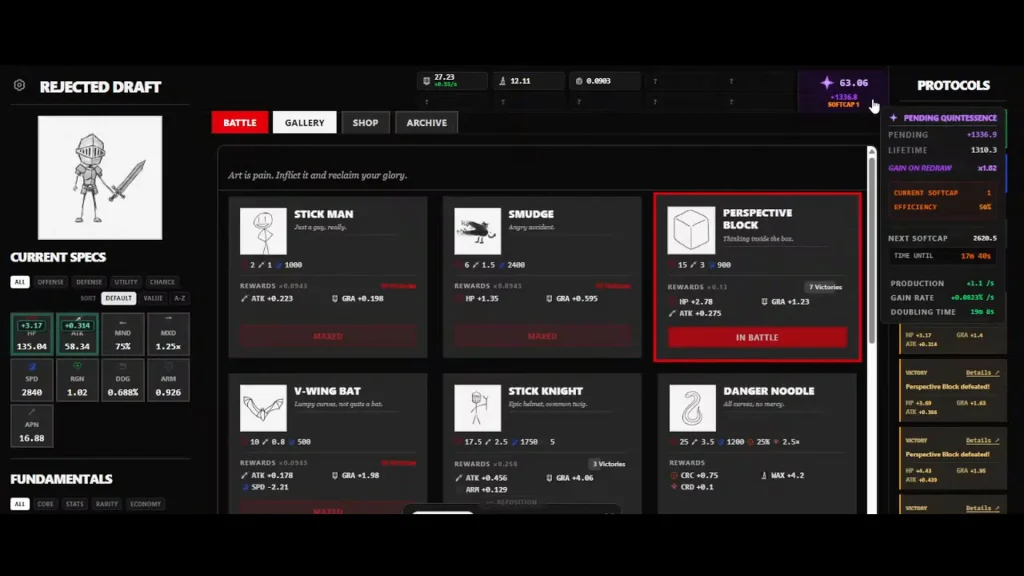
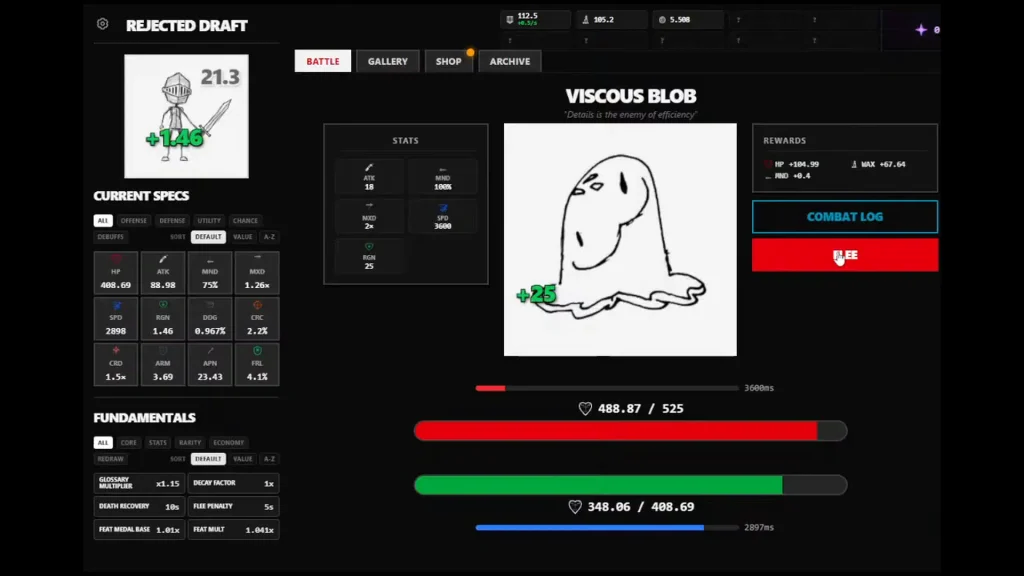
Each sketch you beat pays out only the stats shown in its reward panel. You don’t absorb everything the enemy has. Rewards shrink with every repeat win, and a sketch maxes out after 10 victories at the start. Archive skills raise that cap later.
Fresh sketches pay better than old ones, so move on instead of farming one target. You also don’t have to fight in order. If Perspective Block stops your run, farm bats for speed and come back.
Fleeing beats dying. Dying costs a default 10 seconds of recovery, while fleeing costs 5, before upgrades change either.
Best Early Targets
Check the reward panel before you pick a fight. These are the early sketches you can use to fill gaps in your build:
| Sketch | What it gives |
|---|---|
| Perspective Block | Big HP boost |
| Stick Ribs | HP |
| Stick Knight | Armor |
| Bats | Attack speed |
| Ink Blot | Attack |
| Tangled Spider | Attack |
| Danger Noodle | Crit chance and crit damage |
| Contrast Crusher | Armor Penetration |
The loop is simple. When a fight stops you, farm the stat you’re missing, then go back. Viscous Blob regenerates health, so skip it until your damage can keep up.
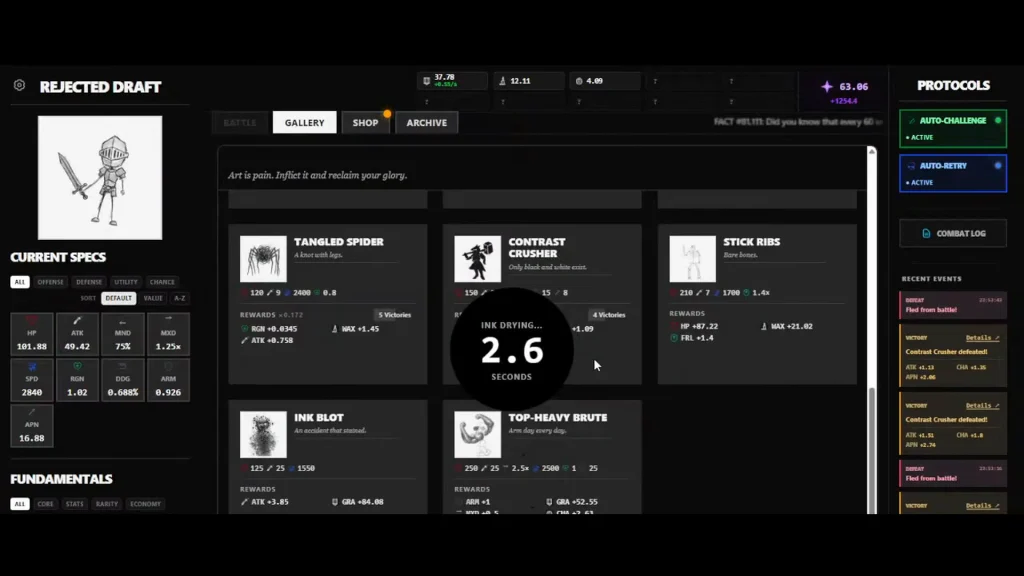
Your roster may not match this table. Higher-rarity sketches come from a bigger pool, so each run can show different opponents.
What the Stats Mean
Attack Speed is the delay between hits in milliseconds, so a lower number is faster. The Attack number isn’t your actual hit either. Damage rolls in a range. For example, 3,000 Attack can turn into 2,250 to 3,750 per hit.
Armor subtracts flat damage from every hit. If an enemy’s Armor is higher than your whole damage range, normal hits do nothing and only crits get through. Armor Penetration ignores a flat chunk of that Armor. Damage Absorb then trims what’s left by a percentage.
Regeneration heals you during the fight, up to your max HP.
Armor Penetration is a mixed bag. It feels weak by portrait 4, when enemy Armor reaches the millions. Check the numbers before you spend on it.
How Automation Works
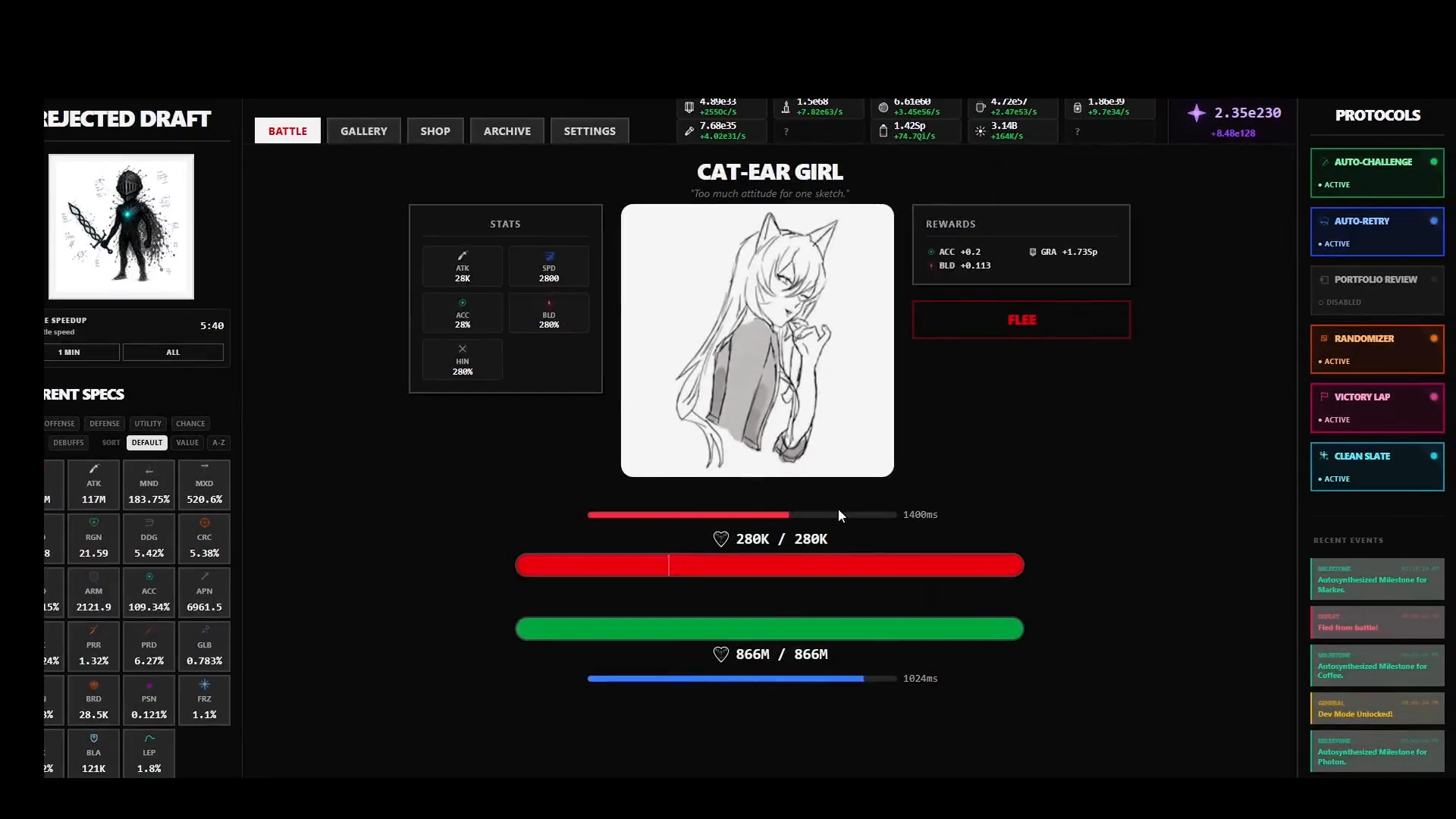
Auto-Challenge keeps fighting the sketch you picked. Auto-Retry tries again after a loss, once you’ve recovered. Portfolio Review matters most, because it moves on to the next unmaxed sketch by itself. Curator’s Choice hides maxed sketches so your gallery stays readable.
Upgrade automation has no master switch. Its toggles show up per upgrade in the Stat Upgrades tab, to the right of the Max button.
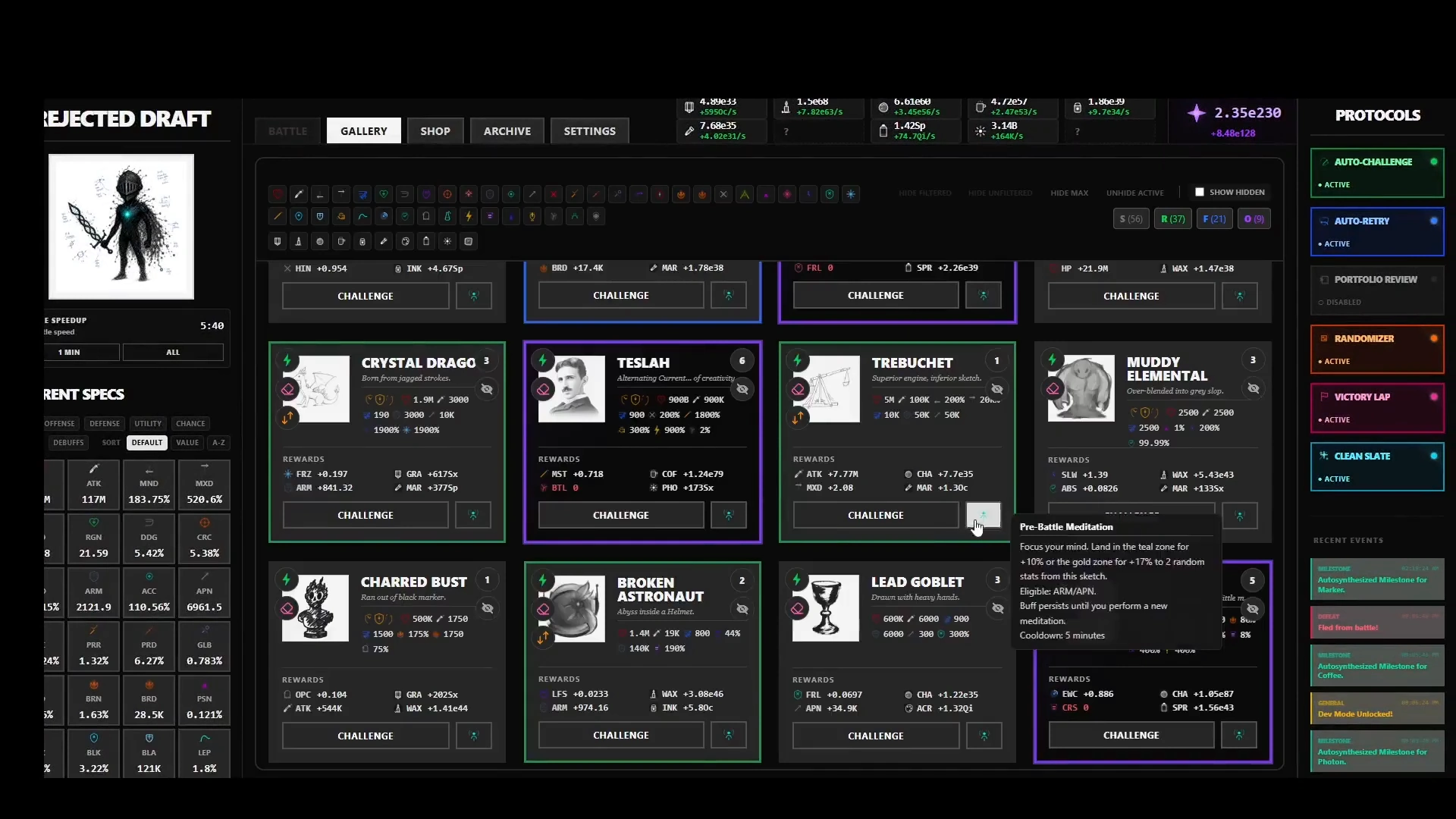
Early next-enemy automation heads back to the lowest unfinished sketch. One tough early enemy can stall your whole run. Hide it, since hidden sketches get skipped. Unhide Active in the Gallery puts them back in rotation.
Kuzzi also points to Portfolio Prioritizer, a later unlock that lets you set your fight order ahead of time.
Rejected Draft Redraw Explained
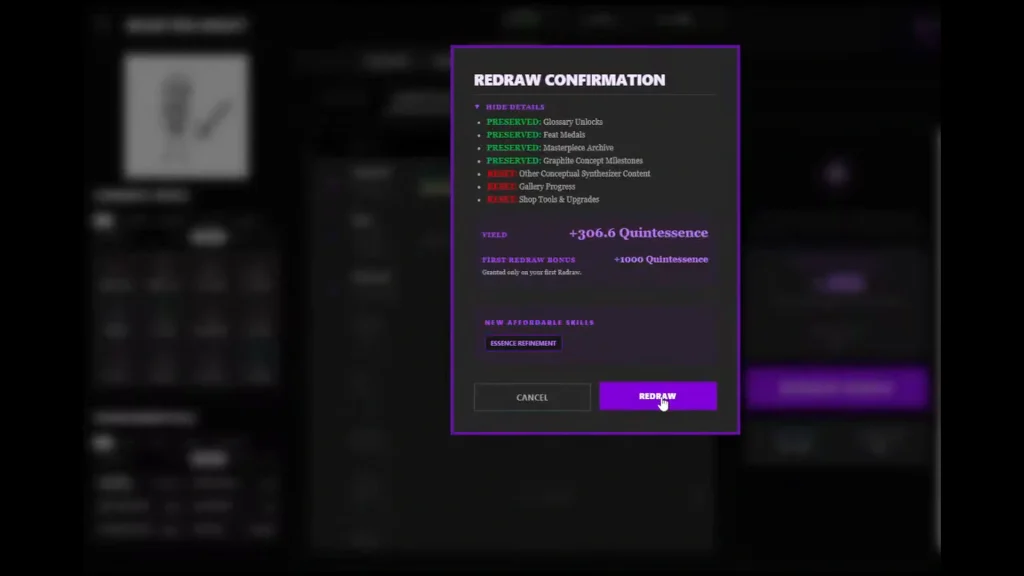
Redraw is the game’s prestige reset. It turns your pending Quintessence into spendable currency and starts a fresh run.
Your Masterpiece Archive skills, Glossary, Feat Medals, art variants and settings stay. Shop upgrades, currencies, battle stats and victories reset. Tools switch off too, apart from the free starting tools your Archive gives back. So buying a tool once doesn’t keep it.
Concepts are messier. The first Graphite milestone is permanent. Wax has to be earned again. Coffee depends on the universe.
Reset This Redraw is the do-over button. It restarts the run with no Quintessence payout, no Redraw count and no refund.
When to Redraw
Take a few easy first wins, then do your first Redraw. It pays a one-time 1,000 Quintessence bonus. You need the first Graphite milestone and a short cooldown, about five seconds by default.
After that, the softcap indicator is your signal. It means resource growth is slowing. Reset when a cap makes the run drag, though I have to admit that staying longer can pay off.
Nobody has a magic number. Kuzzi suggests idling 8 hours or more once your Concept milestones are maxed. Check the reset preview. If your next budget can’t buy anything new, stay put.
Targeted vs Exploratory Redraw
Both are ways to reroll your gallery, and each one fits a different goal.
Targeted Redraw keeps rerolling until the gallery has the minimum rarity counts you set. Use it when you want specific rarities lined up for a hard first kill.
Exploratory Redraw hunts for a new Rough-or-higher sketch and stops after 100 failed attempts. Use it to find sketches you haven’t discovered. Selective Explorer narrows the search to one rarity.
You can lock in sketches for a tough first kill, or lock in currencies to push Concept production.
Auto-Redraw does the clicking for you. Any trigger you turn on will fire: a softcap tier, elapsed run time, or a new win over a sketch of your chosen rarity. It follows your Targeted or Exploratory settings without asking and doesn’t run while you’re offline.
Masterpiece Archive: What to Buy First
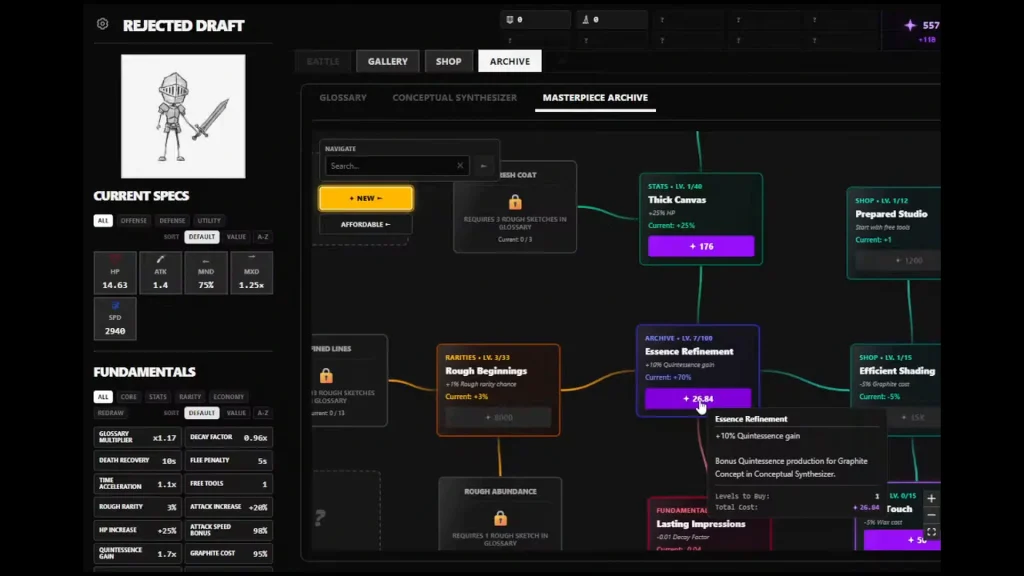
The Archive is your permanent skill tree. It stays hidden until your first Redraw, then you spend Quintessence in it. Most skills work right away, but rarity chances need another Redraw first.
These opening picks make a fair template, though I wouldn’t call them the best build: Essence Refinement (+10% Quintessence gain per level), reward-decay upgrades, time acceleration, HP, Attack and attack delay. You can also go for rarity chance and the node that starts each run with free tools.
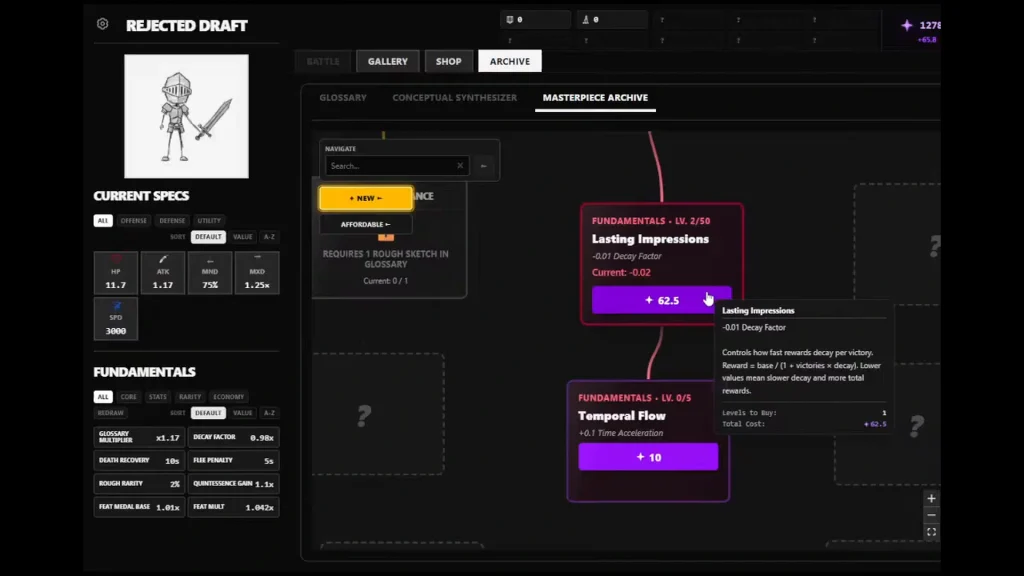
Ready For More adds +10 max victories per level, so sketches keep paying past the early cap of 10.
Buy the cheap, useful nodes first and push what’s left into production. Some nodes won’t unlock until you beat a specific sketch, so don’t panic if one is greyed out.
Glossary, Concepts and Feat Medals
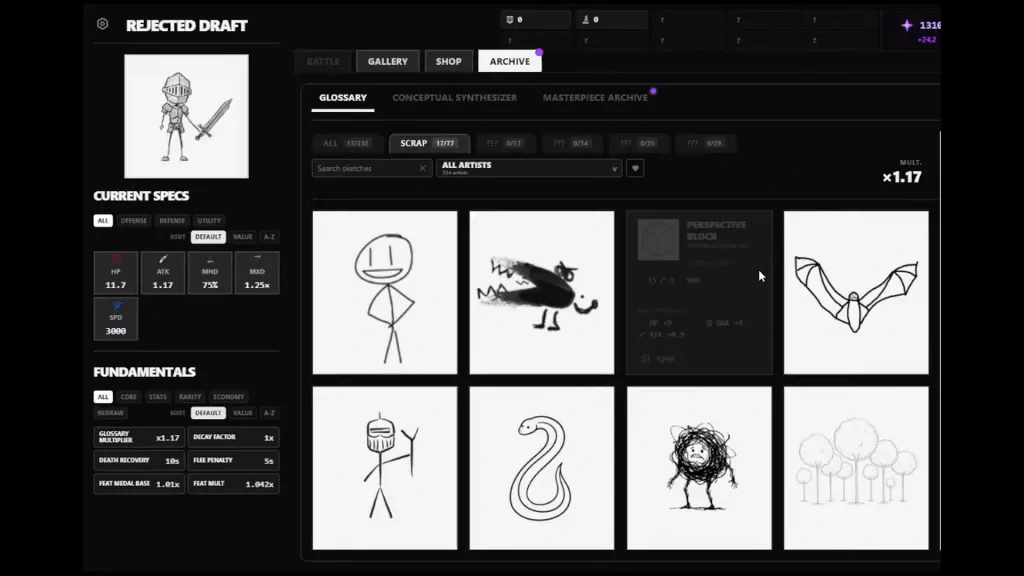
Every first win on a sketch adds to your Glossary. Glossary discoveries raise your ATK and HP, with bigger bonuses from higher rarities. That’s why new sketches are better than farming old ones. Unscrambling a name doesn’t seem to boost combat. It just makes the sketch eligible for a guaranteed-spawn skill.
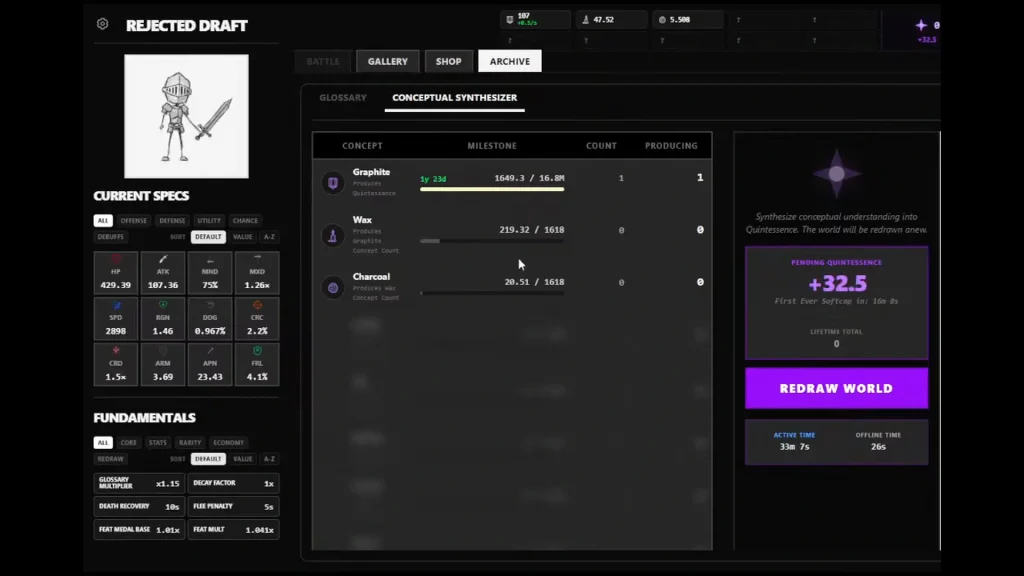
Concepts run on the Conceptual Synthesizer. Milestones depend on total currency earned, so spending never sets you back. Milestone 1 starts production, and each later one multiplies the previous rate. The lowest tier makes Quintessence, and higher tiers feed the ones below.
Feat Medals multiply your currency rewards. An enhanced medal counts for its full Feat Medal Base. An unenhanced one counts for only a tenth of the bonus. Enhance ordinary medals in Home, 00-0000. READY means you can afford it and own an unenhanced medal.
Reincarnation, Brushes and Cards
If you beat the Artist, Multiversal Reincarnation opens. You restart in alternate universes with their own challenges, difficulty and rewards, and each clear earns permanent bonuses.
Read a universe’s rules before you enter. As of the v0.976 patch, OR-4 cuts currency and stat rewards to a tiny fraction, bans Masterpieces and warns you below 75 Cards. Your usual build may not survive that.
Every Artist you beat drops its own Brush, an equippable bonus. Universe clears pay out Cards. Cards are passive, so you can’t equip them. Each new artwork for a sketch adds 10% to its stat and currency rewards, while duplicates add only 0.01%.
Rejected Draft Codes
Kuzzi posted seven codes in a pinned Steam thread. These are the only ones he has confirmed.
| Code | Reward |
|---|---|
| DOUBLEBATTLESPEEDPLEASE | 30 minutes of Battle Speedup |
| LAUNCHPARTYBATTLES | 60 minutes of Battle Speedup |
| LAUNCHPARTYTIMEWARPS | 10 Temporal Skips |
| TGIFTIMETOGRIND | 7 Temporal Skips |
| FIRSTTHREESKETCHESOFTHEWEEK | 3 Cards |
| PARAGONCARDPLEASE | 1 Card |
| IJUSTWANTADECENTBRUSH | 1 special Brush |
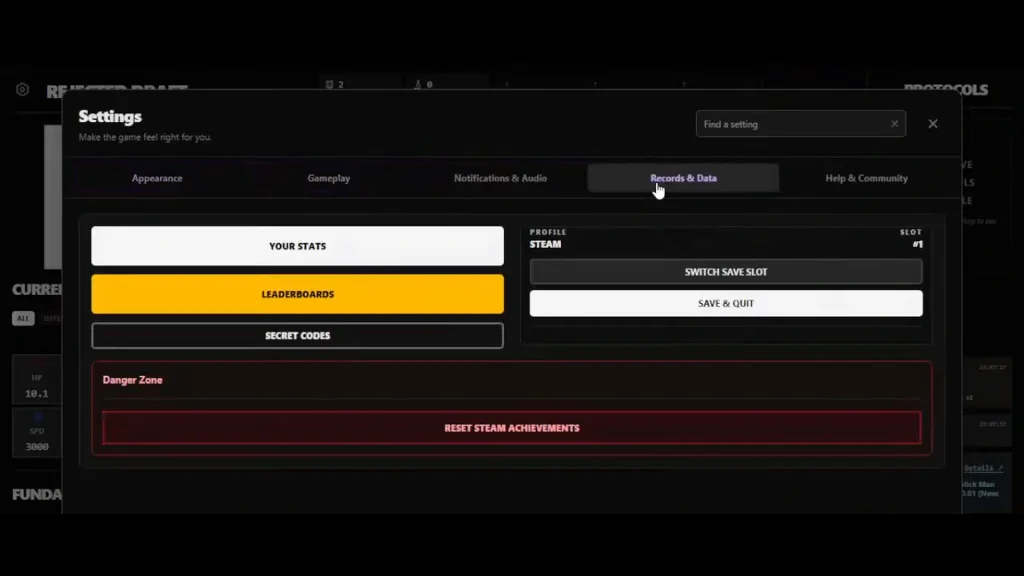
To redeem, check Settings, then Records & Data, under the Leaderboards button.
The Brush code needs three cleared universes first. The Brush gives 20× Graphite rewards and 20× Quintessence gain. Kuzzi guessed reaching that point could take weeks.
Rejected Draft Game Modes
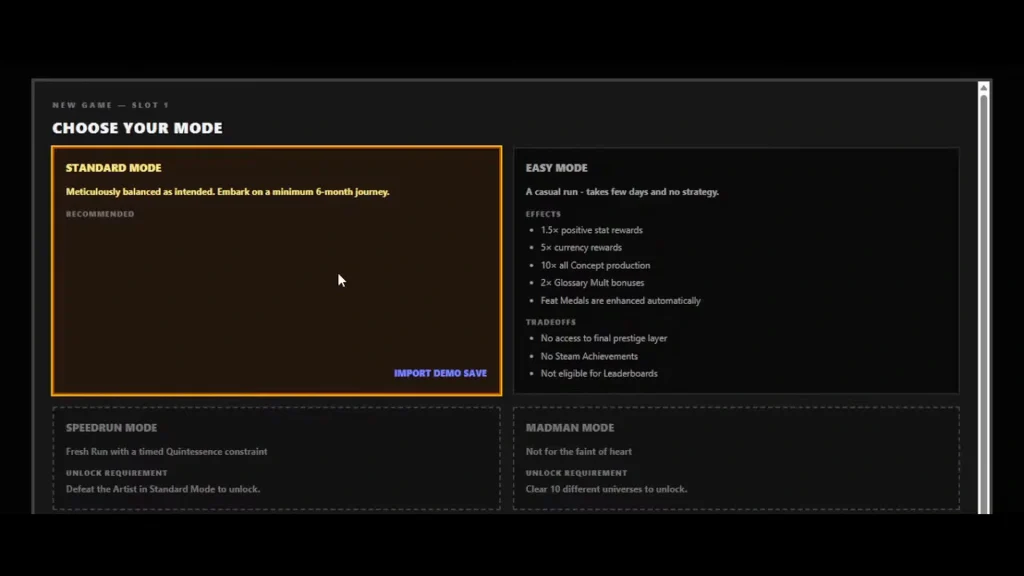
There are four game modes in the game. Pick carefully on a new save, because the mode is permanent for that save.
| Mode | Unlock | What changes |
|---|---|---|
| Standard | Default | The main mode. Demo imports and the main leaderboards go through it. |
| Easy | Default | 1.5× beneficial stat rewards, 5× currency, 10× Concept production, 2× Glossary bonuses, free medal enhancement. |
| Speedrun | Beat the Artist in Standard | Fresh Home save, 10× currency, pending Quintessence divided by minutes in the current Redraw. |
| Madman | Ten Artists | Purchases cost you in every currency; losing subtracts rewards, fleeing subtracts half. |
Easy is tempting, but it locks you out of the final prestige layer and the Standard leaderboards. Its only leaderboard is Deathless Easy Mode QE. It has one Steam achievement exception, Easy Deathless Googol, which needs 1e100 Quintessence with no deaths.
Beating the Artist in Speedrun records your time and converts the save to Standard.
Battle Speedup and Minigames
The demo had a permanent 2× speed toggle. Kuzzi says he added it days before launch to help players catch up, so don’t go looking for it in the paid game. Steam uses Battle Speedup instead. It charges over time, starting at one stored minute per hour, online or offline, with a 10-minute cap. While active, it doubles battle speed and halves death and flee cooldowns. Archive skills raise the cap and charge rate, and your charges survive Reincarnation.
The minigames are Showdown, Pop Critique and Meditation. Kuzzi confirms Showdown still pays out victory rewards when no victory message shows. If the short instruction window loses you, try Settings, Help and Community, Minigame Practice. Practice uses simulated payouts, so it costs nothing.