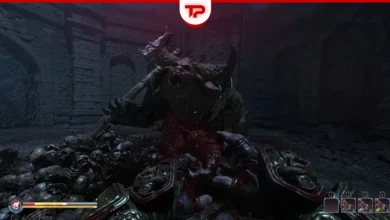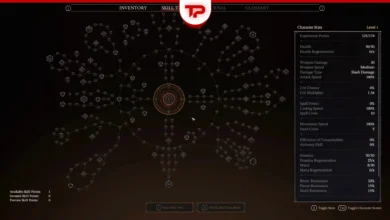


Fatekeeper is a new first-person slasher available in early access. Right now, Fatekeeper does not have official controller support. You must use a keyboard and mouse by default. However, you can still play with a gamepad using Steam Input. In this guide, we will explain the current status of the game and how you can set up your controller today.
What we cover:
Does Fatekeeper Have Official Controller Support?
The short answer is no, but it is coming soon. The game launched in early access without native gamepad features. You will not see any official button glyphs on your screen yet. Many players find this frustrating because Fatekeeper has souls-like elements. They believe this melee genre requires a gamepad. On the other hand, some players defend the small 13-person development team.
Fortunately, the developer MegalomaniacNG from THQ Nordic confirmed that official controller support is planned. They will add it in a future update.

How to Fix and Play Fatekeeper with a Controller
You do not have to wait for the developers to update the game. You can use the Steam Input tool to map your controller buttons. Before you start, run Steam as an administrator to prevent permission issues.
Follow these exact steps to enable it:
- Open your Steam settings and go to the Controller tab.
- Enable all available controller options for your specific device.
- Go to your Steam library and find Fatekeeper.
- Look for the controller icon next to the play button. If you do not see it, your PC does not detect your device.
- Click the controller icon and enable Steam Input.
- Open the Controller Configurator.
- Browse and apply one of the available Community Layouts.
If you need help with other parts of the game, be sure to check out our complete Fatekeeper guide.
Best Community Layouts for Xbox and PS5 Controllers
Other players have already created custom profiles for different devices. You can download these community layouts directly from steam. They map the KBM actions to your gamepad triggers and bumpers. If you cannot find a good Fatekeeper profile, try searching for Skyrim layouts. Many players report that Skyrim control mappings work perfectly for this game.
Here is how different devices perform based on community tests:
| Controller Type | Performance Status | Notes |
|---|---|---|
| Xbox controller | Works well | The most popular community layout supports this device perfectly for attacks and movement. |
| PS5 controller | Works well | Players report smooth gameplay, but vibration features do not work yet. |
| Steam Controller | Functional | Default profiles handle basic actions, but you may need to manually adjust settings for special spells. |
What to Do If Your Controller Is Not Detected
What if Steam does not detect your device? Sometimes, custom layouts fail because of outdated drivers or connection issues. You can fix these problems with external applications.
- For an Xbox controller, download the Xbox accessories app from the official website. This app updates your firmware and fixes input glitches.
- For a PS5 controller, install the PlayStation accessories app. If that fails, DS4 Windows is a free program that often solves connection issues.
- For other generic devices, the X360CE controller emulator is a great tool to force game compatibility.
Why Gamepad Support is Important for this Game
Fatekeeper is a melee hack and slash game, not a traditional shooter. Many players find slasher games much easier to control with a gamepad. A comfortable couch and a big TV provide a better experience for this genre compared to a standard desk setup.
Accessibility is another major reason. Some gamers have medical conditions or wrist pain that make KBM difficult to use. A standard controller allows these players to enjoy the game comfortably and without pain.
This guide is written based on community feedback on steam and reddit discussions during the Early Access period. Future game updates may change how these features work.