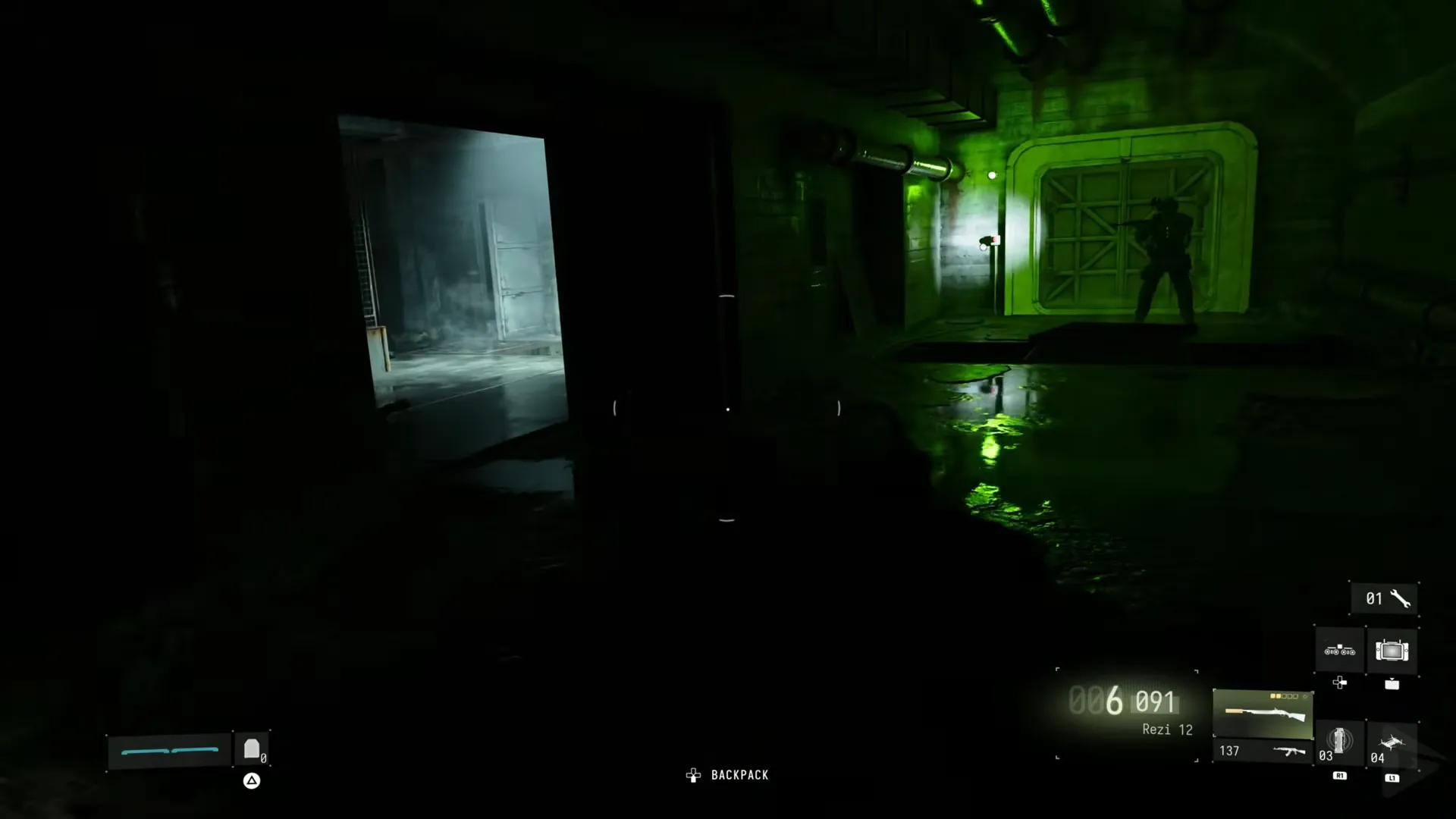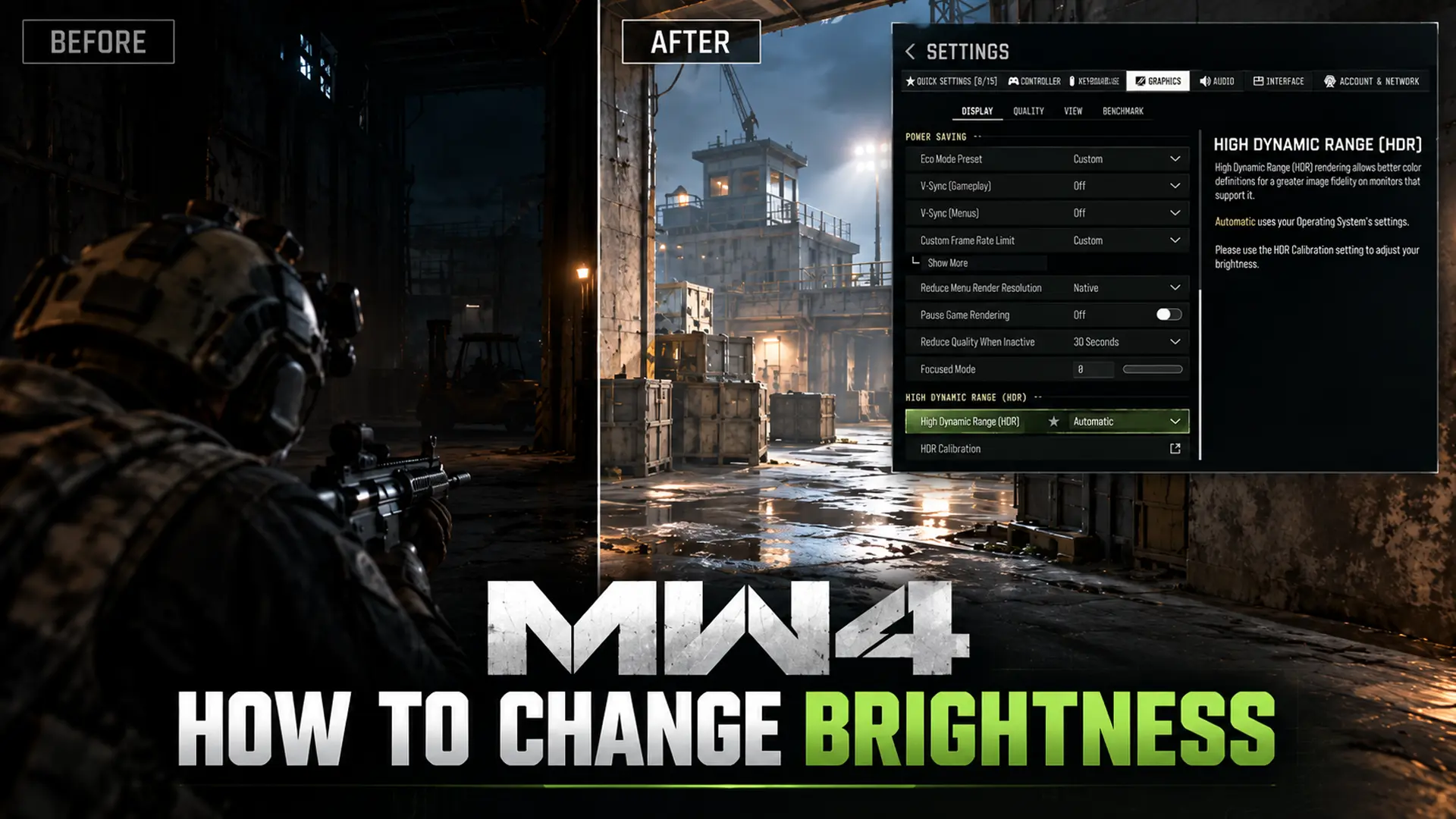


You boot up Call of Duty: Modern Warfare 4 and the screen is so dark you can’t tell your finger from the trigger. And there’s no brightness slider in the menu. That’s especially annoying when you’re in dark places like the Island Hidden Bunker.
The setting is called SDR Calibration, and it’s under Graphics. If you play in HDR, things are different because it changes which options you can access. Here is how to change brightness in MW4 on PC and console.
What You’ll Read:
How to Change Brightness in MW4 (SDR Calibration)
This is the route for standard dynamic range (SDR) play, so HDR users should skip ahead to the HDR section.
1. From the main menu, open Settings (the gear icon in the upper right).
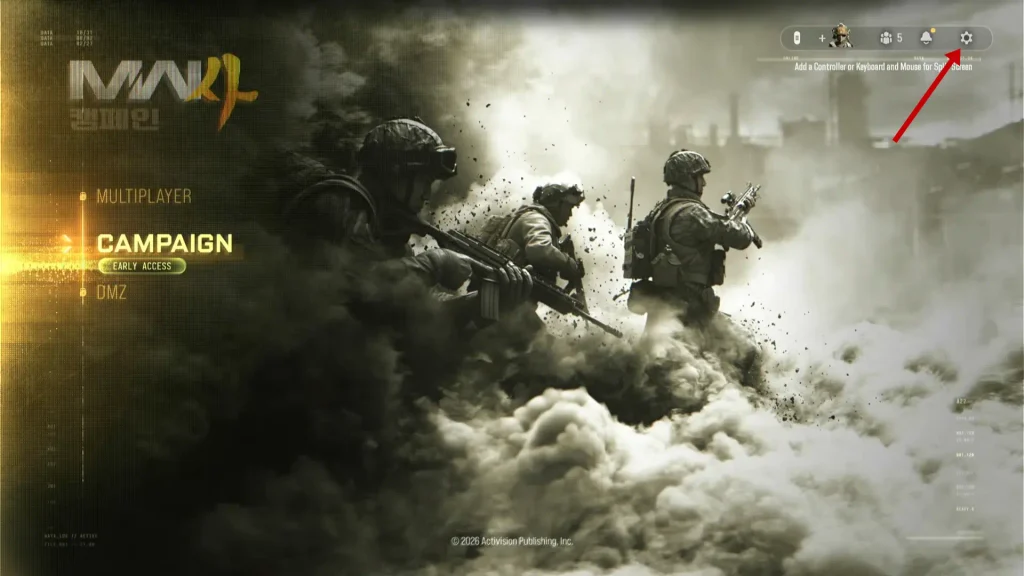
2. Go to Graphics.
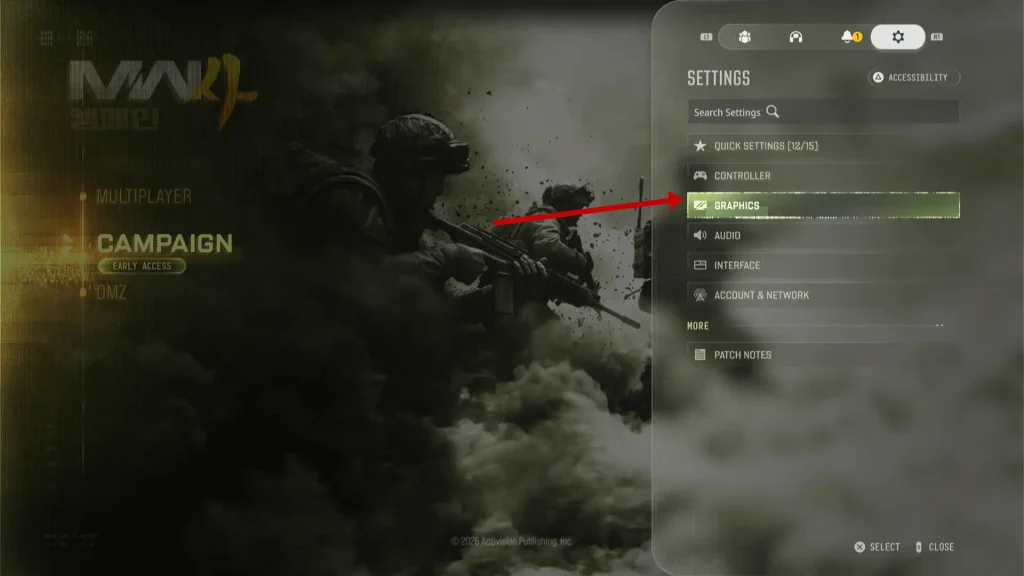
3. Select Display.
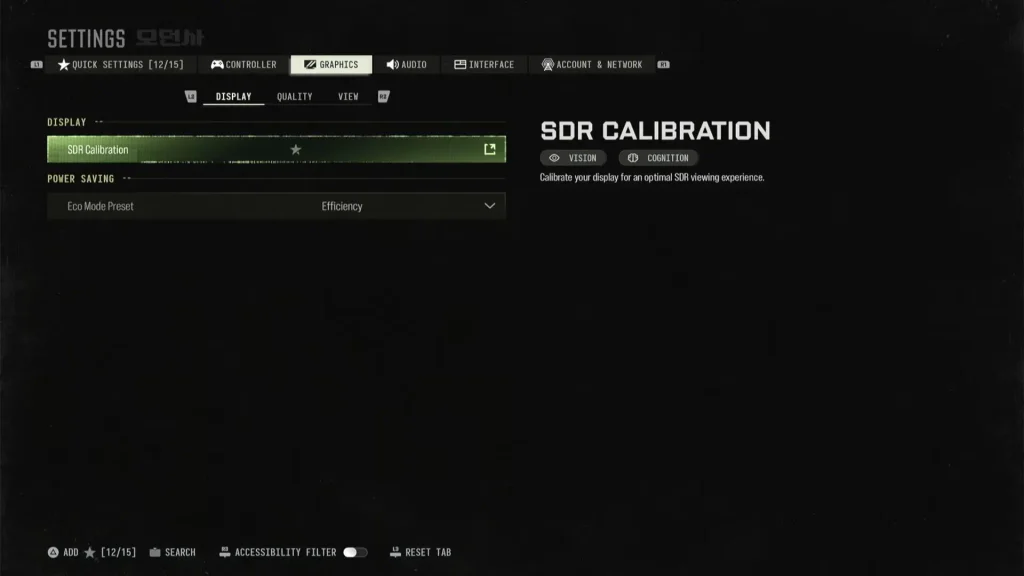
4. Select SDR Calibration.
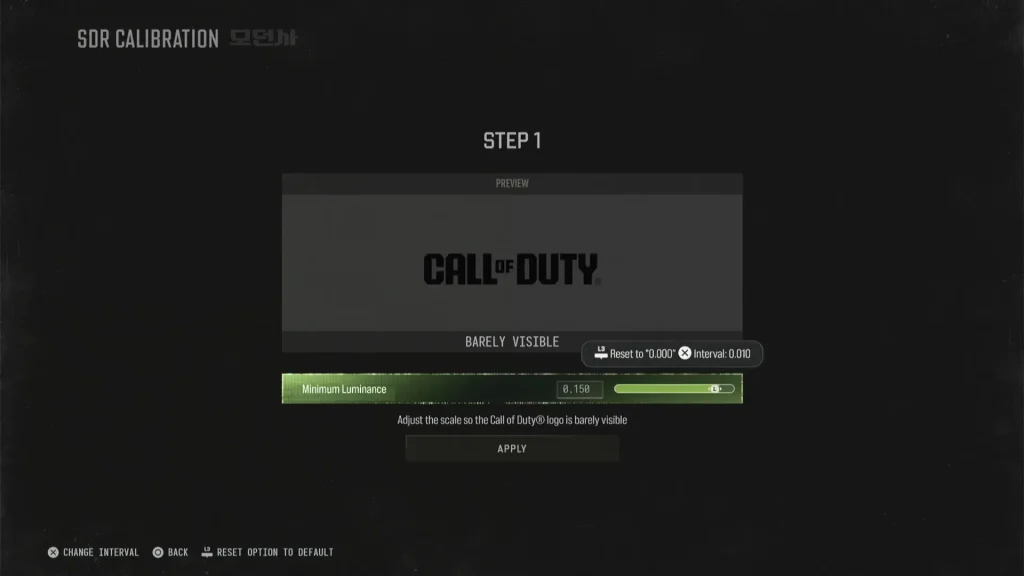
Drag the sliders until the logo is barely visible, then apply it. On PC, press C while the option is highlighted to save it to Quick Settings. And don’t worry. You can redo this anytime.
How to Fix When SDR Calibration Is Greyed Out
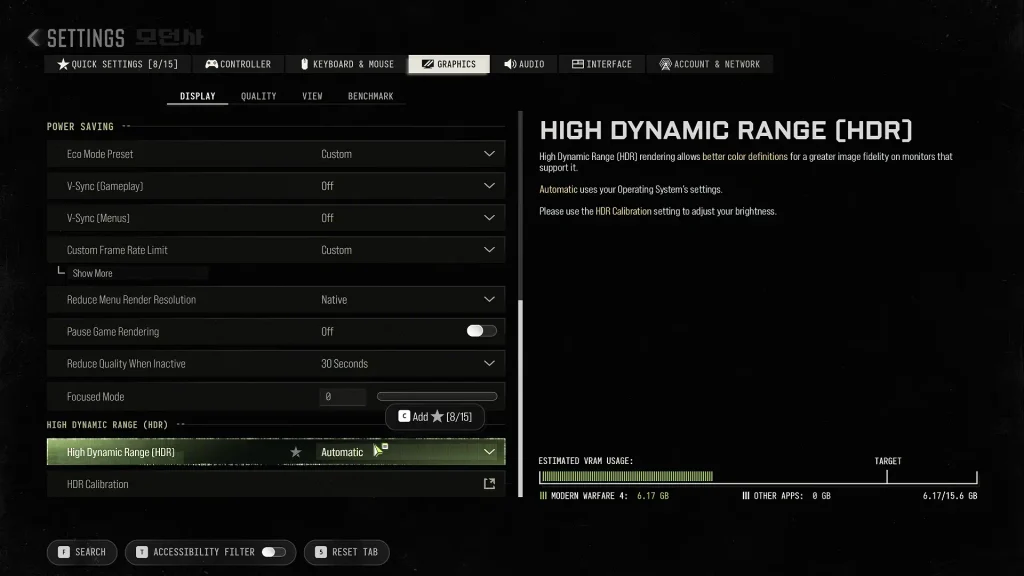
SDR Calibration greys out when HDR is active. The game handles brightness through HDR instead, so the SDR sliders stay locked.
- Fully quit MW4.
- Open Settings → General → TV & Display Options → Video Modes.
- Uncheck Allow HDR10.
- Relaunch and open SDR Calibration.
On PC, turn HDR off in Graphics → Display and apply it. On PS5, switch HDR off in the console’s Video Output settings.
Note: The method below fixes this issue, but it also switches you to SDR, so it doesn’t fix HDR. Want to keep HDR? Skip to the next section.
How to Fix a Dark Screen and Keep HDR On
If you want to keep HDR, calibrate it first. Here is how:
PC
Go to Graphics → Display and hit HDR Calibration under the HDR toggle. Then run Microsoft’s free HDR Calibration app from the Microsoft Store and drag each slider until its pattern disappears. Some players also fixed a dark picture by turning off Dolby Vision on their TV.
PS5
Open Settings → Screen and Video → Video Output → Adjust HDR and follow the prompts. Set HDR to On When Supported while you’re there. This tunes the console’s HDR signal. Sony doesn’t promise it changes MW4’s picture.
Xbox
Open Settings → General → TV & Display Options → Calibrate HDR for Games, and make sure Allow HDR10 is on. If you still find it too dark, you should try the SDR solution above.
How Display Gamma Affects Brightness
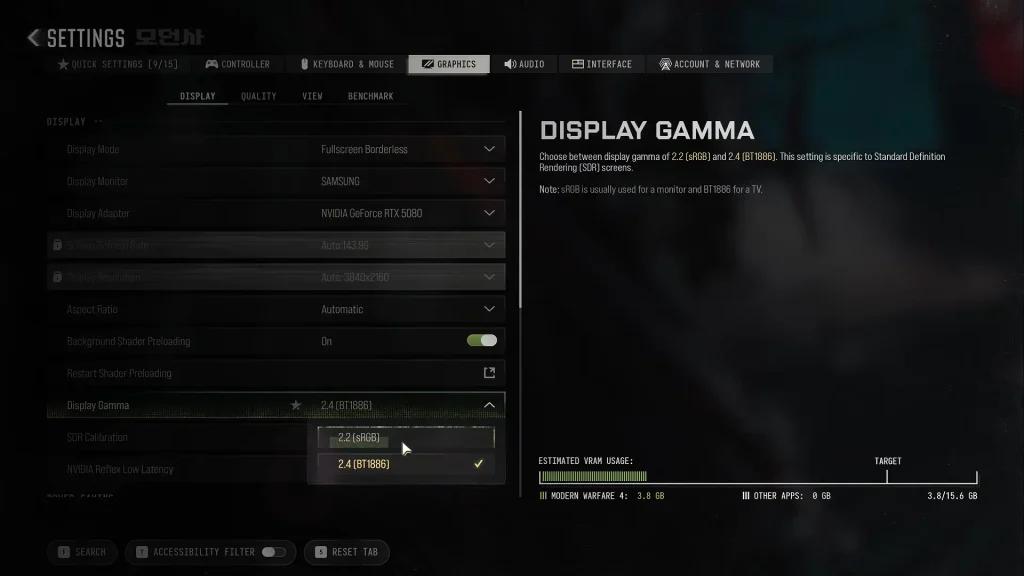
Display Gamma sits right above SDR Calibration on PC. It isn’t a brightness slider. It changes how shadows and midtones look, so it can make dark scenes easier to read.
The game’s default is 2.2 (sRGB). The other choice is 2.4 (BT1886). A rule of thumb is that 2.2 usually suits monitors and 2.4 may suit TVs.
I would say start on 2.2, then flip to 2.4 in a dark mission. Keep whichever lets you see better. Redo SDR Calibration afterward, since the two settings affect each other.
Settings That Help You See Better (But Aren’t Brightness)
These make enemies easier to spot, but none of them change how bright the scene is.
| Setting | Where | What it does |
|---|---|---|
| Film Grain | Graphics → Quality | Defaults to 0.20 on PC. Set it to 0 for a cleaner image. |
| World and Weapon Motion Blur | Graphics → Quality | Turn both off to stop the smear when you spin. |
| World Depth of Field | Graphics → Quality | Off removes distant blur. Weapon Depth of Field is a separate toggle. |
| Color Filter | Interface | Creators run Filter 2 on both targets at 85 or 100 intensity. It pops enemies out of the background. |
| Shadow Quality | Graphics → Quality → Advanced Quality Settings | Lower values change how dark and sharp shadows look, plus your FPS. |
If you only change two things, I’d kill the film grain and the motion blur. Both are free clarity.
That covers every way to change brightness in MW4. Still stuck in the dark? Tell me your platform and display in the comments, and I’ll add what works to the guide.