

Believe it or not, Minecraft Dungeons 2 was launched with no WASD controls on PC. You use the mouse for movement if you don’t own or want to use a controller. Many players had been asking for WASD and had been giving Mojang feedback for months, so naturally, they are very disappointed. I understand why some players may even want refunds.
As of September 30, there hasn’t been an official workaround provided by Mojang. Thankfully the community has created a WASD mod that solves this frustrating problem. If that doesn’t work for you, I also found another solution that actually works: using a controller emulator. Here’s how you can make each one work.
Go to:
Does Minecraft Dungeons 2 Have WASD Controls?
No. The launch version came out without any native WASD controls. I don’t understand how such a major game doesn’t have basic keyboard movement. And this isn’t even because the keybinds are set wrong; there simply isn’t an option to bind movement to WASD, or heck, even the arrow keys. You’re stuck with your mouse.
However, there are now two things we can do to change that.
How to Play with WASD Using the Minecraft Dungeons 2 WASD Mod
So far, the easiest way to get WASD movement in Minecraft Dungeons 2 is to use ewanhowell5195‘s WASD Controls mod. Honestly, the best part about the mod was that it added keyboard movement to my game while still allowing me to use the mouse for attacks and scrolling through menus and the map. Here are the steps for installing and activating it:
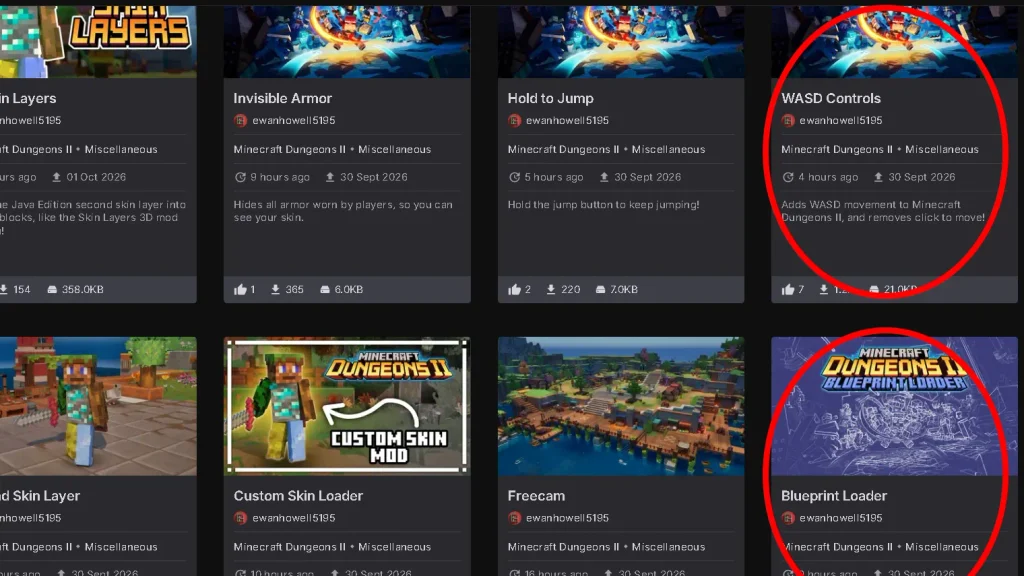
Install the Blueprint Loader Mod
Created by the same author, the Blueprint Loader mod is required for the WASD Controls mod to function properly. You can find the mod on the author’s page.
First of all, make sure your game is not open. Even the launcher. Then, find this directory in your game’s folder: Minecraft Dungeons II\Content\Dungeons\Content\Paks
Inside the Paks folder, create a new folder and name it ~mods. Don’t forget the ~.
Create a new folder named BlueprintLoader and extract the zip file you have downloaded inside, so the directory ends up looking like this: Paks\~mods\BlueprintLoader
Download the WASD Controls Mod
Now we can move on to installing the main mod itself. Again, you can find the mod inside the author’s page. Once you do, download it and place it in the same directory: Minecraft Dungeons II\Content\Dungeons\Content\Paks\~mods
But this time it should look like this: Paks\~mods\WASDControls
Extract the contents of the zip file you downloaded inside this folder. Now you can launch the game with ease and enjoy WASD movement (that should’ve been there in the first place!)
Take note: S is assigned to the multiplayer wheel by default. Before playing, open the game’s controls and rebind the multiplayer-wheel action to another key. I set mine to H, but you can pick any unused key you want.
The mod’s earlier version made it kind of impossible to move and attack the same time, but the author has fixed that issue since then. Make sure you use the latest version.
Can’t Make the Mod Work? Try a Controller Emulator
Since there isn’t an officially-verified way to correct such a simple yet vital issue, I decided to look for a fix myself. At the time, there were no mods, and I even tampered with game files, but that got me nowhere. The most practical workaround I found was using a controller emulator. Here is how you can download and use one:
1. Download Universal Control Remapper
Download Universal Control Remapper (UCR) from its official GitHub page. UCR is free and open-source software that can translate keyboard inputs into virtual controller inputs.
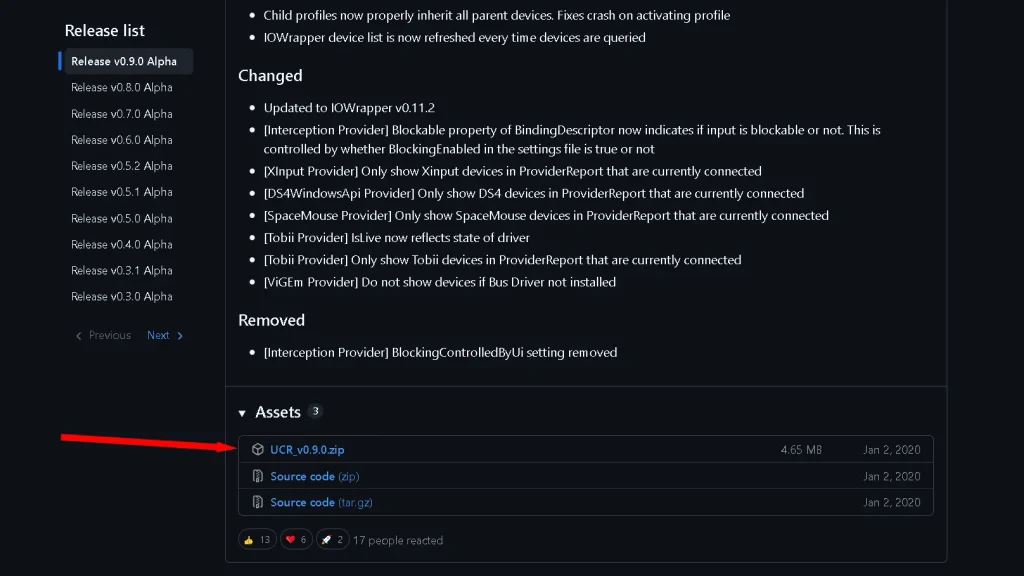
2. Install the required drivers
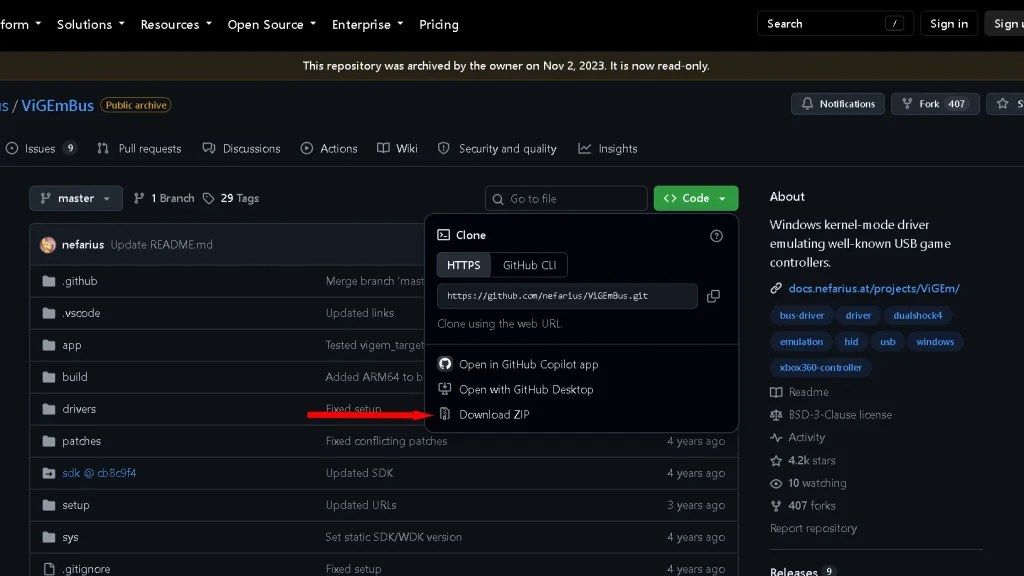
You’ll also need the ViGEmBus driver, which allows UCR to create a virtual Xbox controller. Download and install it from the official ViGEmBus project. The project is no longer maintained, but ViGEmBus is still used by UCR as its virtual-controller backend. Install ViGEmBus and restart your PC when prompted.
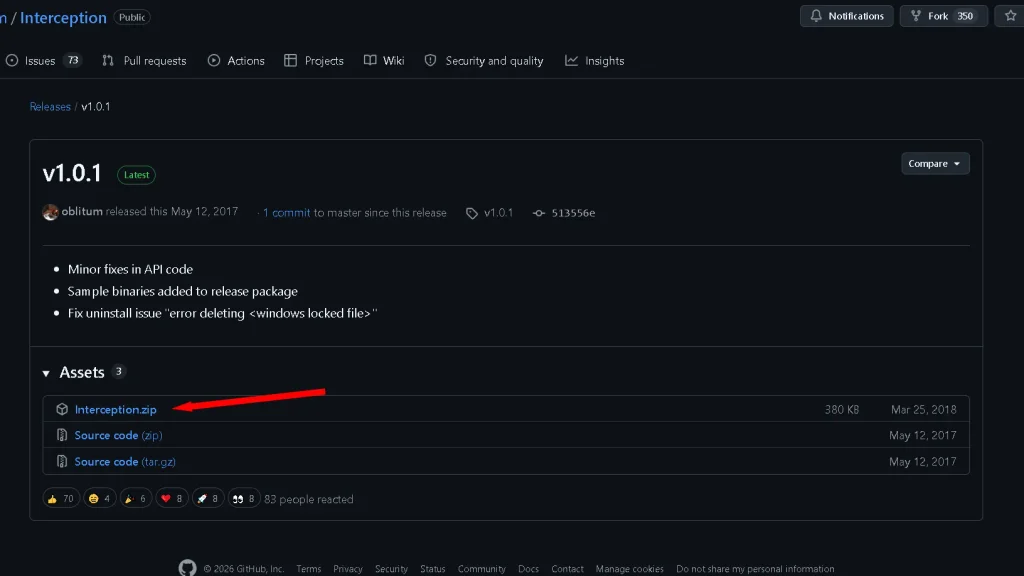
UCR also requires Interception to capture keyboard input. Download it, extract the files, open the Command Line Installer folder, and run the installer as administrator. Then restart your PC again.
3. Create a virtual Xbox controller in UCR
Open UCR and create a new profile.
Under Input Devices, select your keyboard. Under Output Devices, select:
ViGEm Xbox 360 Controller 1
Give the profile a name and create it.
4. Map WASD to the controller’s left stick
Open your new profile and enter the following keyboard-to-controller configuration.
Map:
- W → Left Stick Up
- A → Left Stick Left
- S → Left Stick Down
- D → Left Stick Right
You can also bind the other controller buttons to keyboard keys if you want to play without touching a physical controller. I did this myself, and I highly recommend you do so too.
5. Activate the profile and launch Minecraft Dungeons 2
Save your profile and activate it in UCR before launching the game. Minecraft Dungeons 2 should now detect the virtual Xbox controller.
However, there is a catch: you can’t properly use WASD and the mouse together, unfortunately. Keep that in mind.
Was WASD Available During Development?
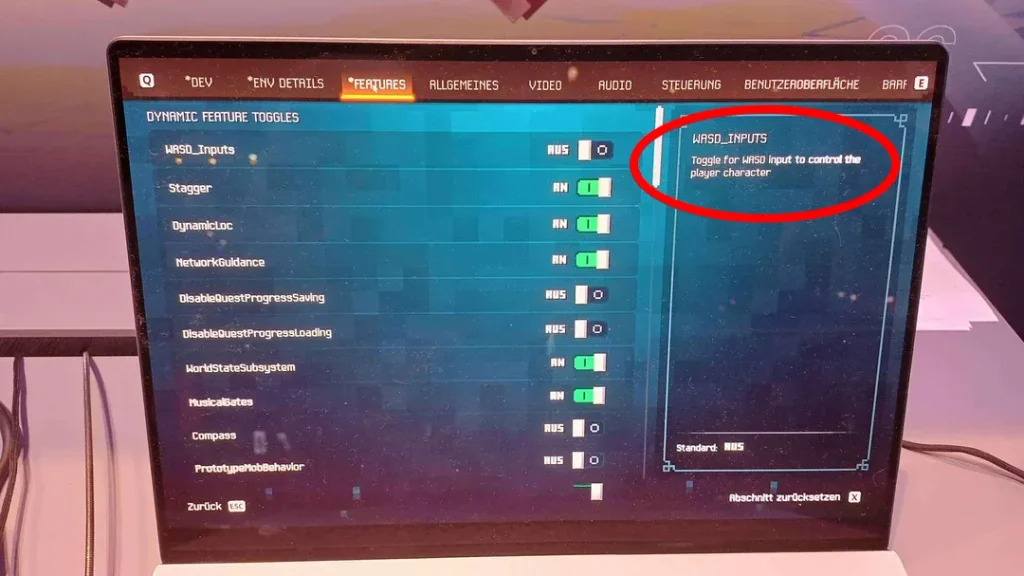
According to players, WASD movement was available in the Gamescom pre-release build of Minecraft Dungeons II. So it seems completely strange to see it missing in the launch version. The developers were fully aware that players demanded it in the sequel, since it was also missing in the original Minecraft Dungeons. WASD was one of the most-asked-for features before the game was released, and even now it still remains one.
Creative Director Måns Olson officially commented on the matter on September 26, saying: “It’s a thing a lot of players want, but it doesn’t map as naturally to a gamepad as click-to-move does.”
Seems like Mojang assumed our keyboards look like this:
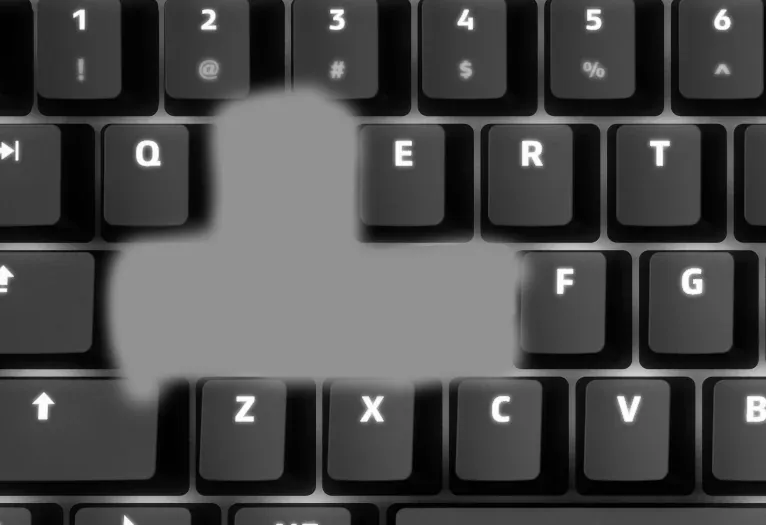
Regardless, I really hope we see Mojang listen to our feedback and issue an official fix.
Is WASD Coming to Minecraft Dungeons 2?
As of now, there hasn’t been an official comment on the matter after the game’s release. There is currently no confirmed release date for putting in WASD movement. Players are already requesting the feature, but we don’t know if future patches will include it.
In case of an update, I will inform you and put the link to the patch here.