

If you’re trying to play Mistfall Hunter with your friends in another region, there’s a community-discovered method that lets you switch between the North American and International game branches through Steam. While it’s a solid method, I have to reiterate that this isn’t 100% guaranteed, but it’s worth a shot. Let’s dive in.
Table of Contents
Can You Bypass the Mistfall Hunter Region Lock?
Steam players can sometimes switch between the North American and International builds through private branch codes. You should be aware that this is a community workaround rather than an official in-game server-selection feature.
It doesn’t work for everyone and character progression appears to remain separate between regional server groups. Lastly, you can’t do this on PS5 or Xbox because it depends on Steam’s Game Versions & Betas menu.
How to Switch Regions in Mistfall Hunter
In order to switch regions in Mistfall Hunter, follow these steps in Steam:
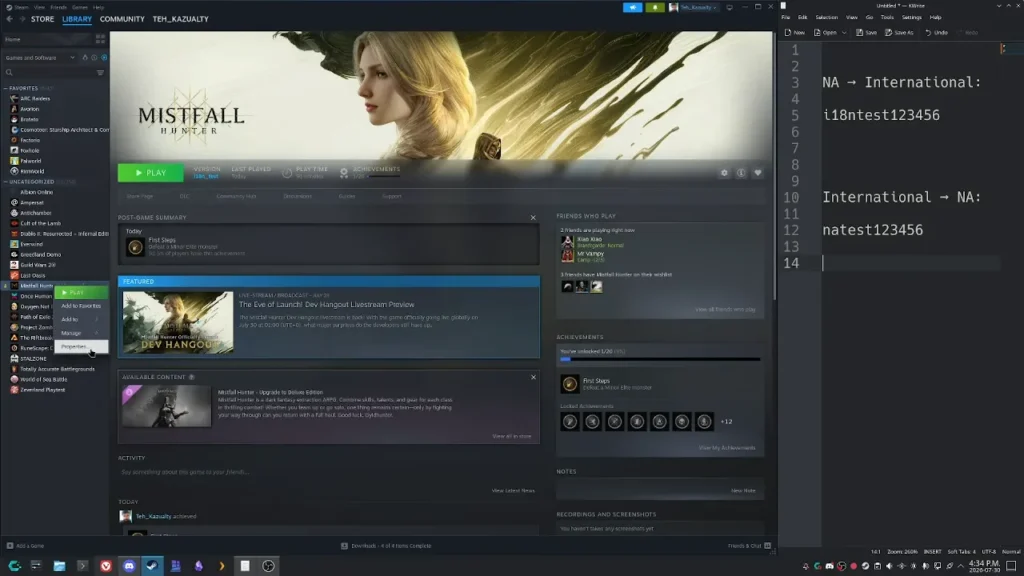
- Open your Steam Library.
- Right-click Mistfall Hunter and select Properties.
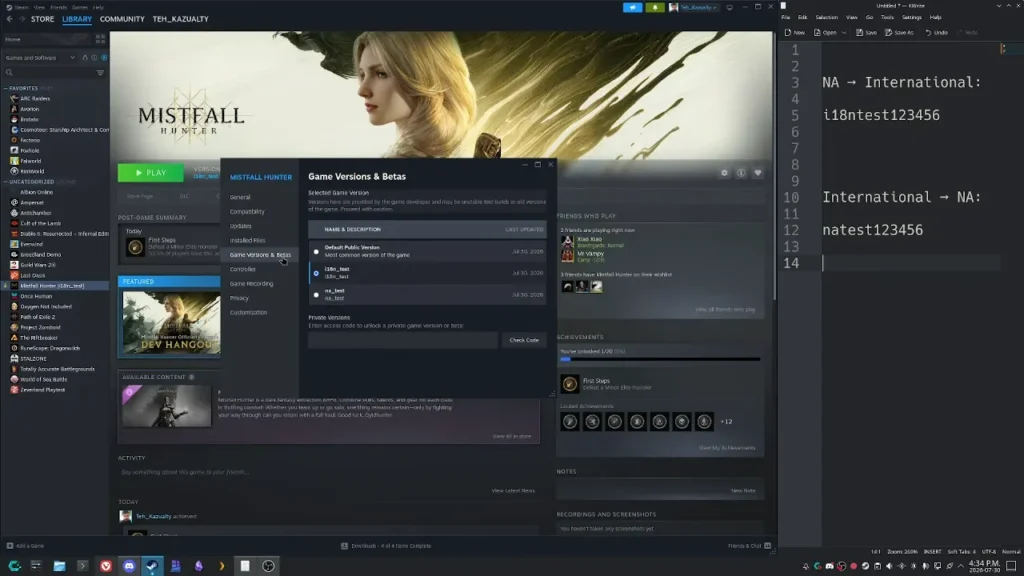
- Open the Game Versions & Betas tab.
- Find the Private Participation section.
- Enter one of these access codes:
- NA to International:
i18ntest123456 - International to NA:
natest123456 - Click Check Code.
- Select the newly unlocked branch from the dropdown menu.
- Wait for Steam to download the required files.
- Launch the game after the download finishes.
How to Revert to the Default Game Version
Now, if you want to return to the normal version of the game:
- Open Properties again.
- Go to Game Versions & Betas.
- Change the dropdown to Default Public Version – Most common version of game.
- Wait for Steam to download the default build again.
Region Switch Troubleshooting
If you run into crashes after changing branches:
- Open Properties.
- Go to Installed Files.
- Select Verify integrity of game files.
- Wait for the verification to finish before launching the game again.