

Mistfall Hunter is coming out soon and many people want to know whether it’s possible to have a cross-platform game session across Xbox series X and S, PlayStation 5 or PC. The short answer is yes but there is a twist. However if you want to learn everything about Mistfall Hunter crossplay stay with us till the end of the guide.
What You Find in This Guide:
Is Mistfall Hunter crossplay Possible?
Crossplay IS possible in Mistfall Hunter and it is confirmed by the developers. Mistfall Hunter is going to be released on 30 of July for PC, Xbox X and S series and PlayStation 5 and you can play across all three platforms.
Cross-progression in Mistfall Hunter
Do not confuse crossplay with cross-progression. Your progress is tied to the platform you play on, which means cross-progression is NOT possible in this game.
Can you play Mistfall Hunter cross-region?
Unfortunately the answer is no. You can only play with other players in the same region. Players on other servers will not be shown to you.
Store accounts registered in the United States, Canada, Mexico, Puerto Rico and the U.S. Virgin Islands are in the North America Region. So players who bought the game from these store locations can play together. These players cannot play with other players from other regions; in other words A US player and a UK player cannot meet in this game.
The developers are aware of this restriction and are working on it. They have asked people who have this problem to join the official Discord and open a support ticket.
Important Note: Your region is determined by your store account’s registered country. It has nothing to do with your physical location, so using a VPN doesn’t fix this problem.
How to add friends to your team
Unlike many other games, Mistfall Hunter has its own friend network and Player ID is separate from your Steam or Xbox ID.
So you can add someone to the game’s friend network without touching the paltform’s native friend list.
Finding Your Friends’ ID in Mistfall Hunter
Before everything you have to pay attention to this point: Before finishing the tutorial and unlocking the main base, you cannot add friends.
Also make sure that you and your friends have the same version of the game. If you play with the final version but your friend is still on the Demo, you can’t play together.
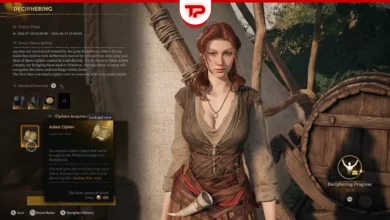
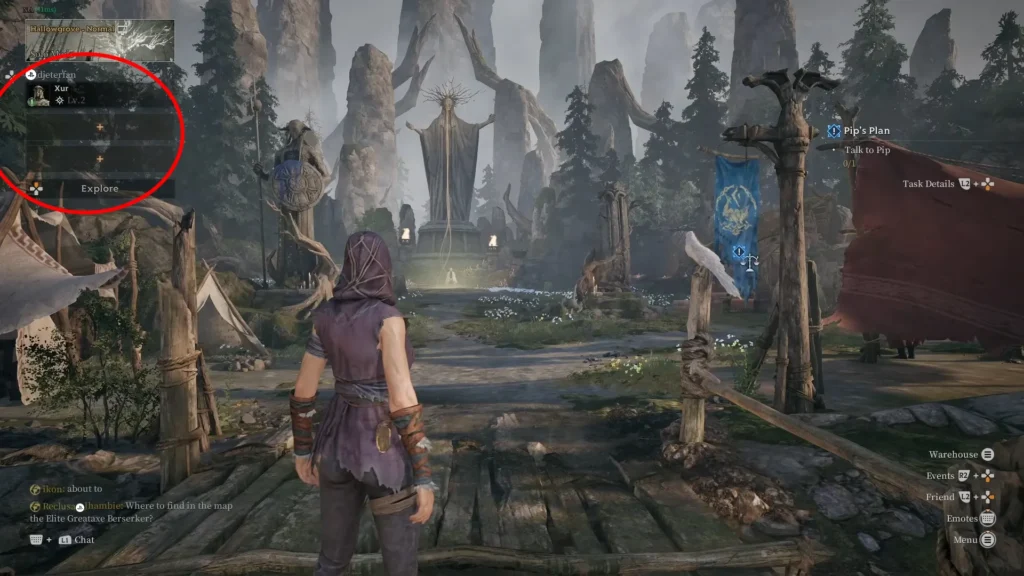
First you have to find your or your friend’s ID. At the top left corner next to your username there’s an icon. Select it to open the team screen. At the bottom right corner you’ll find an icon “Friend” written next to it. Select on that one. Now in the new tab that has opened you’ll see your character’s portrait on top. Right next to it you’ll see your name, level and most importantly your ID, which is a sequence of numbers.
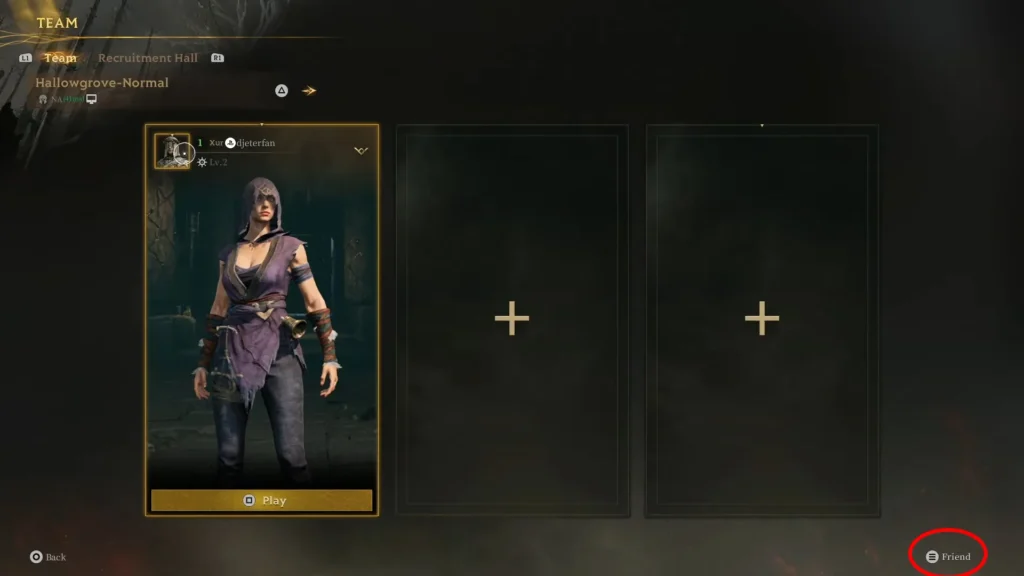
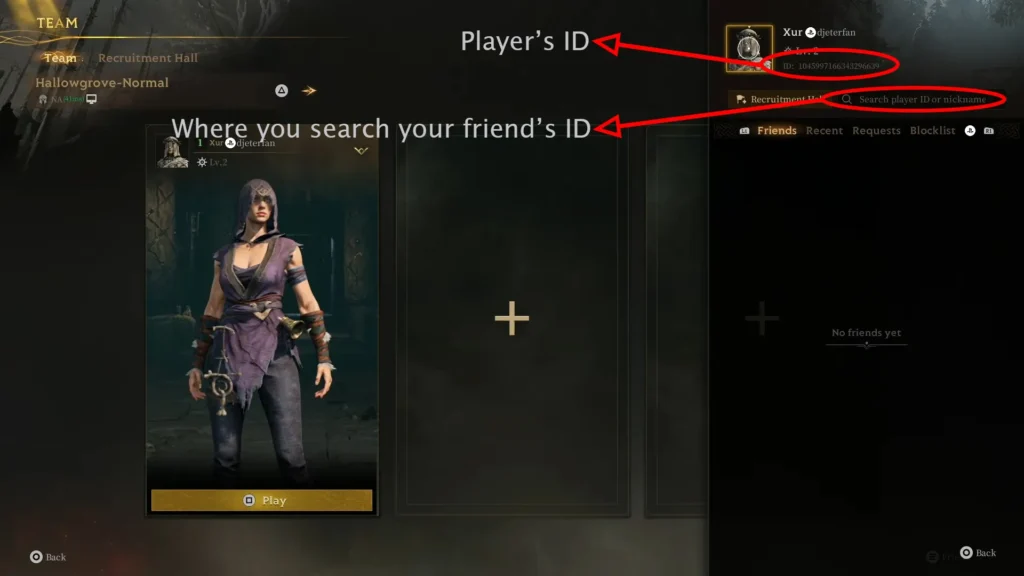
Right beneath the ID, you’ll see a search bar for finding your friend.
The maximum size of a team is 3. So you can play Mistfall Hunter solo, duo or trio.
You can find your friends either by searching their nickname or ID. I would go with ID because it’s more reliable. Two players may have the same nickname and you end up sending a request to the wrong person, but each player has a unique ID.
Playing With Random Players in Mistfall Hunter
None of your friends play Mistfall Hunter but you don’t want to play solo? There’s a solution. Go to the Recruitment Hall section. Here you can add your friends but also you can post recruitment. You can choose your preferred map, class and difficulty and someone matching those criteria might accept.
I’ve done a lot of research and covered the main crossplay limitations and walked through how to play with friends across platforms. A shoutout to Guiding Light for making a specific video about Mistfall Hunter crossplay. Since I haven’t been able to get my hands on the Demo, I used screenshots from his video.
If you found any issues or something that was different in your experience please leave us a comment.