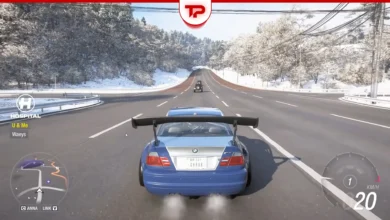
If you play Forza Horizon 6, you might want to listen to your own playlists. A Reddit user named Intelligent-Crew-576 created a free tool called Segue. This Windows desktop app connects to the game and controls your custom audio automatically. It lowers your song volume when NPCs talk and brings it back up when you drive. Because it never modifies game files, it is completely ban safe.
You can get it directly from the creator’s official Ko-fi page: Download the Segue app
What we cover:
What is the Segue App?
The standard in-game radio might get boring after a while. Segue solves this problem by linking your external audio player with the game. It uses the official data out telemetry to understand what is happening on your screen.
When someone speaks, like ANNA or mission announcers, the app detects the speech and lowers the music. It does not rely on a basic timer. Instead, it runs a background model to listen for voices. Once the conversation ends, the volume goes back to full power.
Is Segue Ban Safe in Forza Horizon 6?
Many players worry about losing their accounts when using third-party tools. You do not need to worry about this software.
It is entirely ban safe. The tool operates independently and never touches the internal files of Forza Horizon 6. It does not inject code into the engine. It only reads the public telemetry data that the developers officially provide.
Supported Platforms and Controllers
Before you install the tool, you should check your hardware. The developer built this project mainly for PC users.
| Platform / Hardware | Compatibility Status |
|---|---|
| PC (Windows) | Fully Supported |
| Xbox Consoles | Not Supported |
| PS5 and PS4 controllers | Best Experience (Touchpad support) |
| Xbox controllers | Supported (Requires custom key binds) |
| Sim Wheels | Untested (Requires manual binding) |
If you use PlayStation hardware, you can swipe the touchpad to skip tracks or change the volume. If you play with Xbox controllers on PC, you will need to sacrifice a few in-game buttons to manage your tracks because they lack a touchpad.

How to Setup Segue
The installation process is quick. You just need to follow a few simple steps to sync your audio.
- Install the tool from the provided download link.
- Open the Forza Horizon 6 menu and turn off the in-game radio.
- Disable the standard game music completely.
- Unbind your D-pad controls in the game settings if you plan to use them for audio.
- Navigate to the game settings and enable the Data Out telemetry feature.
- Input the specific network numbers that the app shows on your screen.
- Launch your music player and start driving.
Compatible Music Services
You have several choices when it comes to playing your tracks.
- Spotify (Works perfectly with the on-screen overlay)
- Apple Music (Added in a recent software update)
- Browser audio (Controls system volume for platforms like YouTube)
Currently, the tool does not have direct integration for other standalone players, but the browser-based option covers most needs.
Current Limitations and Known Bugs
The background speech detection runs a model on your processor, so it uses some CPU power. On lower-end machines this can affect performance, and the developer is improving it over time.
Another small bug happens when you enter your house or the garage. The system sometimes thinks you are still driving. The creator is aware of this and plans to fix it soon.
Also, if you move the application window between monitors with different resolutions, the buttons might freeze.
Finally, cloud gaming platforms like GeForce Now will not work natively. The tool needs local telemetry to function. You can technically make it work in the cloud, but you must port-forward UDP 5300 so the data can reach your machine.