Players can create custom maps to add a whole new layer of replayability to Meccha Chameleon. However, if you just want to download external maps and jump straight into the fun, the installation process can be a bit confusing.
Here is a complete, step-by-step guide on how to get Meccha Chameleon maps. (Special thanks to YouTube creator Jyko for his insightful video on this process!)
What You Will Read:
Step 1: Open the Steam Workshop
From the game’s main menu, click on the green Maps logo (see screenshot below). This will take you directly to the official Meccha Chameleon Steam Community Workshop page.

Step 2: Choose Your Favorite Custom Map
Browse the page to find a map you like. Almost all of them are completely free!
Personal Tip: I highly recommend the Minecraft House and Art Gallery maps. They both have incredibly fun spots to hide and paint yourself into!
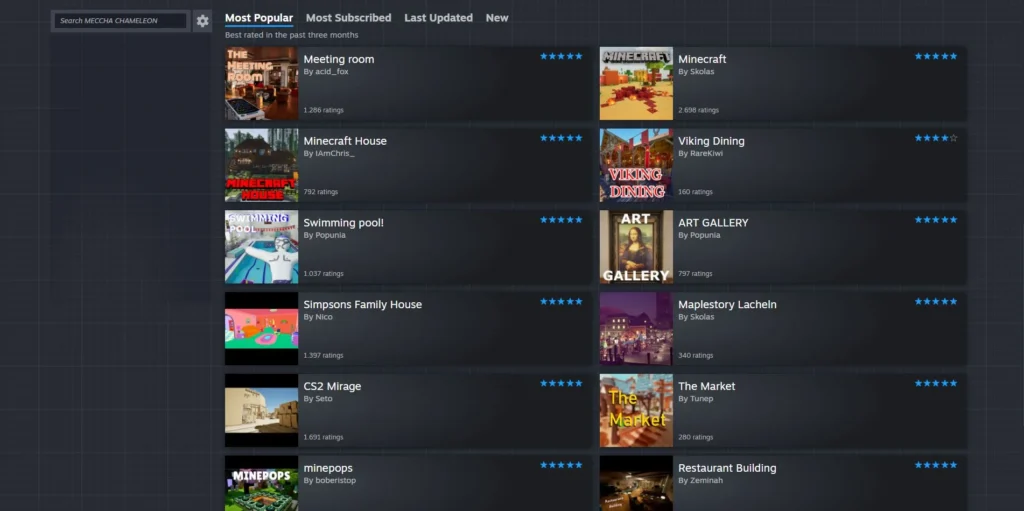
Step 3: Subscribe to the Maps to Download Them
On the map’s page, click the green Subscribe button to add it to your library. You can queue up multiple maps at the same time.
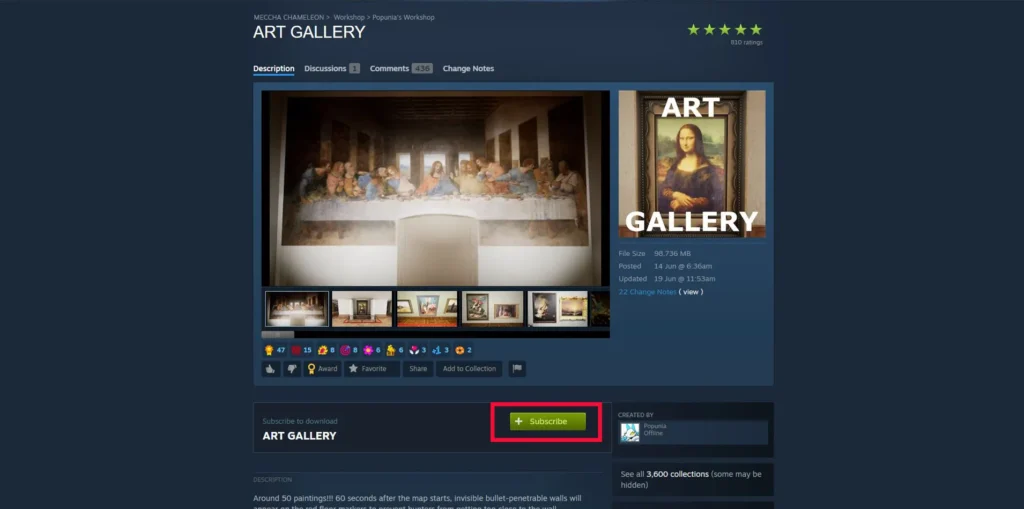
Important Fix: Sometimes, newly subscribed maps won’t appear in the game immediately. If this happens, simply restart the game and try subscribing again. For the smoothest experience, subscribe to all the maps you want at once, then restart Meccha Chameleon.
Step 4: Configure Your Server
Head back into the game. On the main menu, click the Create Server button and adjust your preferred match settings. Then, click the second Create Server button located at the bottom of the page.


Under the map configuration section, you will see your newly added custom maps highlighted in pink. Select one and you are ready to hide!