

The FM27 In-Game Editor is a paid add-on for Football Manager 2027. It lets you change player attributes, Current and Potential Ability and club finances directly inside an active career save.
You’ll Read:
How to Get It
Released on November 10, 2026 alongside the full game. Price is $8.99 (US). Requires the base game.
| Platform | Price (US) | Store |
| Steam | $8.99 | Steam |
| Epic Games | $8.99 | Epic Games Store |
| Microsoft Store | $8.99 | Microsoft Store |
Buy the FM27 version specifically. The FM26 editor will not work. The add-on must be tied to the same account you use for the game.
It works on PC and Mac. PC Game Pass does not include it for free, you still have to buy it separately through the Microsoft Store.
Unlike the Pre-Game Editor, this one is not a separate program. You access it from inside a loaded career save.
How to Enable In Game Editor
Load an existing career or start a new one. On a new career, make sure Allow use of the In-Game Editor is checked in Advanced Setup.
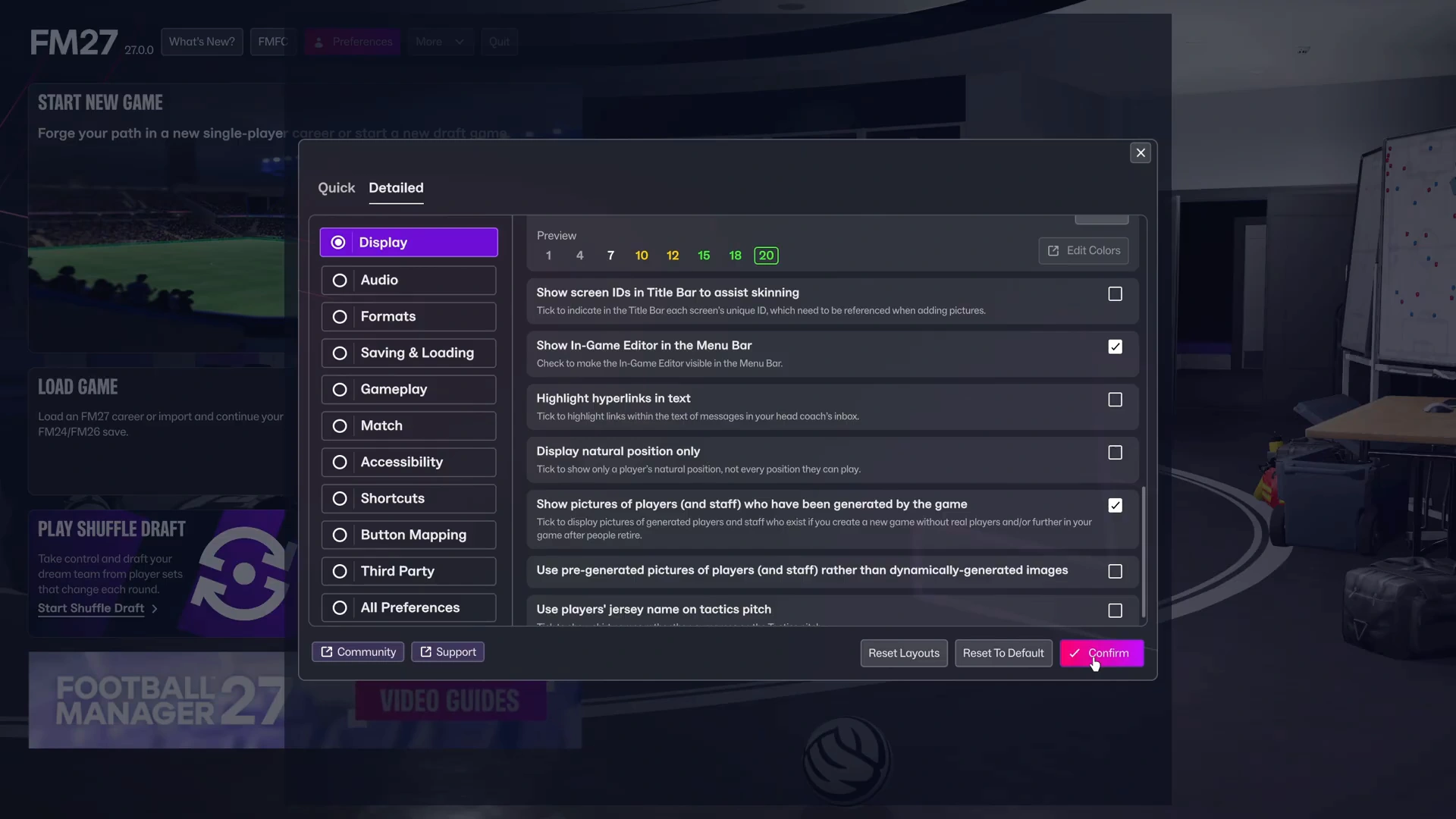
Open Preferences and enable Show In-Game Editor in Menu Bar, then just look for the pencil icon in the top menu bar once you’re in the career.
The editor only works while a career is active. It will not appear from the main menu.
If you disabled editor access when you created the save, turning on the menu-bar option later will not override that restriction. For existing saves that already allow the editor, you can buy the DLC afterward without starting over.
How to Use this Editor
FM27 uses a full-screen editing interface. Open a player or club profile and enter the editor. Fields are grouped into clear sections with tooltips.
Change individual values such as Dribbling or Pace. Useful for testing role suitability without waiting seasons for natural development.
About Current Ability (CA) and Potential Ability (PA): Raising PA does not instantly boost every visible attribute, the player still has to develop toward the new ceiling. For immediate changes, edit CA or the individual attributes directly. Make a backup first if you’re making large changes.
You can adjust a club’s money and reputation. Handy for giving a smaller club a stronger starting point and seeing how it develops.
FM27 In-Game Editor Not Showing Up
First, make sure that Show In-Game Editor in Menu Bar is enabled in Preferences. Try toggling it off and on again.
Check whether the career itself allows the editor. A save created with editor access prohibited cannot be unlocked later through the display setting.
The other things you can check:
- Make sure you bought the FM27 editor, not an older version.
- Use the same account that owns both the game and the DLC.
- Temporarily disable any VPN and check that your system date, time, and time zone are correct.
If the problem is on Steam: Launch Football Manager from the editor’s Steam store page, verify game files and restart Steam and reload the career.
Epic Games: Verify installation files and restart the launcher. If needed, revoke Football Manager’s access under connected applications in your Epic account, then relaunch and re-authorize.
Microsoft Store: Confirm you’re signed into the account that owns the add-on and that you’re running the PC version. Check ownership status in the Microsoft Store or Xbox app, then restart the game. If it still fails, contact SEGA Support.
Also check whether antivirus software is blocking the game.
What’s New in the FM27 Version
The main change is a redesigned full-screen interface with clearer organization, better tooltips and improved performance. Core functions (attributes, ability values, finances, reputation) remain the same.
In-Game Editor vs Pre-Game Editor
Here’s the comparison you’re dying for:
| Feature | In-Game Editor | Pre-Game Editor |
| Price | $8.99 | Free for FM27 PC/Mac owners |
| When used | During an active career | Before starting a career |
| Main purpose | Edit current game world | Customize starting database |
| Player editing | Yes | Yes |
| Club editing | Yes | Yes |
| Competition database editing | Not primary | Yes |
| Separate application | No | Yes |
Use the Pre-Game Editor if you want to change the database before starting. Use the In-Game Editor if you already have a career running and want to adjust players or finances without creating a new database.